
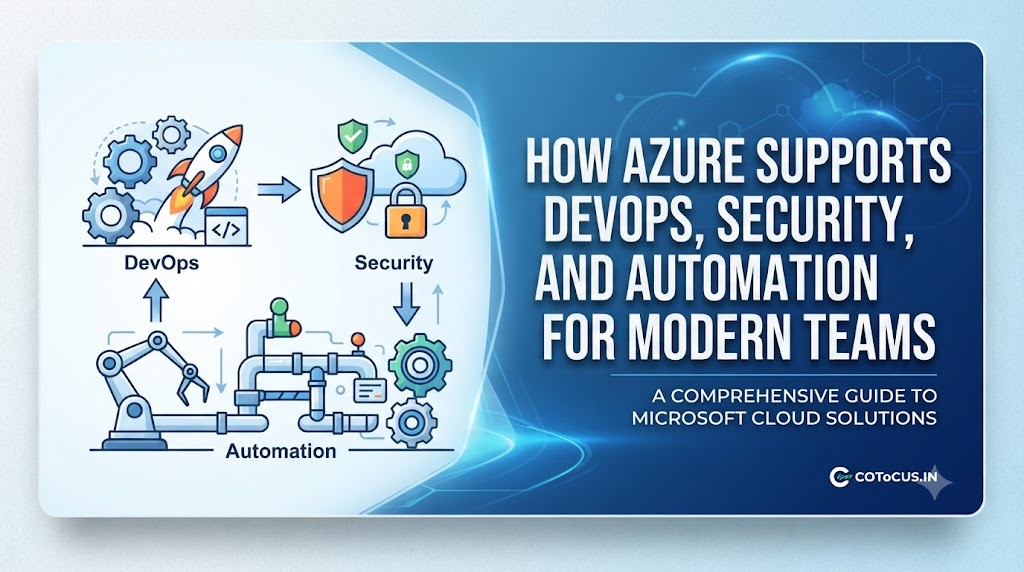
Introduction
Building software today is fast-paced. Companies want to push updates to their apps every single day, sometimes every hour. Doing this manually leads to burnout, human errors, and broken apps.
To solve this, modern engineering teams rely on cloud platforms. Microsoft Azure is one of the biggest options available. But Azure is not just a digital storage locker. It is a massive workshop filled with tools that change how engineering teams work.
Many beginners find cloud platforms confusing because of heavy technical words. This guide breaks down how Azure handles DevOps, security, and automation using simple language, real-world examples, and practical insights.
What Is Microsoft Azure?
At its core, Microsoft Azure is a public cloud computing platform.
- Simple Meaning: Imagine a giant warehouse filled with powerful computers, servers, and storage hard drives owned by Microsoft. Instead of building your own computer server room in your office, you rent space and power from Microsoft over the internet.
- Why It Matters: You can spin up a powerful computer in seconds, use it for an hour, and turn it off—only paying for the exact minutes you used it.
- Example: A small startup launches a food delivery app. On Friday night, millions of people open the app. Azure automatically adds more server power to keep the app from crashing, then scales it back down on Monday morning.
How Azure Supports DevOps
DevOps is a combination of two words: Development (writing code) and Operations (running code on servers). Traditionally, developers wrote code and threw it over the fence to the operations team, which often caused friction and delays. DevOps brings these teams together so software is built, tested, and released smoothly.
Azure supports this workflow through specific tools designed to automate the lifecycle of an application.
1. Continuous Integration and Continuous Deployment (CI/CD)
- What it is: A system where every time a developer saves new code, automated systems test it and push it live to users without manual human intervention.
- Why it matters: It stops bugs from reaching customers and speeds up release times.
- Azure Tool: Azure DevOps and GitHub Actions. GitHub is owned by Microsoft and integrates tightly with Azure.
2. Infrastructure as Code (IaC)
- What it is: Managing and provisioning computer servers through code configuration files instead of clicking buttons on a website dashboard.
- Why it matters: If your server breaks, you can recreate the exact same setup in minutes by running your code again.
- Azure Tool: Azure Resource Manager (ARM) templates and Terraform.
How Azure Supports Security
When companies move to the cloud, their biggest fear is data theft. Azure approaches security with a Shared Responsibility Model—Microsoft protects the underlying cloud infrastructure, while you are responsible for protecting your data and access settings. Azure provides advanced guardrails to make your job easier.
1. Identity and Access Management
- What it is: Controlling exactly who can log into your cloud systems and what they are allowed to touch.
- Why it matters: A stolen password won’t give a hacker the keys to the kingdom if multi-factor authentication and strict permissions are enforced.
- Azure Tool: Microsoft Entra ID (formerly known as Azure Active Directory).
2. Threat Protection and Monitoring
- What it is: Intelligent scanners that watch your network 24/7 for suspicious behavior, like someone trying to log in from an unusual country.
- Why it matters: Early warnings let security teams stop attacks before data is stolen.
- Azure Tool: Microsoft Defender for Cloud.
How Azure Supports Automation
Automation means letting computers handle routine, repetitive tasks so humans can focus on creative problem-solving. If an engineer has to restart a frozen server every morning at 3 AM, automation lets a script do it instead.
1. Serverless Computing
- What it is: Running code snippets without managing any underlying servers at all. The code only runs when triggered by an event.
- Why it matters: You do not pay for idle time, and you never have to patch operating systems.
- Azure Tool: Azure Functions.
2. Workflow Orchestration
- What it is: Connecting different apps and services together so data flows automatically between them.
- Example: When a customer fills out a support form on your website, Azure automatically creates a support ticket, sends a confirmation email, and alerts your team on Slack.
- Azure Tool: Azure Logic Apps.
Practical Example: Bringing It All Together
Let’s look at how a fictional online bookstore, ReadFast, uses Azure to combine DevOps, security, and automation.
- DevOps: A developer named Sarah writes code for a new checkout button. She pushes her code to GitHub. Azure automatically runs tests to ensure the code works. Once approved, Azure updates the live website automatically.
- Security: ReadFast uses Microsoft Entra ID so that only verified warehouse staff can access shipping logs. Microsoft Defender monitors the database for unusual login attempts.
- Automation: Every night at midnight, an Azure Function script backs up the customer database to secure cloud storage and deletes temporary cache files, requiring zero human effort.
Common Mistakes Teams Make in Azure
Even experienced teams make mistakes when adopting cloud workflows.
| Common Mistake | Why It Happens | What Goes Wrong | What to Do Instead |
| Ignoring Cost Limits | Leaving cloud resources running by accident. | Receiving a shockingly high monthly bill from Microsoft. | Set up Azure Budgets and Cost Alerts to warn you when spending spikes. |
| Weak Access Controls | Giving every developer full admin rights. | A single compromised password exposes the entire company infrastructure. | Follow the Principle of Least Privilege—give users only the exact permissions they need. |
| No Infrastructure Backup | Trusting that cloud data is completely immune to deletion. | Accidentally deleting a production database with no way to restore it. | Enable automated daily snapshots and cross-region backups. |
Decision Framework: Is Azure Right for You?
If you are trying to decide whether to adopt Azure for your projects, ask yourself these questions:
- What is your existing technology stack? If your team already uses Windows Server, SQL Server, and Microsoft .NET, Azure integrates very smoothly.
- What are your compliance needs? Azure has more international and government compliance certifications than almost any other cloud provider, making it great for banks and hospitals.
- What is your team’s skill level? Evaluate whether your team needs training on Microsoft tools or if they prefer alternative ecosystems.
Key Terms
- Cloud Computing: Renting computing power and storage over the internet instead of owning physical hardware.
- CI/CD: An automated pipeline that builds, tests, and releases code changes continuously.
- Serverless: A cloud service model where the cloud provider manages the servers, letting developers focus solely on writing code.
- Terraform: An open-source tool used to provision cloud resources using human-readable configuration files.
- Multi-Factor Authentication (MFA): A security process where a user provides two or more verification factors to gain access (e.g., password plus a phone notification).
- Containerization: Packaging an application with all its dependencies so it runs reliably on any computer.
- Scalability: The ability of a system to handle growing amounts of work by adding resources.
- Log Analytics: Collecting and analyzing system logs to troubleshoot errors and track security events.
FAQs
Is Microsoft Azure only for large enterprise companies?
No. Azure has tools and pricing tiers designed for everyone, from solo developers building hobby apps to multinational banks. Many services offer free monthly allowances for starters.
What is the difference between AWS and Azure?
AWS (Amazon Web Services) is the market leader and is offered by Amazon. Azure is offered by Microsoft. Both provide similar cloud computing services, but Azure is often chosen by companies deeply invested in Microsoft software ecosystems.
Do I need to know how to code to use Azure?
You can perform many basic tasks using Azure’s visual web dashboard (portal) without coding. However, to take full advantage of DevOps and automation, learning scripting languages like PowerShell, Python, or YAML is extremely helpful.
How does Azure help prevent data breaches?
Azure provides built-in firewalls, automated threat intelligence, encryption for data stored on servers or sent over the network, and strict identity management tools like Microsoft Entra ID.
Is Azure difficult to learn for beginners?
Azure has a learning curve because it offers thousands of features. However, Microsoft provides free learning paths and certifications (like Azure Fundamentals) to help beginners get started step by step.
Conclusion
Microsoft Azure is much more than a virtual server rental service. By bringing together robust DevOps pipelines, enterprise-grade security controls, and powerful automation tools, it gives engineering teams the foundation they need to build reliable software at scale.
Mastering Azure does not require knowing every single tool on day one. Start small, automate repetitive tasks, secure your access points, and let the cloud handle the heavy lifting while you focus on building great products.

