
Introduction
Software development used to be simple in theory, but messy in practice. Developers wrote code on their computers, handed it over to a separate operations team, and hoped it would work on production servers. Most of the time, it broke.
Servers were configured by hand, updates took days, and fixing bugs meant pointing fingers between teams.
This bottleneck caused slow releases and frustrated customers.
To solve this, the technology industry created DevOps. It is a working culture and a set of engineering practices designed to help teams build, test, and release software faster and more reliably.
For beginners, the sheer number of tools can feel terrifying. Kubernetes, Docker, Terraform, Jenkins, Ansible—the list goes on.
For working professionals, transitioning into DevOps requires unlearning old habits and adopting an automation-first mindset.
This guide provides a practical, clear, and comprehensive DevOps roadmap designed to take you from absolute fundamentals to advanced production engineering without the fluff.
What Is DevOps?
DevOps is a combination of two words: Development and Operations.
At its core, it is not just a job title or a collection of software tools. It is a philosophy of collaboration, automation, and continuous improvement.
Think of a traditional restaurant kitchen. The chefs (developers) cook the food, and the waiters (operations team) serve it. If the chefs throw food across the kitchen without talking about what ingredients are missing, chaos ensues.
DevOps brings the chefs and waiters together so they work as a single team to deliver meals smoothly.
In technical terms, DevOps automates the path from a developer typing code on a laptop to that code running safely on a cloud server for millions of users to see.
It matters because modern businesses survive on speed and reliability. If a competitor updates their app every day while your company takes six months, your business loses.
DevOps removes the friction, reduces human error through automation, and ensures that software changes reach users safely and quickly.
The Core Phases of the DevOps Roadmap
A successful DevOps journey follows a logical sequence. You cannot build a skyscraper without laying a solid foundation.
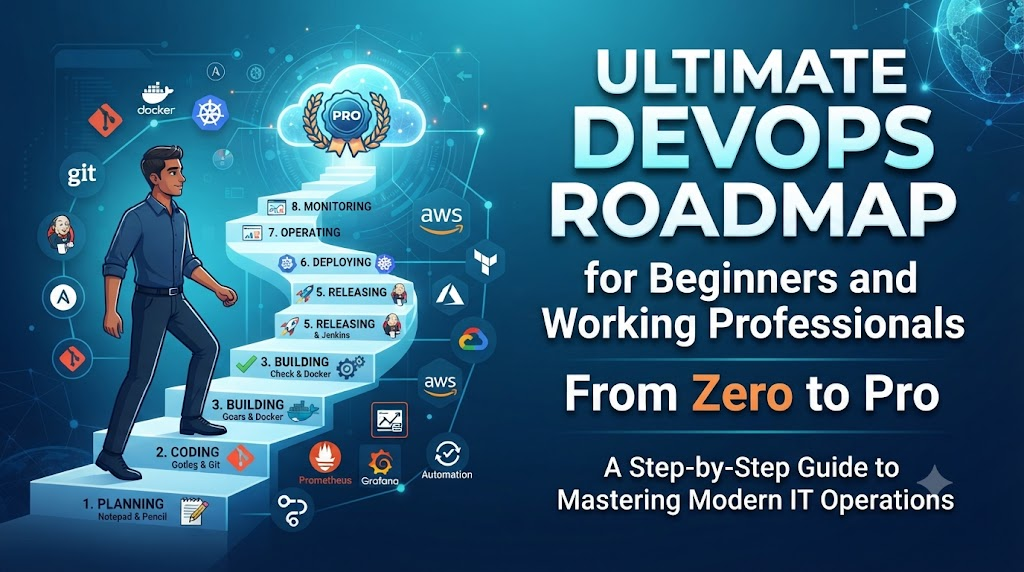
Here is the step-by-step roadmap broken down into manageable phases.
Phase 1: Master the Fundamentals of Operating Systems and Networking
Before touching any advanced automation tool, you must understand how computers and networks talk to each other.
- Linux Mastery: Almost all cloud servers run on Linux. You must feel comfortable navigating the command line, managing file permissions, handling processes, and writing basic shell scripts (Bash).
- Networking Basics: Understand how the internet works. Learn about IP addresses, DNS (Domain Name System), HTTP/HTTPS protocols, TCP/UDP, firewalls, and load balancing.
- Version Control with Git: Code is your raw material. Git helps teams track changes, collaborate without overwriting each other’s work, and roll back broken updates.
Phase 2: Learn Scripting and Programming
You do not need to be a software architect, but you must know how to read and write code to automate repetitive tasks.
- Python or Go: Choose a scripting language to write automation scripts, interact with APIs, and build utility tools. Python is popular for its simplicity; Go is widely used for modern cloud-native tools.
- YAML and JSON: These are data serialization formats used extensively in configuration files, pipelines, and Kubernetes manifests.
Phase 3: Continuous Integration and Continuous Deployment (CI/CD)
CI/CD is the beating heart of DevOps. It is the automated pipeline that takes code from a developer’s computer, runs tests, builds packages, and deploys them to production.
- Continuous Integration (CI): Every time a developer pushes code, automated tests check for bugs. If the tests pass, the code merges safely.
- Continuous Deployment (CD): Once code passes integration, it automatically deploys to staging or production environments without manual intervention.
- Popular Tools: Jenkins, GitHub Actions, GitLab CI, and ArgoCD.
Phase 4: Containerization and Orchestration
In the past, software ran differently on a developer’s laptop than on a production server because of environmental differences. Containers solved this problem.
- Docker: Docker packages your application and everything it needs into a single container. If it runs on your laptop, it will run anywhere.
- Kubernetes (K8s): When you run hundreds of containers across multiple servers, you need an orchestration tool to manage them, restart failed containers, and scale up traffic automatically. Kubernetes is the industry standard for this task.
Phase 5: Infrastructure as Code (IaC)
Gone are the days of system administrators logging into cloud portals to click buttons and create servers manually. Infrastructure as Code lets you write code that provisions servers, networks, and databases.
- Terraform: The most popular open-source tool for defining cloud infrastructure across AWS, Azure, or Google Cloud using simple configuration files.
- Configuration Management (Ansible): Once your servers are running, Ansible helps configure software, install patches, and manage settings across hundreds of machines simultaneously.
Phase 6: Observability, Monitoring, and Logging
Once your application is running in production, you need to know when things break before your customers notice.
- Monitoring and Metrics: Tools like Prometheus collect numerical data, such as CPU usage and memory consumption.
- Visualization: Grafana turns those metrics into dashboards that show system health at a glance.
- Centralized Logging: Tools like the ELK Stack (Elasticsearch, Logstash, Kibana) or Datadog collect application logs so you can trace errors quickly.
Practical Example: How a DevOps Pipeline Works in Real Life
Imagine a small e-commerce startup launching a flash sale.
- Code Commit: A developer writes code to update the checkout button and pushes it to GitHub.
- Automated CI: GitHub Actions automatically triggers a test suite. It runs unit tests and security scans.
- Containerization: If tests pass, Docker packages the new checkout service into a container image and pushes it to a secure registry.
- Infrastructure Deployment: Terraform ensures the underlying cloud infrastructure has enough capacity to handle the incoming flash sale traffic.
- Orchestration: Kubernetes rolls out the new container image gradually, replacing the old version with zero downtime for shoppers.
- Observability: Prometheus and Grafana monitor CPU spikes and error rates, alerting the on-call engineer if anything behaves abnormally.
Common Mistakes Beginners and Professionals Make
Transitioning into DevOps is challenging, and falling into common traps can slow down your progress.
- Tool Hopping without Understanding Concepts: Many learners try to learn Docker, Kubernetes, Terraform, and AWS all at once. Instead, master the core concepts first, then learn the tools that solve those specific problems.
- Ignoring Linux Fundamentals: Relying only on graphical user interfaces (GUIs) creates massive skill gaps. Spend time in the terminal.
- Treating Security as an Afterthought: Waiting until production deployment to think about security creates vulnerabilities. Learn DevSecOps principles early—scanning container images for vulnerabilities and managing secrets securely.
- Neglecting Soft Skills: DevOps is heavily collaborative. Communication and empathy are just as important as technical skills when working between development and operations teams.
Risks and Limitations in DevOps Adoption
While DevOps offers incredible advantages, organizations and engineers must be aware of potential pitfalls.
- Cultural Resistance: Moving from siloed teams to a collaborative culture creates friction. Traditional operations teams may fear automation, while developers may resist operational responsibilities.
- Tool Fatigue: The cloud-native ecosystem changes rapidly. Adopting every new tool that launches leads to bloated architectures and confused teams.
- Initial Complexity: Setting up automated CI/CD pipelines and Kubernetes clusters requires upfront time and expertise. Small projects might slow down before speeding up.
Decision-Making Framework: Choosing Your Starting Point
If you are wondering where to begin, follow this simple framework based on your current background:
- Step 1: Assess Your Background. Are you a developer who wants to learn operations, or an IT administrator transitioning to the cloud?
- Step 2: Secure the Basics. If your Linux and networking knowledge is weak, spend 4 weeks there before looking at Docker or Kubernetes.
- Step 3: Pick One CI/CD Tool. Master GitHub Actions or GitLab CI thoroughly before exploring alternative tools.
- Step 4: Learn One Cloud Provider. Focus on AWS, Microsoft Azure, or Google Cloud Platform. Do not try to learn all three simultaneously.
- Step 5: Build a Capstone Project. Deploy a full-stack application using Git, Docker, Terraform, and a CI/CD pipeline to prove your skills.
Essential DevOps Terminology
- Artifact: A packaged version of your software ready for deployment.
- Idempotency: The property of an operation where applying it multiple times results in the same state without unintended side effects.
- Immutable Infrastructure: Servers that are never modified after creation; if updates are needed, new servers are deployed and old ones are destroyed.
- Pipeline: An automated sequence of steps that code travels through from development to production.
- Secret Management: Securely storing sensitive data like API keys, database passwords, and SSH keys using tools like HashiCorp Vault or AWS Secrets Manager.
Frequently Asked Questions
Do I need to know how to code to learn DevOps?
You do not need to build complex software applications from scratch, but you must know how to read code and write scripts in languages like Python or Bash to automate daily tasks.
Which cloud provider should I start with?
Amazon Web Services (AWS) has the largest market share and the most documentation, making it an excellent starting point for most beginners.
How long does it take to learn DevOps?
For someone with basic technical knowledge, achieving job-ready DevOps skills typically takes 6 to 9 months of consistent, hands-on practice.
Is Kubernetes mandatory for all DevOps roles?
While not every small company uses Kubernetes, it is the gold standard for container orchestration and is expected knowledge for mid-to-senior level roles.
Can a fresh college graduate become a DevOps engineer directly?
While most professionals transition into DevOps from software development or system administration, dedicated junior DevOps roles and graduate programs are increasingly common.
What is the difference between DevOps and SRE?
Site Reliability Engineering (SRE) is a specific implementation of DevOps created by Google, focusing heavily on software engineering approaches to IT operations, reliability, and incident management.
How do I practice DevOps skills without spending money?
Most major cloud providers offer generous free tiers, and tools like Docker and Minikube run locally on your personal laptop at zero cost.
Why is Linux so important for DevOps?
The vast majority of cloud servers, containers, and orchestration platforms run on Linux kernels, making command-line fluency an absolute non-negotiable skill.
Conclusion
Mastering DevOps is a rewarding journey that transforms how software is built, tested, and delivered. By focusing on core concepts like Linux, networking, CI/CD, containerization, and infrastructure as code, you build a resilient skill set that remains valuable across any industry. Avoid the trap of collecting tool certifications without understanding the underlying principles. Take your time, build hands-on projects, embrace automation, and watch your technical career accelerate.

