
Introduction
Many engineers learn programming languages, databases, and system design, but struggle when it comes to shipping code to a live environment. Writing code is only half the battle. Getting that code safely onto a server, making sure it scales under heavy user traffic, and fixing it quickly when something breaks is where DevOps comes in.
In the past, developers wrote code and handed it over to a separate operations team. This handoff often caused delays, finger-pointing, and the classic frustration of “it worked on my machine.” DevOps brings development and operations together using automated tools.
For beginners and growing professionals, looking at a long list of DevOps tools can feel overwhelming. Many tutorials teach complex definitions without showing why the tool exists or how it solves everyday engineering headaches. This guide breaks down the essential DevOps tools you need to learn practically, focusing on real-world workflows, common mistakes, and how to use them effectively.
What Are DevOps Tools and Why Do They Matter?
DevOps tools are software applications that help automate the steps required to turn raw source code into a secure, running application.
Why Does It Matter?
Without these tools, software delivery relies on manual work. An engineer might log into a remote server via SSH, manually copy files, restart services, and hope nothing crashes. This approach leads to human error, lengthy downtime, and slow release cycles.
DevOps tools bring consistency and speed. If you need to deploy an update to ten different servers, an automation tool does it in seconds with zero manual typing. If a server crashes, container tools can spin up a fresh replacement instantly.
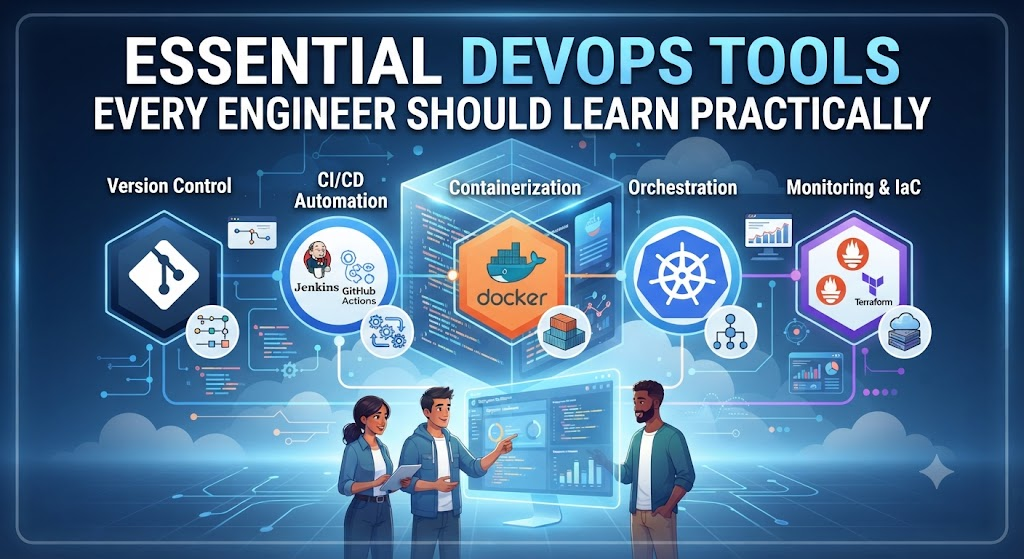
Core Categories of DevOps Tools You Must Learn
To master practical DevOps, you do not need to learn hundreds of tools. You need to understand the core categories and pick one strong tool from each category.
[Source Code (Git)]
       │
       ▼
[Build & Test Automation (GitHub Actions / Jenkins)]
       │
       ▼
[Packaging & Containers (Docker)]
       │
       ▼
[Deployment & Orchestration (Kubernetes / Terraform)]
       │
       ▼
[Monitoring & Observability (Prometheus / Grafana)]
1. Version Control: Git and GitHub
Every software journey starts with version control. Git is the industry standard tool for tracking changes in source code.
What Is It?
Git is a distributed version control system that records every change made to your codebase. If an update breaks your application, Git lets you travel back in time to the last working version.
Why It Matters
When multiple engineers work on the same project, Git prevents them from overwriting each other’s work. It manages code merging, branch creation, and collaboration across distributed teams.
Practical Workflow Example
Imagine a developer named Alex wants to add a login feature to an e-commerce website.
- Alex creates a separate workspace called a branch.
- Alex writes the code and tests it locally.
- Alex commits the changes with a clear message: “Add user login validation.”
- Alex opens a Pull Request (PR) so team members can review the code before it merges into the main production codebase.
Common Mistakes
- Commit hoarding: Making huge code changes once a day instead of small, logical commits throughout the day.
- Poor commit messages: Writing vague messages like “fix bug” or “updates” instead of describing what changed and why.
2. CI/CD Automation: GitHub Actions and Jenkins
Continuous Integration and Continuous Deployment (CI/CD) tools automate the process of testing and releasing software.
What Is It?
CI/CD tools listen for new code changes in your repository. Whenever code is pushed, the tool automatically runs tests, builds software packages, and deploys them to staging or production servers.
Why It Matters
Manual testing and deployment take hours and invite human error. CI/CD pipelines ensure that every piece of code is automatically tested and built the exact same way every single time.
When to Use GitHub Actions vs. Jenkins
- GitHub Actions: Perfect for projects hosted on GitHub. It is cloud-hosted, easy to set up with YAML configuration files, and requires very little maintenance.
- Jenkins: An open-source automation server that offers immense flexibility and deep customization. It is widely used in large enterprises with complex internal security requirements.
Practical Example
An engineer pushes code to GitHub. GitHub Actions instantly triggers a workflow that:
- Downloads the code.
- Runs automated unit tests.
- Builds a container image.
- Pushes the image to a container registry.If any test fails, the pipeline stops immediately and alerts the team via Slack or email.
3. Containerization: Docker
Containerization changed how software is packaged and deployed. Docker is the undisputed leader in this space.
What Is It?
Docker packages your application code together with all its dependencies, runtime, system tools, and libraries into a single lightweight container.
Why It Matters
The phrase “it worked on my machine” happens because different computers have different operating system versions, installed libraries, and configurations. Docker solves this by running your application inside an isolated box (a container) that behaves identically on a developer’s laptop, a test server, and a cloud production environment.
Core Concepts to Learn
- Dockerfile: A text file containing step-by-step instructions on how to build your container image.
- Image: A read-only template containing your application and its dependencies.
- Container: A running instance of an image.
Practical Example
Your application requires Python 3.11 and a specific database driver. Instead of manually installing Python on a cloud server, you write a Dockerfile, build an image, and run it. The application runs inside its own isolated environment without messing up other software on the same server.
4. Orchestration: Kubernetes
When an application grows from one container to hundreds of containers spread across multiple servers, managing them manually becomes impossible. That is where Kubernetes comes in.
What Is It?
Kubernetes (often called K8s) is an open-source system for automating the deployment, scaling, and management of containerized applications.
Why It Matters
If traffic spikes on your website, Kubernetes automatically spins up new containers to handle the load. If a server hardware component fails, Kubernetes detects the failure and restarts the containers on a healthy server.
When NOT to Use Kubernetes
Kubernetes is complex. If you are running a small website or a simple monolithic application with low traffic, Kubernetes introduces unnecessary administrative overhead and operational cost. Stick to Docker or simple cloud hosting until container scale demands orchestration.
5. Infrastructure as Code (IaC): Terraform
Setting up servers, firewalls, and networks by clicking around in a cloud provider’s web console is slow and error-prone. Infrastructure as Code solves this problem.
What Is It?
Terraform lets you define your cloud infrastructure (servers, databases, networks) using human-readable configuration files.
Why It Matters
If your production environment crashes, you can recreate the entire infrastructure in minutes by running your Terraform scripts. It also maintains a precise history of infrastructure changes.
Practical Example
Instead of logging into AWS to manually click buttons to create three virtual servers, you write a Terraform configuration file specifying three servers, run terraform apply, and the tool provisions the exact resources automatically.
6. Monitoring and Observability: Prometheus and Grafana
Writing and deploying code is only half the job. You must know how your application behaves in production.
What Are They?
- Prometheus: An open-source monitoring and alerting toolkit that collects metrics from your applications and servers.
- Grafana: A visualization tool that connects to Prometheus to display those metrics in clean, real-time dashboards with graphs and charts.
Why It Matters
Without monitoring, you only find out about system failures when angry customers call support. Prometheus and Grafana alert engineers the moment CPU usage spikes, memory leaks occur, or error rates climb.
Comparison of Essential DevOps Tools
| Tool Category | Primary Tool | Best Used For | Main Benefit |
| Version Control | Git | Tracking code changes and collaboration | Prevents code loss and manages teamwork |
| CI/CD | GitHub Actions | Automating tests and deployments | Catches bugs early and speeds up releases |
| Containerization | Docker | Packaging apps with dependencies | Eliminates environment discrepancies |
| Orchestration | Kubernetes | Managing containers at scale | Automatic scaling and self-healing |
| Infrastructure | Terraform | Provisioning cloud resources via code | Reproducible and fast infrastructure setups |
| Monitoring | Prometheus / Grafana | Tracking system health and metrics | Real-time visibility into production issues |
Common Mistakes Beginners Make
- Learning tools without understanding fundamentals: Memorizing Docker commands without understanding how operating systems handle processes and networking.
- Trying to learn everything at once: Trying to master Kubernetes, Terraform, and Jenkins on day one instead of starting with Git and Docker.
- Ignoring security: Hardcoding passwords, API keys, and database credentials directly inside configuration files or Dockerfiles instead of using secure environment variables.
- Skipping logs and monitoring: Deploying applications without setting up health checks or error logging, leaving the team blind when failures occur.
Practical Checklist for Learning DevOps
Use this checklist to guide your practical learning journey:
- Master Git: Practice branching, merging, resolving merge conflicts, and opening pull requests.
- Containerize an App: Take a simple web app (Python, Node.js, or Go), write a Dockerfile, build the image, and run it locally.
- Build a CI/CD Pipeline: Set up GitHub Actions to automatically run unit tests whenever you push code.
- Deploy to the Cloud: Deploy your containerized app to a basic cloud instance (like AWS EC2, DigitalOcean, or Render).
- Automate Infrastructure: Write a basic Terraform script to provision a cloud server.
- Add Monitoring: Set up basic health checks and view logs to see how your app performs under load.
Key Terms
- CI/CD: Continuous Integration and Continuous Deployment; the automated practice of building, testing, and releasing software.
- Container: A lightweight, standalone package of software that includes everything needed to run an application.
- Repository: A digital storage location for software code managed by Git.
- Pull Request: A formal proposal to merge code changes from one branch into another for team review.
- Orchestration: Automated management, scaling, and coordination of containerized applications.
- Metrics: Quantitative measurements of system performance, such as CPU load, memory usage, and request latency.
Frequently Asked Questions
Do I need to know how to code to learn DevOps?
Yes, basic programming or scripting knowledge (such as Python or Bash) is essential. You need to write automation scripts, configure pipelines, and troubleshoot application errors.
Where should a complete beginner start with DevOps?
Start with Git and GitHub. Once you are comfortable tracking code and collaborating, move on to learning Docker to understand how applications run in isolated containers.
Is Kubernetes mandatory for every company?
No. Smaller applications and startups often run successfully on simple cloud virtual machines or managed container services without needing complex Kubernetes clusters.
How long does it take to learn practical DevOps?
With consistent hands-on practice building real pipelines and deploying small applications, foundational proficiency typically takes 3 to 6 months.
Can I learn DevOps without spending money on cloud servers?
Yes. Most tools like Git, Docker, and Minikube (local Kubernetes) run entirely for free on your personal computer. Free tiers on cloud providers also offer plenty of room for practice.
Conclusion
DevOps is not just a collection of software tools; it is an engineering mindset focused on automation, reliability, and fast feedback loops. Mastering tools like Git, Docker, GitHub Actions, and Prometheus transforms how you build and release software.
Start small. Pick one tool, build a practical project with it, understand what happens when it breaks, and gradually expand your skills across the entire software delivery lifecycle.

