
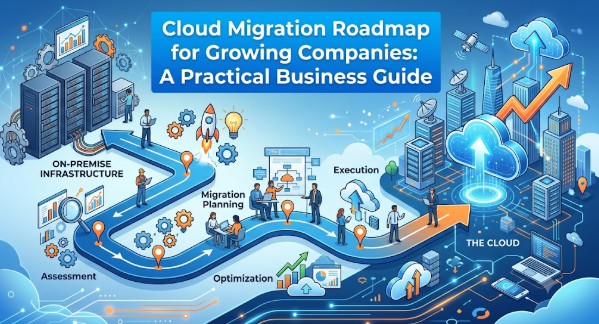
Introduction
A growing company may begin with a few applications, a small server environment, and simple internal processes, but rapid expansion can quickly expose performance, security, cost, and scalability limitations. Moving to the cloud may appear to be the obvious solution, yet migration without proper planning can create downtime, unexpected bills, data risks, and operational confusion. A cloud migration roadmap for growing companies provides a structured path from the current environment to a secure, scalable, and manageable cloud platform. It helps leaders understand what should move, what should remain, how risks will be controlled, and how progress will be measured. This guide explains the complete process in practical, beginner-friendly language.
What is Cloud Migration ?
Cloud migration is the process of moving digital resources from one environment to another, usually from local servers, private data centers, or older hosting platforms to cloud-based infrastructure and services.
These resources may include:
- Business applications
- Databases
- Customer information
- Websites
- File storage
- Development environments
- Backup systems
- Analytics platforms
- Internal communication tools
- Security services
The cloud allows companies to access computing resources through a service provider instead of purchasing, installing, and maintaining every server themselves.
How Cloud Migration Works
A company first examines its current technology environment. It identifies which systems are critical, which applications depend on one another, what data must be protected, and what business problems need to be solved.
The company then chooses an appropriate cloud model, prepares the target environment, migrates selected workloads, tests them, and gradually moves users or traffic to the new system.
The process does not end when data reaches the cloud. Teams must continue monitoring security, performance, cost, compliance, backup, and user experience.
Why Companies Search for Cloud Migration Guidance
Growing organizations commonly investigate cloud migration when they experience:
- Slow applications
- Frequent server capacity issues
- High hardware replacement costs
- Limited remote access
- Inconsistent backup processes
- Difficulty launching new products
- Weak disaster recovery capabilities
- Rapid growth in customer data
- Increasing security requirements
- Delays in development and testing
Cloud migration can address many of these challenges, but only when the business problem is clearly defined.
A Beginner-Friendly Example
Consider a growing online retailer that hosts its website on one physical server. During normal periods, the website performs well. During a large campaign, however, traffic increases and the server becomes overloaded.
The company could move the website to a cloud environment that automatically increases computing resources when demand rises. This improves availability without requiring the business to purchase enough hardware for the highest possible traffic level.
The common mistake would be moving the website without examining its database, payment integration, inventory system, security controls, and backup requirements.
The practical takeaway is simple: cloud migration must consider the complete business service, not only the visible application.
Why Cloud Migration Is Important for Growing Companies
Cloud migration can support growth by allowing technology resources to expand in line with business demand. However, scalability is only one reason companies move.
Supporting Business Expansion
A growing organization may need to serve more customers, open new locations, add employees, launch digital products, or enter new markets. Traditional infrastructure can become a constraint when every expansion requires new hardware, installation work, and long approval cycles.
Cloud environments can make resources available faster, helping teams respond to changing business needs.
Improving Operational Flexibility
Cloud platforms allow authorized employees to access applications and data from different locations. This can support remote teams, distributed offices, field workers, and international operations.
The better approach is to combine flexibility with identity controls, access policies, device security, and activity monitoring.
Strengthening Business Continuity
Hardware can fail, offices can lose connectivity, and local systems can be affected by accidents or cyber incidents. Cloud-based backup and disaster recovery options can help companies restore services more effectively.
Migration does not automatically guarantee business continuity. Recovery procedures must still be designed, documented, tested, and updated.
Controlling Infrastructure Investment
Traditional infrastructure often requires large upfront spending on servers, networking equipment, storage, software licenses, and data center facilities.
Cloud services commonly shift more spending toward operational usage. This can improve flexibility, but it may also create uncontrolled monthly expenses if teams deploy resources without cost policies.
Accelerating Product Development
Development teams can create testing environments, automate deployment, and access managed databases or analytics tools more quickly in the cloud.
This can reduce infrastructure waiting time and help companies experiment without purchasing permanent hardware for every idea.
Improving Security Capabilities
Cloud providers offer tools for identity management, encryption, logging, network protection, threat detection, and compliance reporting.
These services are valuable, but the company remains responsible for configuring and using them correctly. Poor permissions, exposed storage, weak credentials, or missing logs can still create serious risk.
Practical Scenario
A software company is hiring new developers but has only one shared testing environment. Teams frequently overwrite each other’s work, releases are delayed, and infrastructure requests take several days.
By using cloud-based automated environments, each team can create standardized development and testing resources when needed. The company gains speed, but it must also introduce cost limits, security templates, automatic shutdown rules, and access controls.
The Real Problems Companies Face With Cloud Migration
The technical movement of applications is only one part of migration. Most difficulties arise from unclear ownership, incomplete knowledge, rushed decisions, weak governance, and poor coordination.
Lack of a Clear Business Objective
Some organizations begin because competitors are using the cloud or because leadership believes every system must move.
Without a measurable objective, teams cannot determine whether migration has succeeded.
A better objective might be:
- Reduce infrastructure provisioning time
- Improve service recovery
- support customer growth
- Strengthen remote access
- Reduce release delays
- Modernize a specific application
- Improve visibility into infrastructure spending
Incomplete Understanding of Existing Systems
Older applications may contain undocumented integrations, manual processes, hard-coded addresses, unsupported software, or dependencies known only to a few employees.
Moving such systems without discovery can break important workflows.
Confusing Online Advice
Cloud migration content often presents one strategy as suitable for every organization. In reality, an application may need to be rehosted, replatformed, refactored, replaced, retained, or retired.
The correct choice depends on business value, technical condition, risk, budget, skills, and timing.
Weak Cost Planning
Cloud pricing can involve computing, storage, databases, backup, data transfer, monitoring, support, licensing, and additional managed services.
Teams that estimate only server costs may receive much larger bills than expected.
Security Added Too Late
Security teams are sometimes involved after the cloud environment has already been built. This may lead to excessive permissions, public access, missing encryption, poor log retention, and inconsistent network controls.
Security should be included during architecture and planning.
Employee Resistance
Teams may fear job changes, unfamiliar tools, increased responsibility, or loss of control. Without communication and training, employees may resist the migration or continue using old systems.
Unrealistic Timelines
Leadership may expect all applications to move within a few weeks without considering testing, documentation, vendor dependencies, compliance, user training, and rollback preparation.
A phased approach is usually safer and easier to manage.
No Defined Next Step
Some companies complete a cloud assessment but never move forward because priorities, ownership, funding, and approvals remain unclear.
Every planning phase should end with named owners, decisions, deadlines, dependencies, and measurable outcomes.
How a Cloud Migration Roadmap Works Step by Step
Step 1: Define Business Goals and Success Measures
The first step is to identify why the company is considering migration. The objective may be greater scalability, faster development, improved disaster recovery, stronger security, better remote access, or reduced dependence on aging hardware. This matters because every architecture and migration decision should support a business result. For example, a growing retailer may define success as maintaining website availability during traffic spikes and reducing the time needed to launch regional storefronts. A common mistake is using “move to the cloud” as the goal. The better approach is to define measurable outcomes such as deployment time, recovery capability, service availability, infrastructure utilization, or customer response time.
Step 2: Discover and Assess the Current Environment
The company should create an inventory of applications, servers, databases, integrations, storage, network connections, users, licenses, vendors, and business owners. This assessment reveals dependencies and identifies systems that are critical, outdated, underused, or suitable for retirement. For example, a payroll application may rely on an identity directory, reporting database, and third-party banking connection. Moving only the application could interrupt salary processing. A common mistake is relying on an old asset list that does not reflect reality. The better approach combines automated discovery tools, interviews, architecture diagrams, usage records, and application-owner validation.
Step 3: Classify and Prioritize Workloads
Not every workload should move at the same time. Companies should group applications based on business importance, complexity, risk, readiness, and expected value. Low-risk internal systems may become early migration candidates, while revenue-critical platforms may require deeper testing and modernization. For example, an internal knowledge portal might be migrated before the order-processing system. A common mistake is selecting the easiest applications without considering whether they provide meaningful learning. The better approach is to choose a pilot that is manageable but still tests networking, identity, monitoring, security, deployment, and support processes.
Step 4: Select the Right Migration Strategy
Each application needs an appropriate treatment. A company may move it with minimal change, make limited platform improvements, redesign it, replace it with software as a service, retain it temporarily, or retire it. This decision matters because forcing every workload into the same strategy increases cost and risk. For example, an old file-sharing server may be replaced by a managed collaboration platform, while a stable internal application may initially be rehosted. A common mistake is refactoring every application during the first migration phase. The better approach balances speed, business value, technical debt, and available skills.
Step 5: Design the Cloud Foundation
Before moving production workloads, the company should establish account structures, networks, identity controls, security policies, encryption standards, logging, monitoring, backup, naming rules, tagging, and cost controls. This foundation is often called a landing zone. It matters because unmanaged cloud environments can quickly become inconsistent and insecure. For example, separate production and non-production environments can reduce accidental exposure. A common mistake is allowing each team to build resources independently without standards. The better approach is to create reusable templates, role-based access, centralized logs, budget alerts, and approved deployment patterns.
Step 6: Build and Test a Pilot Migration
A pilot helps the organization test its assumptions before moving critical workloads. The team should migrate a selected application, validate functionality, test performance, confirm security controls, measure costs, practice recovery, and collect user feedback. For example, a customer-support portal could be migrated during a controlled window and tested by a limited user group. A common mistake is treating technical deployment as proof of success. The better approach is to test the complete service, including integrations, support procedures, monitoring alerts, backups, access, and business workflows.
Step 7: Migrate in Controlled Waves
After learning from the pilot, the company can migrate applications in waves. Each wave should group compatible systems and include readiness checks, communication, testing, rollback planning, ownership, and post-migration support. For example, collaboration tools may move in one wave, development systems in another, and customer-facing applications later. A common mistake is migrating too many unrelated workloads simultaneously. The better approach is to use repeatable playbooks, limited wave sizes, decision gates, and clear escalation channels.
Step 8: Optimize, Govern, and Improve Continuously
Migration is not complete when the new environment becomes operational. The company must review performance, cost, reliability, security, user access, architecture, and operational processes. Unused resources should be removed, oversized services should be adjusted, and manual tasks should be automated. A common mistake is leaving the environment unchanged after migration. The better approach is to conduct regular cost, security, performance, and resilience reviews while updating the roadmap as business needs evolve.
Key Factors That Influence a Cloud Migration Roadmap
Business Growth Rate
Rapidly growing companies need infrastructure that can respond to customer demand, new employees, and product expansion. However, overestimating growth may lead to unnecessary spending.
Migration plans should use realistic demand patterns and allow resources to scale gradually.
Application Architecture
Modern, loosely connected applications are often easier to migrate than tightly integrated legacy systems. Applications with unsupported software or hardware dependencies may need redesign or replacement.
Companies should assess technical condition before choosing a strategy.
Data Sensitivity
Customer details, payment information, employee records, intellectual property, and regulated data require stronger controls.
Data classification should determine where information is stored, who can access it, how it is encrypted, and how long it is retained.
Compliance Requirements
Companies may be subject to contractual, industry, privacy, tax, residency, or regulatory obligations.
The migration team should identify these requirements before selecting regions, services, backup methods, and access controls.
Internal Skills
Cloud platforms introduce new concepts, tools, and operating practices. A lack of experience can increase configuration errors and vendor dependence.
Training, mentoring, documentation, and gradual responsibility transfer should be included in the roadmap.
Existing Contracts and Licenses
Software licenses, hosting agreements, support contracts, equipment leases, and vendor terms may affect migration timing and cost.
Companies should review these obligations before shutting down existing systems.
Budget and Cost Visibility
Cloud migration may require assessment work, network changes, temporary duplicate environments, consulting, training, testing, and operational support.
The budget should cover the transition period, not only the final monthly cloud bill.
Security Maturity
A company with weak identity management, inconsistent patching, and limited monitoring will not automatically become secure by moving to the cloud.
Migration should improve security processes rather than reproduce old weaknesses in a new environment.
Downtime Tolerance
Some applications can be unavailable for several hours, while others directly affect sales, customer service, manufacturing, or payments.
Recovery objectives and migration techniques should reflect the acceptable business impact.
Vendor and Platform Fit
Different cloud services have different capabilities, pricing structures, regional availability, integration options, and operational models.
The company should choose based on workload requirements and long-term strategy rather than brand popularity alone.
Detailed Breakdown of a Cloud Migration Roadmap
Establishing Cloud Governance
Governance defines how cloud resources may be created, managed, secured, monitored, and paid for.
A practical governance model covers:
- Account and subscription ownership
- Access approval
- Naming standards
- Resource tagging
- Approved regions
- Security requirements
- Backup policies
- Budget responsibilities
- Logging and monitoring
- Exception handling
- Resource cleanup
- Architecture review
The common mistake is creating rules that are too strict or too vague. Rules that are too strict encourage teams to bypass the process, while vague rules create inconsistency.
A better approach is to establish essential controls first and improve them as the environment grows.
Creating an Application Inventory
The inventory should include more than application names. Each record should identify:
- Business owner
- Technical owner
- Purpose
- Users
- Hosting location
- Technology stack
- Database
- Integrations
- Data classification
- Availability requirement
- Recovery requirement
- Current cost
- License constraints
- Migration readiness
- Proposed strategy
This information supports prioritization and prevents hidden dependencies from being overlooked.
Mapping Dependencies
Dependency mapping identifies how applications communicate with databases, identity systems, file stores, external vendors, network devices, and other applications.
Without dependency mapping, a migrated system may appear healthy while important background processes fail.
Teams should use monitoring data, network records, configuration reviews, architecture workshops, and application-owner interviews.
Choosing Between Public, Private, Hybrid, and Multi-Cloud Models
A public cloud uses infrastructure offered by a cloud service provider. A private cloud is dedicated to one organization. A hybrid model connects cloud services with local or private infrastructure. A multi-cloud strategy uses services from more than one provider.
Growing companies should avoid choosing a complex model without a clear requirement.
A hybrid setup may be useful when certain applications must remain local, but it also introduces networking, identity, monitoring, and support complexity.
A multi-cloud strategy may reduce dependence in specific situations, but using several platforms without sufficient skills can increase cost and operational effort.
Selecting Migration Strategies
Common workload strategies include:
Rehost
Rehosting moves an application with limited changes. It may provide a faster path out of aging infrastructure.
It is useful when speed is important, but it may not provide the full cost or performance benefits of cloud-native design.
Replatform
Replatforming introduces selected improvements without fully redesigning the application.
For example, a company may move an application while replacing its self-managed database with a managed database service.
Refactor
Refactoring changes the application architecture to use cloud-native capabilities.
This can improve scalability and deployment speed, but it requires more time, testing, expertise, and investment.
Repurchase
Repurchasing replaces an existing application with a commercial cloud service.
This may be appropriate for email, collaboration, customer relationship management, accounting, or human-resource functions.
Retain
Some workloads may remain in their current environment because of technical constraints, contracts, risk, or limited business value.
Retention should be a documented decision rather than an indefinite delay.
Retire
Applications that are unused, duplicated, unsupported, or no longer valuable can be decommissioned.
Retiring systems reduces cost, security exposure, and migration effort.
Designing Identity and Access Management
Identity should be treated as a central security layer.
Companies should use:
- Individual user accounts
- Multi-factor authentication
- Role-based access
- Least-privilege permissions
- Temporary elevated access
- Centralized identity services
- Regular access reviews
- Immediate removal of inactive access
- Service-account controls
- Activity logging
A common mistake is giving broad administrative access to simplify migration. Those permissions may remain long after the project ends.
Planning Network Connectivity
Applications may need to communicate with offices, remote employees, local servers, vendors, and external services.
Network planning should address:
- Address ranges
- Routing
- Firewall rules
- Private connectivity
- Internet access
- Domain name services
- Load balancing
- Remote access
- Network monitoring
- Bandwidth
- Latency
- Redundancy
The better approach is to design the network before workloads arrive rather than resolving connectivity problems during migration.
Protecting Data
Data protection should cover the complete lifecycle.
Companies should determine:
- What data exists
- Where it is stored
- Who can access it
- How it is encrypted
- How it is backed up
- How long it is retained
- How deletion is handled
- How transfers are protected
- How recovery is tested
- How sensitive activity is monitored
Backups should be protected from accidental deletion and unauthorized access.
Planning Cloud Costs
Cloud cost management should begin during architecture design.
Companies should estimate:
- Computing usage
- Storage capacity
- Database services
- Backup retention
- Network transfer
- Monitoring and logging
- Security services
- Support plans
- Licensing
- Development environments
- Temporary migration resources
- Disaster recovery
Teams should assign cost ownership through tags, accounts, budgets, and reporting.
Testing Before Cutover
Testing should include:
- Functional testing
- Integration testing
- Performance testing
- Security testing
- Access testing
- Backup testing
- Recovery testing
- Monitoring validation
- User acceptance testing
- Operational readiness testing
- Cost review
- Rollback testing
A system should not be approved only because it opens successfully in a browser.
Managing the Cutover
Cutover is the controlled transition from the old environment to the new one.
A cutover plan should specify:
- Date and time
- Decision owner
- Communication plan
- Data synchronization
- Traffic switch
- Validation checks
- Support coverage
- Escalation contacts
- Rollback conditions
- Business approval
- Post-cutover monitoring
The plan should be reviewed with technical teams, business owners, security, support, and affected users.
Decommissioning Old Infrastructure
Old systems should not be shut down immediately without verification.
The company should confirm:
- Data has been migrated
- Backups are available
- Retention rules are satisfied
- Users no longer depend on the system
- Integrations have been redirected
- Licenses can be ended
- Monitoring shows no remaining activity
- Business owners have approved closure
Keeping old environments active indefinitely creates duplicate cost and security exposure.
Common Mistakes Beginners Make With Cloud Migration
Moving Without a Business Case
This happens when cloud adoption is treated as a trend rather than a business decision. The company may spend money without solving a meaningful problem.
Instead, connect every migration wave to measurable business and operational outcomes.
Migrating Everything at Once
Large one-time migrations create too many simultaneous dependencies and make troubleshooting difficult.
Instead, begin with a controlled pilot and proceed through migration waves.
Ignoring Application Dependencies
An application may rely on systems that are not visible to the migration team. Missing one connection can interrupt an entire process.
Instead, map dependencies and validate them with technical and business owners.
Copying the Existing Environment Exactly
Recreating every old server in the cloud may preserve inefficient sizing, outdated architecture, and weak controls.
Instead, determine which elements should be rehosted, improved, replaced, retained, or retired.
Underestimating Cloud Costs
Teams may consider only computing prices while ignoring storage, backup, monitoring, licenses, support, and data transfer.
Instead, create a complete cost model and compare estimates with real pilot usage.
Giving Excessive Access
Broad administrator permissions are often granted to accelerate work. They increase the impact of mistakes and compromised accounts.
Instead, use role-based permissions, time-limited elevation, and regular access reviews.
Treating Backup as Disaster Recovery
A backup may exist but still take too long to restore or fail to include required dependencies.
Instead, define recovery objectives and test full restoration procedures.
Skipping User Training
Applications may work technically, but employees can still struggle with new login processes, tools, interfaces, or support procedures.
Instead, provide role-specific communication, training, documentation, and support.
Failing to Plan a Rollback
Without a rollback plan, teams may continue with a failed migration because they do not know how to return safely.
Instead, define rollback triggers, responsibilities, data reconciliation, and decision deadlines.
Ignoring Post-Migration Optimization
Resources selected for migration may be larger than necessary. Temporary services may remain active.
Instead, schedule optimization reviews immediately after each migration wave.
Depending Entirely on a Vendor
External expertise can accelerate migration, but the internal team still needs enough knowledge to operate and govern the environment.
Instead, include documentation, training, joint delivery, and knowledge transfer.
Forgetting Compliance Responsibilities
Cloud providers secure their infrastructure, but the customer remains responsible for data use, access, configuration, and many compliance obligations.
Instead, clarify responsibilities and collect evidence throughout the project.
Don’t Do This Checklist
- Do not migrate without a clear business objective.
- Do not move critical systems before completing a pilot.
- Do not assume every workload belongs in the cloud.
- Do not ignore application and data dependencies.
- Do not provide permanent administrator access unnecessarily.
- Do not store sensitive data without classification and protection.
- Do not rely on untested backups.
- Do not estimate cost from computing alone.
- Do not skip user communication and training.
- Do not remove old systems without business approval.
- Do not assume migration ends after cutover.
- Do not accept unsupported claims of automatic security or savings.
Practical Real-Life Examples of Cloud Migration
Example 1: A Growing Online Retailer
Situation: An online retailer experiences slow page loading during promotional campaigns.
Challenge: The company plans to move only its website server without reviewing the database and inventory integration.
Better action: It maps the complete transaction flow, tests autoscaling, strengthens monitoring, and prepares a rollback plan.
Learning: Customer-facing performance depends on the complete application chain, not one server.
Example 2: A Professional Services Company
Situation: A consulting company opens new offices and needs secure access to shared files.
Challenge: Employees begin using personal file-sharing accounts because the internal server is difficult to access remotely.
Better action: The company adopts a managed collaboration platform with centralized identity, permissions, retention, and device controls.
Learning: Cloud adoption should solve user needs while maintaining data governance.
Example 3: A Software Product Company
Situation: Developers wait several days for test environments.
Challenge: The company creates cloud environments manually, producing inconsistent configurations and high costs.
Better action: It uses infrastructure templates, approved configurations, automatic shutdown policies, and project-level budgets.
Learning: Automation and governance must grow together.
Example 4: A Small Manufacturing Business
Situation: A manufacturing company relies on an old local application connected to factory equipment.
Challenge: Management assumes the entire system can be moved directly to the public cloud.
Better action: The company retains the equipment-dependent component locally while moving reporting, backup, and analytics functions gradually.
Learning: Hybrid migration may be more practical than forcing every workload into one environment.
Example 5: A Healthcare Support Company
Situation: A healthcare support provider wants better disaster recovery for customer records.
Challenge: The team focuses on copying data but does not test access controls or restoration time.
Better action: It classifies data, encrypts backups, limits access, documents recovery procedures, and performs regular restoration tests.
Learning: Data protection requires security, recovery, and operational testing.
Table 1: Cloud Migration Strategy Comparison
| Migration Strategy | Best Used When | Main Advantage | Main Risk | Better Planning Approach |
|---|---|---|---|---|
| Rehost | Fast movement is required and the application needs limited change | Faster initial migration | Existing inefficiencies may remain | Optimize after stabilization |
| Replatform | Selected managed services can improve operations | Balanced speed and improvement | Compatibility issues may appear | Test platform changes carefully |
| Refactor | The application requires major scalability or agility improvements | Greater long-term flexibility | Higher cost and complexity | Modernize in controlled stages |
| Repurchase | A suitable cloud-based product can replace the existing system | Reduced infrastructure management | Process and data migration challenges | Evaluate fit, contracts, and exit options |
| Retain | Migration is not currently practical or valuable | Avoids unnecessary disruption | Technical debt may continue | Record the reason and review date |
| Retire | The system is unused, duplicated, or obsolete | Reduces cost and risk | Needed data may be lost | Validate usage and retention requirements |
Table 2: Migration Mistake Versus Better Approach
| Common Mistake | Possible Impact | Better Approach |
|---|---|---|
| Moving all applications together | Large-scale disruption and difficult troubleshooting | Use pilots and controlled waves |
| Ignoring dependencies | Broken integrations and business processes | Create and validate dependency maps |
| Estimating only server cost | Unexpected monthly bills | Model total cloud and transition costs |
| Giving broad permissions | Higher security exposure | Apply least privilege and access reviews |
| Skipping recovery tests | Longer outage during failure | Test restoration and failover procedures |
| Copying old architecture exactly | Existing inefficiency remains | Evaluate modernization opportunities |
| No rollback plan | Extended service disruption | Define rollback criteria and responsibilities |
| No optimization after migration | Waste and performance problems | Review cost, sizing, and architecture regularly |
Tools, Methods, and Frameworks Readers Can Use
Application Inventory
An application inventory records what systems exist, who owns them, what they support, and how they connect.
It helps beginners avoid migrating unknown or unnecessary systems. The inventory also identifies missing ownership, unsupported software, duplicate applications, and retirement opportunities.
Dependency Mapping
Dependency mapping documents communication between applications, databases, users, services, and external providers.
It helps teams understand the effect of moving one component. It prevents the mistake of treating applications as isolated systems.
Cloud Readiness Assessment
A cloud readiness assessment evaluates technology, people, security, operations, compliance, and financial preparedness.
Beginners can use it to identify gaps before committing to a migration timeline.
Workload Scoring Method
A workload scoring model ranks applications using factors such as business value, complexity, risk, readiness, cost, and expected benefit.
It helps companies select suitable pilots and create logical migration waves.
Total Cost Model
A total cost model compares existing expenses with expected migration and cloud operating expenses.
It should include infrastructure, support, licenses, staff effort, network changes, training, backup, security, and temporary duplicate environments.
Landing Zone Framework
A landing zone is a standardized cloud foundation covering accounts, identity, networking, security, logging, monitoring, and cost controls.
It prevents teams from building inconsistent environments for every workload.
Infrastructure as Code
Infrastructure as code defines cloud resources through version-controlled templates.
It helps teams create repeatable environments, review changes, reduce manual errors, and rebuild resources consistently.
Migration Runbook
A runbook describes each migration activity, owner, dependency, validation check, rollback action, and communication step.
It prevents teams from relying on memory during high-pressure cutovers.
Risk Register
A risk register documents possible problems, probability, business impact, controls, owners, and current status.
It helps leaders monitor important risks rather than discussing them informally.
Cost Dashboard
A cost dashboard shows spending by team, application, environment, service, or business unit.
It helps prevent surprise bills and encourages clear ownership.
Architecture Decision Record
An architecture decision record explains an important technical decision, alternatives considered, reasons, assumptions, and consequences.
It helps future employees understand why the cloud environment was designed in a particular way.
Post-Migration Review
A post-migration review compares expected results with actual performance, cost, risk, and user feedback.
It ensures lessons from one migration wave improve the next.
Expert Tips to Make Better Cloud Migration Decisions
1. Begin With the Business Problem
Write down the operational or customer problem the migration is expected to solve. This keeps technical discussions connected to measurable value and prevents unnecessary cloud adoption.
2. Assess Before Selecting a Strategy
Do not decide to rehost, refactor, or replace an application before examining its architecture, dependencies, users, data, and business importance. Assessment reduces expensive changes later.
3. Select a Meaningful Pilot
Choose a pilot that is limited enough to control but broad enough to test identity, networking, security, monitoring, backup, deployment, and support. An oversimplified pilot may provide false confidence.
4. Build Governance Early
Introduce essential account, access, tagging, logging, budget, and security standards before production workloads arrive. Retrofitting governance is usually more difficult.
5. Keep Production and Testing Separate
Separate environments reduce accidental changes, data exposure, and resource conflicts. Apply clear access and deployment rules to each environment.
6. Use Least-Privilege Access
Give users and systems only the permissions needed for their work. Review access regularly and remove temporary privileges after the migration activity ends.
7. Estimate Transition Costs
Migration often requires old and new environments to operate simultaneously. Include data transfer, consulting, training, testing, tools, and temporary capacity in the budget.
8. Automate Repeated Work
Use templates and automated deployment for networks, servers, permissions, monitoring, and security controls. Automation improves consistency and reduces manual configuration errors.
9. Test Recovery, Not Only Backup
A successful backup does not prove that the business can recover. Restore applications and data in realistic tests and measure how long recovery takes.
10. Create Clear Rollback Conditions
Define which failures require rollback, who makes the decision, and how data changes will be handled. This reduces uncertainty during cutover.
11. Involve Business Owners
Application owners and users understand workflows that technical teams may not see. Include them in prioritization, testing, cutover approval, and post-migration review.
12. Train the Internal Team
Provide practical training before teams become responsible for production systems. Combine courses with hands-on labs, documentation, mentoring, and supervised operational work.
13. Review Costs Continuously
Cloud expenses change with usage and configuration. Review idle resources, storage growth, network transfer, oversized services, and inactive environments regularly.
14. Avoid Unnecessary Complexity
Do not adopt multi-cloud, microservices, containers, or advanced automation only because they are popular. Use additional complexity only when it solves a clear problem.
15. Treat Migration as Continuous Improvement
The first cloud design will not be perfect. Measure results, document lessons, improve standards, and update the roadmap as the company grows.
Case Studies: How Better Understanding Changes Decisions
Case Study 1: Expanding E-Commerce Company
Profile: A medium-sized retailer with a growing online customer base.
Situation: Promotional campaigns were creating large traffic spikes, and the existing hosting environment frequently slowed down.
Problem: Management wanted to move the entire commerce platform immediately before the next campaign.
Wrong approach: The original plan focused only on copying the web servers. It did not address database capacity, payment gateways, stock synchronization, caching, monitoring, or recovery.
Better approach: The company first mapped the transaction path, separated static content, introduced scalable web resources, tested the database under load, strengthened monitoring, and ran a controlled pilot.
Result or learning: The migration team discovered that the database, rather than the web server, was the main performance constraint. The phased approach reduced the chance of a campaign-day outage.
Key takeaway: Performance migration decisions should be based on measured bottlenecks rather than assumptions.
Case Study 2: Growing Accounting Services Firm
Profile: A professional services company adding employees and regional branches.
Situation: Staff needed secure access to files and internal applications from different locations.
Problem: The local infrastructure was difficult to access remotely, and employees were creating unofficial workarounds.
Wrong approach: Management considered placing the existing file server directly on the internet for easier access.
Better approach: The company reviewed user needs, data sensitivity, retention, identity, device security, and collaboration requirements. It selected managed cloud services, introduced multi-factor authentication, organized permissions by role, and trained employees.
Result or learning: Access became more consistent, while centralized controls reduced the uncontrolled use of personal storage tools.
Key takeaway: A successful migration improves user experience without weakening data governance.
Case Study 3: Business Software Provider
Profile: A growing software company with several development teams.
Situation: Developers waited for infrastructure, while test environments varied between teams.
Problem: Leadership believed simply giving every developer unrestricted cloud access would remove delays.
Wrong approach: Early experiments created duplicate resources, inconsistent security settings, and unclear monthly costs.
Better approach: The company created approved infrastructure templates, separated projects, introduced role-based permissions, established automated shutdown schedules, and assigned budgets to teams.
Result or learning: Developers received environments faster, while operations gained better control over configuration and spending.
Key takeaway: Self-service cloud access works best when supported by automation, standards, and financial ownership.
Risk Awareness: What Companies Must Check First
Operational Risk
Operational risk is the possibility that migration disrupts business services or internal workflows.
Companies can reduce it through pilots, dependency mapping, testing, staged cutovers, support coverage, and rollback planning.
Data-Loss Risk
Data may be lost, corrupted, duplicated, or left behind during transfer.
Teams should validate backups, use controlled synchronization, compare record counts, test restoration, and obtain business-owner approval.
Cybersecurity Risk
Misconfigured storage, weak credentials, excessive access, exposed interfaces, and missing logs can create security incidents.
Companies should use secure defaults, multi-factor authentication, encryption, least privilege, centralized logging, and regular security reviews.
Cost Risk
Cloud spending may rise because of oversized resources, unused systems, data transfer, excessive log retention, or uncontrolled development environments.
Budgets, alerts, tags, automated shutdown, architecture reviews, and regular cost analysis can reduce this risk.
Vendor Dependency Risk
Heavy dependence on proprietary services may make future changes more difficult or expensive.
Companies should understand contract terms, data-export options, architecture dependencies, and exit requirements.
Compliance Risk
Data location, access, retention, processing, and reporting may be subject to legal or contractual obligations.
Relevant specialists should review requirements before the migration architecture is approved.
Performance Risk
An application may perform differently because of network latency, storage behavior, database configuration, or architecture design.
Performance should be tested using realistic workloads and user locations.
Skills Risk
Teams may be responsible for technologies they do not yet understand.
Training, documentation, mentoring, external support, and gradual ownership transfer can reduce this risk.
Misinformation Risk
Cloud decisions may be based on vendor marketing, outdated articles, or advice that ignores the company’s situation.
Companies should verify claims through testing, documented requirements, technical review, and independent cost analysis.
Privacy Risk
Personal and confidential information may be exposed through incorrect access, sharing, logging, or backup configuration.
Data classification, access reviews, encryption, retention controls, and privacy assessment should be included in the roadmap.
Business Continuity Risk
Moving production systems can introduce new failure scenarios.
Companies should define acceptable downtime and data-loss limits, design recovery procedures, and test them regularly.
Change-Management Risk
Employees may misunderstand new processes or continue using unsupported systems.
Clear communication, role-based training, support channels, and documented responsibilities help manage the transition.
Organizations should verify all technical, security, contractual, legal, tax, and compliance details relevant to their operations. Qualified cloud, cybersecurity, legal, financial, and compliance professionals should be consulted where required.
Checklist Before Taking Cloud Migration Action
- The business reason for migration is clearly documented.
- Success measures have been agreed upon.
- Applications, servers, databases, and integrations are inventoried.
- Business and technical owners are identified.
- Application dependencies have been mapped.
- Data has been classified by sensitivity.
- Compliance and contractual requirements have been reviewed.
- Migration strategies have been selected per workload.
- A pilot workload has been chosen.
- Cloud accounts and environments have clear ownership.
- Identity and access controls are designed.
- Multi-factor authentication is enabled where appropriate.
- Network connectivity has been tested.
- Encryption requirements are defined.
- Logging and monitoring are configured.
- Backup and recovery procedures have been tested.
- Total migration and operating costs have been estimated.
- Budget alerts and cost ownership are established.
- User communication and training are prepared.
- Testing includes functional, integration, security, and performance checks.
- The cutover plan has named owners.
- Rollback conditions and procedures are documented.
- Post-migration support is available.
- Old infrastructure retirement criteria are defined.
- Post-migration optimization reviews are scheduled.
- Professional advice has been considered where needed.
This checklist should be used before each migration wave, not only at the beginning of the overall program. Teams should record evidence, assign owners to incomplete items, and avoid proceeding with critical workloads while major risks remain unresolved.
Strategic Insights for Better Decision-Making
Migration Sequencing Matters More Than Migration Speed
Companies often focus on how quickly all workloads can move. A more useful question is which sequence creates the safest learning path.
Early migrations should help teams validate the cloud foundation and improve their delivery process. Later waves can address more critical or complex systems after the organization has developed experience.
Cloud Migration and Application Modernization Are Different Decisions
A workload can move to the cloud without being modernized. It can also be modernized in stages after migration.
Separating these decisions helps companies avoid overly large projects. A business may rehost an application to leave aging infrastructure and modernize it later when operational risk is lower.
Cost Optimization Begins With Architecture
Costs cannot be controlled only through monthly reports. Design decisions determine how resources scale, how data moves, how long backups remain, and whether environments shut down automatically.
Cost review should therefore be included in architecture, deployment, and operations.
Standardization Enables Safe Growth
As more teams use the cloud, inconsistent accounts, permissions, networks, and naming systems become difficult to manage.
Reusable templates and approved patterns create a common operating model. Teams can move faster because they do not need to redesign basic controls for every project.
Security Should Be Built Into Delivery
Security reviews performed only before launch can create late delays and expensive rework.
Automated policy checks, secure templates, identity controls, vulnerability management, and logging should be part of the normal deployment process.
Shared Responsibility Must Be Understood
The provider manages certain parts of the platform, but the customer remains responsible for many configuration, access, application, data, and compliance decisions.
The exact boundary changes by service type. Teams should document who is responsible for each control.
Data Gravity Can Shape Architecture
Large datasets can be difficult and expensive to move repeatedly. Applications that process the data may need to be located near it.
Companies should consider data volume, transfer frequency, latency, residency, and integration before selecting the target architecture.
Organizational Readiness Can Limit Technical Progress
A technically strong design may still fail if approvals, ownership, skills, budgets, and support processes are not ready.
The roadmap should include people, process, governance, and operating-model changes alongside technical tasks.
Exit Planning Is Part of Responsible Adoption
Companies should understand how they would retrieve data, replace services, or move workloads if business needs change.
Exit planning does not mean expecting failure. It improves negotiating strength, resilience, and long-term control.
Continuous Measurement Improves Results
Companies should track metrics such as:
- Deployment time
- Service availability
- Recovery performance
- Application response time
- Security findings
- Resource utilization
- Monthly cost
- Provisioning time
- Support incidents
- User satisfaction
Metrics help distinguish genuine improvement from a migration that has merely changed hosting locations.
Key Cloud Migration Terms Explained for Beginners
- Cloud Computing: Cloud computing is the delivery of computing resources such as servers, databases, storage, and software through a service provider. Companies use resources when needed instead of owning every physical component.
- Cloud Migration: Cloud migration is the movement of applications, data, or infrastructure from one environment to another, commonly from local systems to cloud services.
- Workload: A workload is an application, database, website, service, or computing process that performs a business or technical function.
- Landing Zone: A landing zone is a standardized cloud foundation containing identity, network, security, logging, monitoring, account, and cost-management controls.
- Rehosting: Rehosting means moving an application with limited changes. It is sometimes used when a company needs to leave its current infrastructure relatively quickly.
- Replatforming: Replatforming means making selected improvements during migration, such as adopting a managed database, without completely rebuilding the application.
- Refactoring: Refactoring means redesigning part or all of an application to use a different architecture or cloud-native services.
- Hybrid Cloud: Hybrid cloud combines cloud services with local infrastructure or a private environment. It is useful when some systems cannot move immediately.
- Multi-Cloud: Multi-cloud means using services from more than one cloud provider. It can support particular business needs but also adds operational complexity.
- Scalability: Scalability is the ability of a system to handle more or less demand by adjusting resources.
- Elasticity: Elasticity is the automatic or rapid adjustment of resources as demand changes. It can help control performance and cost when configured correctly.
- Identity and Access Management: Identity and access management controls who can sign in, what resources they can use, and what actions they can perform.
- Least Privilege: Least privilege means giving a user or system only the minimum access required to complete its work.
- Infrastructure as Code: Infrastructure as code uses templates or configuration files to create and manage infrastructure consistently.
- Disaster Recovery: Disaster recovery is the process of restoring applications and data after a serious failure, cyber incident, or disruption.
Who Should Read This Blog
Business Beginners
Beginners can use this guide to understand cloud migration without needing deep technical knowledge. It explains the process, risks, terminology, and decision points in simple language.
Students
Students studying cloud computing, business technology, cybersecurity, or software engineering can use the roadmap to connect technical concepts with real organizational needs.
Salaried Employees
Employees working in operations, finance, sales, support, security, administration, or technology can understand how migration may affect tools, access, responsibilities, and workflows.
Small Business Owners
Small business owners can learn how to evaluate migration goals, vendors, security, costs, and operational readiness before committing resources.
Growing Companies
Organizations expanding their customers, teams, services, or locations can use the roadmap to align infrastructure changes with business growth.
IT Managers
IT managers can use the guide to structure workload assessments, governance, migration waves, training, security, and operational ownership.
Developers
Developers can understand how application architecture, automation, testing, deployment, observability, and modernization influence migration decisions.
Finance Teams
Finance professionals can use the framework to improve cloud budgeting, cost allocation, forecasting, contract review, and spending accountability.
Security Teams
Security teams can identify where identity, encryption, logging, data classification, access controls, and incident response fit into the roadmap.
Compliance Professionals
Compliance teams can use the guide to identify data-handling, documentation, retention, evidence, and contractual considerations before migration.
Technology Consultants
Consultants can use the structure to conduct assessments, plan migration waves, communicate risk, and align technical recommendations with business goals.
People Trying to Avoid Technology Mistakes
Any decision-maker involved in selecting platforms, approving budgets, or managing business systems can use this guide to recognize unrealistic promises and risky shortcuts.
Frequently Asked Questions
1. What is a cloud migration roadmap for growing companies?
A cloud migration roadmap for growing companies is a structured plan for assessing, prioritizing, moving, testing, and optimizing applications and data. It connects technical migration work with growth, security, cost, resilience, and operational objectives.
2. Why do growing companies need a cloud migration roadmap?
Growing companies often face increasing traffic, storage, staffing, security, and infrastructure demands. A roadmap helps them respond systematically instead of making rushed technology decisions that may increase cost or disruption.
3. Should every application move to the cloud?
No. Some applications may be retired, replaced, retained, or moved later. The correct decision depends on business value, technical condition, integration requirements, compliance, cost, risk, and available skills.
4. What should a company migrate first?
A company should usually begin with a meaningful but manageable pilot. The workload should test important cloud capabilities without exposing the organization to unacceptable operational or customer risk.
5. How long does cloud migration take?
There is no universal timeline. Duration depends on the number of applications, dependency complexity, data volume, regulatory requirements, internal skills, modernization scope, testing needs, and downtime tolerance.
6. Does cloud migration automatically reduce costs?
No. Cloud platforms may improve financial flexibility, but poor sizing, unused resources, uncontrolled access, excessive data transfer, and weak governance can increase spending. Cost management must be built into the roadmap.
7. Is the cloud automatically more secure than local infrastructure?
Cloud providers offer strong security capabilities, but customers must configure them correctly. Weak permissions, exposed storage, missing encryption, and poor identity controls can still create major risk.
8. What is the biggest cloud migration mistake?
One of the biggest mistakes is moving applications without understanding dependencies. A technically successful migration may still break payments, reporting, authentication, customer support, or data synchronization.
9. How can beginners create a cloud migration roadmap for growing companies?
Begin by defining business goals, inventorying systems, identifying owners, mapping dependencies, classifying data, assessing risk, selecting migration strategies, and choosing a pilot. Build governance and security controls before moving production workloads.
10. What costs should be included in cloud migration planning?
Planning should include cloud services, data transfer, backup, support, security, licenses, consulting, training, network changes, testing, temporary duplicate environments, employee effort, and decommissioning work.
11. When should a company consult a cloud professional?
Professional guidance is valuable when the migration involves critical applications, sensitive data, limited internal skills, complex integrations, regulatory obligations, strict recovery needs, or significant financial commitments.
12. What happens after the migration is completed?
The company should monitor performance, spending, security, availability, access, backups, and user experience. It should remove unused resources, improve automation, test recovery, document lessons, and update the roadmap regularly.
Conclusion
A cloud migration roadmap for growing companies provides the discipline needed to move technology without losing sight of business priorities. The most important lesson is that cloud migration is not simply a server-transfer activity. It affects applications, data, employees, customers, security, spending, compliance, operations, vendor relationships, and long-term growth. Companies should begin by defining the problem they want to solve and the results they want to achieve. They should then build a reliable inventory, map dependencies, classify workloads, evaluate risks, and select an appropriate migration strategy for each system. A manageable pilot should be used to test the cloud foundation, operational processes, security controls, cost assumptions, recovery procedures, and team readiness. Lessons from the pilot should guide controlled migration waves rather than a rushed attempt to move everything together. Cost management must be treated as a continuous responsibility, with clear ownership, budgets, tagging, reporting, and optimization. Security must also be designed from the beginning through strong identity controls, least-privilege permissions, encryption, logging, monitoring, backup, and tested recovery. Growing companies should invest in internal skills because long-term cloud success depends on the people who operate and improve the environment after external migration support ends. They should also involve business owners and users throughout planning, testing, cutover, and review.

