
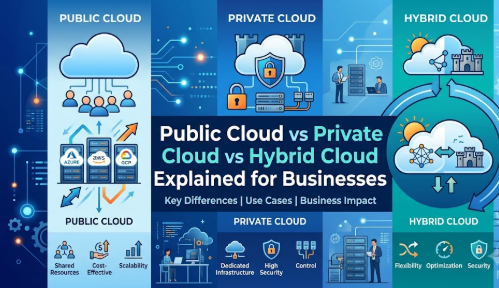
Introduction
A growing business may know that it needs cloud technology but still struggle to decide where its applications, customer records, internal systems, and sensitive data should be hosted. Public cloud may appear affordable and scalable, private cloud may seem more secure and controllable, while hybrid cloud promises the advantages of both. However, choosing only by price, popularity, or vendor recommendation can lead to unexpected costs, compliance concerns, integration problems, and operational complexity. This guide explains public cloud vs private cloud vs hybrid cloud in practical language so beginners, small business owners, managers, and technology teams can compare each option carefully and select an approach based on workload, security, budget, performance, and long-term business needs.
Understanding Public Cloud vs Private Cloud vs Hybrid Cloud in Simple Words
Cloud computing allows organizations to use computing resources such as servers, storage, databases, networking, software, and development platforms without depending entirely on traditional computers or servers located inside their office.
A cloud deployment model explains where those resources are hosted, who controls them, who shares them, and how they are managed.
Public Cloud
A public cloud is an environment operated by a third-party cloud service provider. The provider owns and manages the underlying data centres, servers, storage systems, and networking equipment.
Multiple customers use the provider’s infrastructure, but their accounts, applications, and data are logically separated through access controls and virtualization.
A business can usually create resources when needed and pay according to usage, subscription, reservation, or another pricing arrangement.
Public cloud is commonly used for:
- Website hosting
- Mobile and web applications
- Data backup
- Software development
- Testing environments
- Collaboration applications
- Analytics workloads
- Customer-facing digital services
A small online retailer, for example, may host its website and product database in a public cloud because traffic increases during sales campaigns. It can add resources when demand rises and reduce them when demand falls.
A common misunderstanding is that public cloud means business data is publicly visible. It does not. “Public” describes the service model in which a provider offers shared infrastructure to multiple customers. Each customer must still configure security, identity, encryption, and permissions properly.
Practical takeaway: Public cloud can provide speed and flexibility, but the organization remains responsible for how it configures and uses the services.
Private Cloud
A private cloud is a cloud environment dedicated to one organization. Its infrastructure may be located in the organization’s own data centre or hosted by a specialist provider.
Unlike a traditional server room, a well-designed private cloud uses cloud-style capabilities such as automation, self-service provisioning, centralized management, resource pooling, and rapid deployment.
Private cloud is often considered by organizations that need:
- Greater infrastructure control
- Specialized security configurations
- Strict data-location requirements
- Predictable workloads
- Legacy application support
- Custom networking
- Detailed governance
- Dedicated computing resources
For example, a healthcare organization may maintain a private cloud for sensitive clinical systems while applying tightly controlled access, network isolation, and internal governance policies.
A common misunderstanding is that private cloud is always safer than public cloud. Dedicated infrastructure can provide more control, but security still depends on skilled administration, patching, monitoring, access management, backup, and incident response.
Practical takeaway: Private cloud offers dedicated control, but the organization usually carries greater responsibility for cost, maintenance, expertise, and capacity planning.
Hybrid Cloud
A hybrid cloud connects private infrastructure with one or more public cloud environments. Applications, data, users, and management processes may operate across both environments.
A business might keep confidential records in a private environment while using public cloud resources for customer-facing applications, data processing, development, or temporary demand.
Hybrid cloud is commonly used when organizations need:
- A gradual cloud migration
- Different environments for different workloads
- Temporary public cloud capacity
- Compliance-sensitive data separation
- Integration with existing systems
- Business continuity options
- Flexible application modernization
- Greater deployment choice
For example, a manufacturer may keep its factory-control system in a private environment while hosting its supplier portal and analytics platform in a public cloud.
A common misunderstanding is that hybrid cloud automatically provides the best of both environments. In reality, it can introduce additional networking, monitoring, security, integration, and governance complexity.
Practical takeaway: Hybrid cloud can provide flexibility when it is designed for specific business reasons, but it should not be adopted without an operating model.
Why Cloud Deployment Models Are Important
The cloud model a business chooses affects much more than server location. It influences technology costs, security responsibility, application performance, staff requirements, compliance processes, business continuity, and the ability to grow.
Cost Management
Public cloud can reduce the need for large upfront hardware purchases. However, costs may become difficult to control if teams create unnecessary resources, transfer large amounts of data, or leave unused services running.
Private cloud may require larger initial investment in infrastructure, software, facilities, and skilled employees. Its costs can be more predictable for stable workloads, but unused capacity may reduce financial efficiency.
Hybrid cloud combines different cost structures. This can improve workload placement, but it also requires careful tracking across environments.
Business Growth
A growing company may need to launch services quickly, enter new markets, or support sudden demand. Public cloud often supports rapid expansion because infrastructure can be provisioned quickly.
Private cloud can also scale, but expansion may require purchasing and installing additional capacity. Hybrid cloud can allow the business to use public resources when private capacity is insufficient.
Security and Privacy
Each cloud model creates a different division of responsibility.
In public cloud, the provider secures the underlying cloud infrastructure, while customers remain responsible for areas such as user access, application security, data classification, and service configuration.
In private cloud, the organization or its contracted operator handles a larger share of infrastructure and security management.
In hybrid cloud, security must remain consistent across connected environments.
Compliance
Organizations working with financial, healthcare, government, personal, or regulated data may need to meet requirements concerning storage location, access, retention, auditing, and incident reporting.
The right cloud model depends on the exact requirement. Compliance should not be assumed merely because an environment is public or private.
Operational Discipline
Cloud flexibility can create risk when teams deploy services without governance. Successful cloud use requires defined ownership, cost controls, access policies, backup plans, monitoring, and regular reviews.
Practical Scenario
Consider a growing financial services company. Its public website needs rapid scaling, but customer identity documents require strict access controls and detailed audit records. Placing every workload in one environment may not be suitable. A hybrid approach could keep highly sensitive systems in a controlled environment while using public cloud services for scalable customer interactions. The decision should be based on workload requirements rather than a general belief that one cloud model is always superior.
The Real Problems Businesses Face When Choosing a Cloud Model
The main challenge is not understanding three definitions. The real challenge is matching business requirements with the correct technical and operating environment.
Lack of Workload Understanding
Many organizations discuss cloud strategy without documenting what their applications actually need. They may not know:
- Which systems are business-critical
- Which applications handle sensitive data
- How much downtime is acceptable
- Whether applications can scale automatically
- Which systems depend on older technology
- What response time users expect
- Which compliance rules apply
Without this information, cloud selection becomes guesswork.
Too Much Confusing Advice
Online discussions often present public cloud, private cloud, and hybrid cloud as competing products. In practice, they are deployment approaches. One organization may use all three for different reasons.
Generic claims such as “public cloud is always cheaper” or “private cloud is always more secure” ignore workload size, skills, contracts, architecture, and governance.
Choosing Based Only on Cost
The lowest advertised price may not represent the full operating cost. Businesses should consider:
- Migration work
- Application redesign
- Data transfer
- Support
- Monitoring
- Security tools
- Backup
- Staff training
- Downtime
- Licensing
- Exit costs
Weak Comparison
Some teams compare providers before defining their requirements. This reverses the decision process. Requirements should guide platform evaluation, not the other way around.
Unrealistic Expectations
Moving an inefficient application into the cloud does not automatically make it modern, secure, reliable, or inexpensive. Poor architecture can remain poor architecture after migration.
Ignoring Shared Responsibility
A provider may secure physical data centres and underlying infrastructure, but customers still need to manage identities, permissions, data protection, application vulnerabilities, and configurations.
Depending on Social Media Opinions
Cloud recommendations from short posts or videos may not reflect an organization’s legal, operational, technical, or financial context.
Not Knowing the Next Step
Businesses sometimes delay cloud planning because the subject feels too large. The practical next step is not selecting a provider immediately. It is creating an application and data inventory, followed by workload classification.
How to Choose a Cloud Deployment Model Step by Step
Step 1: Identify the Business Objective
Begin by defining what the organization wants to achieve. The objective may be faster product delivery, lower infrastructure maintenance, improved resilience, expansion into new locations, stronger control, or modernization of an old system. This matters because different objectives may require different deployment models. A startup launching a customer application may value public cloud speed, while a regulated enterprise may prioritize control and auditability. A common mistake is beginning with a preferred technology or vendor. The better approach is to write a measurable business objective and evaluate cloud models against it.
Step 2: Create an Application and Data Inventory
List the applications, databases, files, integrations, servers, users, and business processes that may be affected. Record who owns each system, what data it processes, and what other systems it depends on. This inventory matters because a business cannot select a suitable environment for assets it does not understand. For example, an internal reporting application may depend on an older on-premises database that cannot be moved easily. A common mistake is treating the entire technology environment as one workload. The better approach is to assess each application separately and group related systems only after dependencies are understood.
Step 3: Classify Data and Compliance Requirements
Divide data into categories such as public, internal, confidential, personal, financial, operational, or highly restricted. Identify retention, residency, encryption, access, and audit requirements. This step matters because data sensitivity may influence where information is stored and how it is processed. For instance, a marketing image library may have different requirements from customer identity documents. A common mistake is declaring all data equally sensitive or assuming private cloud automatically meets compliance obligations. The better approach is to involve security, legal, privacy, and business stakeholders in a documented classification process.
Step 4: Assess Performance, Availability, and Scalability
Define response-time expectations, peak usage, transaction volume, recovery requirements, and acceptable downtime. A public cloud environment may suit unpredictable traffic because resources can be expanded rapidly. A stable internal application may fit dedicated private capacity. A hybrid architecture may support applications that need local processing but also require scalable public services. A common mistake is designing for average demand instead of peak and failure conditions. The better approach is to create clear service-level requirements and test architecture against realistic demand, disruption, and recovery scenarios.
Step 5: Calculate the Total Cost of Ownership
Compare more than hardware or monthly service prices. Include migration, implementation, training, networking, security, backup, monitoring, licensing, support, staffing, data transfer, and future exit costs. This matters because a low initial cloud bill can grow when services are poorly governed. Private cloud may involve higher capital and operational expenses but could be appropriate for consistent, highly utilized workloads. A common mistake is comparing public cloud monthly pricing with only the hardware cost of private infrastructure. The better approach is to calculate comparable multiyear costs using the same workload, support, resilience, and security assumptions.
Step 6: Evaluate Internal Skills and Operating Capacity
Assess whether the organization has people who can design, secure, monitor, automate, optimize, and troubleshoot the selected environment. Public cloud requires knowledge of provider services, identity controls, cost governance, and cloud-native operations. Private cloud requires infrastructure, virtualization, networking, automation, and capacity-management expertise. Hybrid cloud requires both, plus integration skills. A common mistake is assuming managed services remove the need for internal knowledge. The better approach is to define responsibilities, identify skill gaps, and plan training or specialist support before migration.
Step 7: Select the Right Model for Each Workload
Use the collected information to decide whether each workload belongs in public cloud, private cloud, an existing environment, or a hybrid architecture. A public website may suit public cloud, a specialized factory system may remain private, and an analytics process may move data between controlled and scalable environments. A common mistake is forcing every application into one cloud model to simplify strategy. The better approach is to standardize where possible while allowing justified exceptions based on documented workload needs.
Step 8: Start with a Controlled Pilot
Test the chosen model using a low-risk but meaningful workload. Define expected cost, performance, security, recovery, and management outcomes before beginning. A pilot matters because it reveals hidden dependencies and operating challenges. For example, a customer portal pilot may expose identity integration or network latency issues before a larger migration. A common mistake is treating the pilot as a technical experiment without business measures. The better approach is to evaluate the pilot against agreed success criteria and document lessons before expanding.
Key Factors That Influence Cloud Model Selection
Workload Type
Customer-facing applications, analytics platforms, development environments, databases, and legacy systems have different requirements. A model that works for one workload may be unsuitable for another.
Data Sensitivity
Highly sensitive information may require stricter access, monitoring, encryption, or location controls. However, sensitive data can exist in any cloud model when the architecture and controls satisfy relevant requirements.
Scalability
Public cloud is often suitable for variable demand. Private cloud capacity is typically planned in advance. Hybrid cloud can use public resources to support selected periods of increased demand.
Control
Private cloud offers greater direct control over infrastructure design and operations. Public cloud customers configure services within the provider’s supported models. Hybrid cloud distributes control across environments.
Cost Structure
Public cloud commonly uses operating expenditure and consumption-based charging. Private cloud may involve capital expenditure and ongoing operational costs. Hybrid cloud requires cost management across both.
Compliance
Compliance depends on controls, processes, contracts, architecture, evidence, and operational discipline. No deployment model guarantees compliance by itself.
Performance and Latency
Applications interacting with factory equipment, local databases, or real-time systems may require nearby processing. Public cloud regions and connectivity can influence latency.
Reliability and Recovery
Organizations should evaluate backup, redundancy, disaster recovery, recovery time, and recovery point requirements. A multi-environment design is not automatically resilient unless failure scenarios are tested.
Vendor Dependency
Applications designed around specialized provider services may become difficult or expensive to move. This is not always unacceptable, but it should be an informed decision.
Management Complexity
Public cloud can offer centralized tools within one provider. Private cloud requires dedicated administration. Hybrid cloud can increase complexity because teams must coordinate identities, policies, monitoring, networking, and incident response across environments.
Detailed Breakdown of Public Cloud, Private Cloud, and Hybrid Cloud
Public Cloud Explained
How Public Cloud Works
The cloud provider owns large-scale infrastructure and offers computing services through online consoles, command-line tools, and application programming interfaces. Customers create virtual machines, containers, databases, storage, networks, and other services when needed.
The provider manages the physical buildings, power, cooling, hardware, and foundational services. Customers manage their accounts, permissions, applications, data, and configurations according to the service type.
Main Advantages of Public Cloud
Rapid provisioning: Teams can create resources quickly without waiting for hardware purchasing and installation.
Scalability: Capacity can be increased or reduced according to demand.
Broad service selection: Providers may offer infrastructure, databases, analytics, artificial intelligence, security, development, and integration services.
Geographic reach: Businesses can deploy applications closer to users across supported regions.
Reduced physical infrastructure management: The provider handles data-centre facilities and hardware operations.
Main Limitations of Public Cloud
Cost variability: Bills can increase because of uncontrolled resources, inefficient architecture, high data transfer, or unexpected demand.
Configuration responsibility: Incorrect access settings or exposed services can create serious security risks.
Provider dependency: Deep use of specialized services can make migration more complex.
Less physical control: Customers do not directly manage the provider’s hardware.
Service restrictions: Customers must operate within available service features, regions, and provider policies.
Best-Fit Use Cases
Public cloud is often suitable for:
- New digital products
- Variable or seasonal workloads
- Development and testing
- Collaboration applications
- Backup and recovery
- Data analytics
- Content delivery
- Websites and mobile backends
- Businesses without large data-centre teams
Common Public Cloud Mistake
A common mistake is allowing every team member to create resources without approval, tagging, budgets, or ownership. This can create unused systems, security gaps, and unexpected costs.
Better Approach
Establish account structures, identity rules, budgets, resource tags, deployment templates, monitoring, and removal procedures before usage expands.
Private Cloud Explained
How Private Cloud Works
A private cloud dedicates cloud infrastructure to one organization. It may be operated internally or by a third party and can be hosted on the organization’s premises or at an external facility.
Users request computing resources through standardized processes. Automation tools provision virtual machines, containers, networks, and storage according to approved policies.
Main Advantages of Private Cloud
Dedicated environment: Infrastructure is assigned to one organization.
Greater customization: Architecture and controls can be designed for specialized needs.
Infrastructure visibility: The organization may have deeper insight into hardware and network configurations.
Predictable performance: Dedicated resources can support stable workloads without competition from unrelated customers.
Legacy support: Private environments may accommodate applications that cannot easily use standard public cloud services.
Main Limitations of Private Cloud
Higher ownership responsibility: The organization must manage hardware, software, updates, automation, resilience, and security unless these are outsourced.
Capacity planning: Additional demand may require purchasing and installing equipment.
Skill requirements: Experienced infrastructure, network, security, and platform professionals are needed.
Capital investment: Dedicated equipment and facilities can require substantial investment.
Risk of underutilization: The organization may pay for capacity that remains unused.
Best-Fit Use Cases
Private cloud may suit:
- Specialized regulated workloads
- Predictable high-utilization systems
- Applications requiring custom hardware
- Environments with strict control requirements
- Legacy applications with complex dependencies
- Local workloads with low-latency needs
- Organizations with mature infrastructure teams
Common Private Cloud Mistake
A common mistake is renaming a traditional virtualized data centre as a private cloud without adding automation, self-service, standardization, monitoring, and governance.
Better Approach
Define the cloud operating model clearly. Introduce automated provisioning, approved service templates, centralized policy, capacity tracking, and lifecycle management.
Hybrid Cloud Explained
How Hybrid Cloud Works
Hybrid cloud connects private infrastructure with public cloud services. The connection may support data exchange, user authentication, application integration, backup, management, or workload movement.
Some hybrid systems keep application components in different environments. Others use public cloud mainly for development, analytics, recovery, or temporary capacity.
Main Advantages of Hybrid Cloud
Workload choice: Organizations can place workloads according to security, performance, cost, and compliance needs.
Gradual migration: Existing systems can remain operational while selected services move to public cloud.
Scalable extension: Public cloud resources can support variable demand.
Business continuity: One environment may contribute to backup or recovery planning for another.
Modernization flexibility: New services can be developed in public cloud while integrating with existing private systems.
Main Limitations of Hybrid Cloud
Integration complexity: Applications and data must work across network and organizational boundaries.
Consistent security: Identity, encryption, monitoring, and policy must be coordinated.
Operational visibility: Teams need tools that provide meaningful information across environments.
Data-transfer costs and latency: Movement between environments may affect cost and performance.
Broader skill requirements: Staff must understand multiple platforms and their interactions.
Best-Fit Use Cases
Hybrid cloud may suit:
- Gradual cloud adoption
- Mixed legacy and modern applications
- Sensitive data with scalable processing
- Disaster recovery
- Temporary capacity requirements
- Distributed business operations
- Organizations with existing private infrastructure
- Workloads with different compliance needs
Common Hybrid Cloud Mistake
A common mistake is adopting hybrid cloud because it sounds flexible without defining what will run where, why the environments must connect, and who will manage them.
Better Approach
Create clear workload-placement rules, network architecture, identity standards, monitoring procedures, data-flow diagrams, ownership boundaries, and recovery plans.
Common Mistakes Beginners Make With Cloud Deployment Models
Assuming Public Cloud Is Automatically Cheaper
Public cloud can reduce upfront investment, but uncontrolled consumption may increase operating costs. Teams should estimate realistic usage, monitor spending, and remove unnecessary resources.
Assuming Private Cloud Is Automatically Secure
Dedicated infrastructure provides control, but outdated systems, weak passwords, excessive permissions, and poor monitoring still create risk. Security depends on effective controls and operations.
Selecting One Model for Every Workload
Uniformity can simplify management, but forcing unsuitable workloads into one environment may increase cost, risk, or performance problems. Assess workloads individually.
Ignoring Application Dependencies
An application may depend on databases, identity services, file systems, or equipment that remain elsewhere. Moving one component without understanding dependencies can cause disruption.
Migrating Without Modernizing
Some applications can be moved without major changes, but inefficient applications may remain expensive and difficult to manage. Evaluate whether to rehost, refactor, replace, retain, or retire each system.
Giving Users Excessive Access
Broad administrator permissions increase the chance of accidental changes, data exposure, and account misuse. Apply least-privilege access and review permissions regularly.
Ignoring Cost Ownership
When nobody owns cloud spending, resources remain active after projects finish. Assign financial and technical ownership to every account, subscription, project, and major resource.
Neglecting Backup and Recovery Tests
Creating backups is not enough. Teams must confirm that data can be restored within required timeframes.
Depending Entirely on Provider Defaults
Default settings may not match organizational requirements. Review encryption, logging, network access, retention, resilience, and identity configurations.
Moving Sensitive Data Without Classification
Businesses should understand what data they hold, where it is stored, who can access it, and which obligations apply before migration.
Believing Hybrid Cloud Eliminates Risk
Hybrid cloud distributes systems across environments but also increases dependencies. Network failure, identity problems, inconsistent security, or monitoring gaps can still cause disruption.
Ignoring Exit Planning
A business should understand how it would retrieve data, replace services, migrate applications, and close contracts if needs change.
Don’t Do This Checklist
- Do not choose a model only because it is popular.
- Do not migrate applications without mapping dependencies.
- Do not assume the provider manages every security responsibility.
- Do not give permanent administrator access to all team members.
- Do not leave test resources running without ownership.
- Do not store sensitive information without classification and protection.
- Do not compare options using only headline pricing.
- Do not skip backup restoration testing.
- Do not build hybrid connections without monitoring them.
- Do not ignore data-transfer, support, and licensing costs.
- Do not make cloud decisions without business stakeholders.
- Do not sign long-term commitments before validating workload demand.
Practical Real-Life Examples of Cloud Deployment Models
Example 1: Small E-Commerce Business
Situation: A small retailer expects website traffic to increase during promotions.
Challenge: Its local server cannot handle sudden demand reliably.
Better action: Host the online store in a public cloud environment with scaling, monitoring, and budget controls.
Learning: Public cloud can support variable demand, but cost and security governance must be configured from the beginning.
Example 2: Healthcare Service Provider
Situation: A healthcare provider manages sensitive patient information and an online appointment portal.
Challenge: It needs strict control over clinical data while keeping the portal responsive.
Better action: Assess a hybrid architecture that separates sensitive systems from scalable public-facing services.
Learning: Workload classification is more useful than placing every system in the same environment.
Example 3: Manufacturing Company
Situation: A manufacturer operates factory equipment that depends on local, low-latency systems.
Challenge: Moving all processing to a distant cloud environment could affect performance and operations.
Better action: Keep factory-control workloads in a private or local environment while using public cloud for reporting and analytics.
Learning: Performance, connectivity, and operational safety should guide workload placement.
Example 4: Software Development Company
Situation: A development team needs temporary environments for testing new releases.
Challenge: Purchasing separate hardware for each project would be slow and inefficient.
Better action: Use public cloud environments created through approved automated templates and removed after testing.
Learning: Cloud flexibility works best when resource creation and deletion are controlled.
Example 5: Established Financial Organization
Situation: A financial organization has older core applications but wants to launch modern digital services.
Challenge: Replacing every existing system at once would create significant operational risk.
Better action: Use a phased hybrid strategy that connects selected cloud-based services with carefully governed existing systems.
Learning: Hybrid cloud can support gradual modernization, but integration and security responsibilities must be clearly defined.
Two Useful Tables for Better Understanding
Table 1: Public Cloud vs Private Cloud vs Hybrid Cloud Comparison
| Decision Area | Public Cloud | Private Cloud | Hybrid Cloud |
|---|---|---|---|
| Infrastructure ownership | Third-party provider | Dedicated to one organization | Combination of provider and private infrastructure |
| Initial setup | Usually faster | Usually requires more planning and investment | Depends on integration scope |
| Scalability | Rapid and flexible | Limited by installed or contracted capacity | Flexible when workload movement is planned |
| Control | Strong service configuration control but limited hardware control | Greater infrastructure and customization control | Control varies by environment |
| Cost model | Mainly usage, subscription, or commitment based | Infrastructure, licensing, staffing, and operations | Combination of public and private costs |
| Management complexity | Moderate, depending on services used | High when operated internally | Often highest due to multiple environments |
| Best suited for | Variable demand and rapid digital delivery | Dedicated, specialized, or predictable workloads | Mixed requirements and phased modernization |
| Main risk | Misconfiguration and uncontrolled spending | Underutilization and operational burden | Integration, governance, and visibility gaps |
Table 2: Business Requirement and Possible Cloud Direction
| Business Requirement | Possible Direction | What Must Be Verified |
|---|---|---|
| Rapid launch of a new web application | Public cloud | Security settings, scaling, cost controls, and backup |
| Highly customized dedicated infrastructure | Private cloud | Skills, capacity, maintenance, and total ownership cost |
| Existing systems plus new digital services | Hybrid cloud | Integration, identity, networking, and monitoring |
| Unpredictable seasonal demand | Public or hybrid cloud | Scaling limits, data transfer, and spending alerts |
| Strict data handling requirements | Private, public, or hybrid depending on controls | Legal obligations, architecture, contracts, and audit evidence |
| Low-latency local processing | Private or hybrid cloud | Local resilience, connectivity, and support |
| Temporary development environments | Public cloud | Automated shutdown, access control, and data protection |
| Gradual migration from a data centre | Hybrid cloud | Workload sequence, dependencies, skills, and exit criteria |
Tools, Methods, and Frameworks Readers Can Use
Application Inventory
An application inventory records each system, owner, users, data, integrations, technology, business importance, and lifecycle status.
It helps beginners understand what exists before making migration decisions. It also prevents important dependencies from being overlooked.
A common mistake is creating an inventory once and never updating it. Assign owners and review it regularly.
Data Classification Framework
A data classification framework groups information according to sensitivity and handling requirements.
Beginners can begin with simple categories such as public, internal, confidential, and restricted. Each category should have rules for storage, sharing, encryption, retention, and access.
This method helps prevent sensitive data from being moved or exposed without appropriate controls.
Workload Assessment Scorecard
A workload assessment scorecard evaluates applications using common factors such as:
- Business importance
- Data sensitivity
- Performance
- Availability
- Scalability
- Compliance
- Architecture
- Skills
- Cost
- Migration difficulty
It helps decision-makers compare workloads consistently rather than relying on personal preference.
Total Cost of Ownership Calculator
A total cost of ownership model compares all relevant expenses across a defined period.
It should include infrastructure, services, support, employees, migration, security, networking, licensing, backup, downtime, and exit planning.
This helps avoid decisions based only on advertised cloud prices or hardware purchase costs.
Responsibility Matrix
A responsibility matrix explains who is responsible for each task, such as identity management, patching, backup, logging, vulnerability management, incident response, and cost review.
This is especially important in public and hybrid cloud because responsibility is shared among providers, customers, internal teams, and service partners.
Cloud Architecture Diagram
An architecture diagram shows applications, data stores, networks, users, security boundaries, and integrations.
Beginners can use it to understand how information moves and where failure or exposure may occur.
The diagram should be updated whenever significant changes are made.
Risk Register
A risk register documents each cloud risk, its likely impact, responsible owner, preventive controls, response plan, and review status.
It helps prevent known risks from being forgotten during implementation.
Cost Budget and Alerts
Budgets and alerts notify teams when spending reaches defined levels.
They do not replace architectural optimization, but they provide early visibility. Every major workload should have an owner who investigates unusual changes.
Migration Decision Framework
A migration framework can classify applications into practical actions:
- Retain
- Retire
- Replace
- Rehost
- Replatform
- Refactor
- Relocate
This prevents organizations from assuming every application must be moved in the same way.
Pilot Review Template
A pilot review template compares expected and actual outcomes for cost, performance, security, reliability, usability, and support.
It helps decision-makers learn from evidence before expanding cloud adoption.
Expert Tips to Make Better Cloud Decisions
1. Begin With Business Requirements
Technology should support a defined business outcome. Write down the problem, expected improvement, and measure of success before selecting a cloud model.
2. Assess Workloads Individually
Different applications have different requirements. Evaluate each workload before deciding where it should run.
3. Classify Data Before Migration
Know what information an application processes and which protection rules apply. This reduces privacy, compliance, and access-control mistakes.
4. Compare Total Cost, Not Advertised Price
Include implementation, people, security, network, support, backup, monitoring, and exit costs. A complete comparison produces a more realistic decision.
5. Design Identity Controls Early
User access is one of the most important cloud controls. Use centralized identity, strong authentication, limited privileges, and regular access reviews.
6. Assign an Owner to Every Workload
Every application and major cloud resource should have a business owner and technical owner. Ownership improves cost control, security response, and lifecycle management.
7. Automate Standard Deployments
Approved templates reduce inconsistent configuration. Infrastructure automation also makes environments easier to review, repeat, and remove.
8. Keep Development and Production Separated
Testing activities should not endanger live business systems or customer data. Use separate accounts, networks, credentials, and approval processes.
9. Monitor Cost Continuously
Cloud spending changes as usage changes. Review costs regularly, investigate unusual growth, and remove inactive resources.
10. Test Recovery Instead of Assuming It Works
Perform restoration and failover exercises. A backup that has never been restored should not be treated as a complete recovery plan.
11. Document Data Movement
Know when data enters, leaves, or travels between environments. This helps manage privacy, performance, cost, and integration risk.
12. Avoid Unnecessary Complexity
Do not adopt hybrid or multi-environment architecture without a clear business reason. Additional platforms require additional skills, controls, and support.
13. Plan for Service Failure
Design applications with realistic failure scenarios in mind. Consider provider outages, network disruption, identity failure, configuration errors, and regional incidents.
14. Review Vendor Dependency
Specialized cloud services may provide strong benefits, but teams should understand how dependency affects pricing, portability, skills, and exit planning.
15. Improve the Operating Model Alongside Technology
Cloud success requires processes for deployment, security, monitoring, incident handling, cost review, and change management. Technology alone cannot replace disciplined operations.
Case Studies: How Better Understanding Changes Cloud Decisions
Case Study 1: Growing Retail Business
Profile: A medium-sized retailer operates physical stores and an expanding e-commerce website.
Situation: Online traffic increases sharply during promotions, while stock and billing systems run from the company’s private data centre.
Problem: The company experiences website slowdowns but is concerned about moving every system at once.
Wrong approach: Management initially considers purchasing additional hardware for all workloads, including temporary promotional demand.
Better approach: The business evaluates each workload. It moves the customer-facing website and product catalogue to a scalable public cloud architecture while keeping selected internal systems in the existing environment. Secure integration is created between them.
Result or learning: The retailer gains flexible capacity for customer traffic while avoiding a rushed migration of critical internal systems. It also learns that hybrid cloud requires careful identity, network, monitoring, and recovery planning.
Key takeaway: Cloud placement should reflect workload behaviour, not organizational pressure to move everything together.
Case Study 2: Professional Services Company
Profile: A professional services company manages confidential client documents and internal collaboration tools.
Situation: Employees need secure access from different locations, and the existing server environment requires frequent maintenance.
Problem: Leaders assume that private cloud is the only acceptable option because the data is confidential.
Wrong approach: The organization plans a costly private infrastructure expansion without assessing managed public cloud controls or operational staffing.
Better approach: It classifies its data, documents access requirements, evaluates encryption and audit controls, and compares public and private options using the same security criteria. Some collaboration services move to a carefully configured public cloud, while highly specialized systems remain private.
Result or learning: The company avoids an all-or-nothing decision and establishes stronger identity and data-handling policies across both environments.
Key takeaway: Confidential data requires effective controls, but the correct model depends on specific requirements rather than assumptions.
Case Study 3: Manufacturing Enterprise
Profile: A manufacturer operates several production facilities with local industrial systems and centralized business reporting.
Situation: Management wants to use cloud analytics to improve operational visibility.
Problem: The production systems require low latency and must continue operating during internet disruption.
Wrong approach: The first proposal moves production processing entirely to a public cloud without fully testing connectivity and failure conditions.
Better approach: The organization keeps time-sensitive factory processing in private local environments and transfers approved operational data to a public cloud analytics platform. It introduces buffering, encryption, monitoring, and recovery procedures.
Result or learning: The company gains centralized analytics without making factory operations completely dependent on external connectivity.
Key takeaway: Hybrid cloud can support local reliability and centralized innovation when data flows and failure scenarios are carefully designed.
Risk Awareness: What Readers Must Check First
Security Misconfiguration Risk
Misconfiguration occurs when services, permissions, networks, or storage are set up incorrectly.
It matters because an exposed service can allow unauthorized access or data leakage.
Reduce the risk by using approved templates, automated checks, restricted privileges, configuration reviews, and continuous monitoring.
Identity and Access Risk
Stolen credentials or excessive permissions can give attackers access to systems and data.
Use strong authentication, centralized identity, least privilege, temporary administrative access, and regular permission reviews.
Cost Risk
Cloud spending can increase because of unused resources, inefficient applications, excessive data transfer, or unexpected demand.
Set budgets, alerts, tags, ownership rules, usage reviews, and technical optimization processes.
Availability Risk
Applications can become unavailable because of provider incidents, network failures, software problems, or human errors.
Design redundancy according to business needs, maintain backups, document recovery steps, and test failure scenarios.
Data Privacy Risk
Personal or confidential data may be stored, processed, or transferred inappropriately.
Classify data, control access, encrypt information where appropriate, document processing locations, and confirm legal requirements.
Compliance Risk
An organization may fail to meet retention, audit, access, reporting, or data-location obligations.
Involve qualified legal, privacy, security, and compliance professionals before major decisions. Maintain evidence of controls rather than relying on assumptions.
Vendor Dependency Risk
Heavy dependence on provider-specific services can make migration more difficult.
Document dependencies, review contract terms, maintain data-export procedures, and decide which forms of dependency are acceptable.
Integration Risk
Connected systems may fail because of incompatible formats, network problems, identity errors, or service changes.
Use documented interfaces, monitoring, version control, testing, and failure-handling procedures.
Skills Risk
An organization may adopt technology that its team cannot operate securely or efficiently.
Assess skills early and plan training, recruitment, managed services, or specialist support.
Data Loss Risk
Data may be deleted accidentally, corrupted, encrypted by an attacker, or lost during migration.
Use protected backups, versioning, access controls, retention policies, and tested restoration procedures.
Misinformation Risk
Cloud decisions based on marketing claims or oversimplified online advice may ignore important business conditions.
Verify information through technical assessments, contracts, security documentation, qualified professionals, and controlled testing.
Checklist Before Taking Action
- The business objective has been written clearly.
- Applications, data, users, and dependencies have been inventoried.
- Data has been classified according to sensitivity.
- Compliance, privacy, and contractual requirements have been reviewed.
- Performance and latency requirements have been documented.
- Availability and recovery requirements have been agreed upon.
- Public, private, and hybrid options have been compared fairly.
- Total cost of ownership has been estimated.
- Data-transfer, licensing, support, and exit costs have been included.
- Internal skills and support capacity have been assessed.
- Security responsibilities have been assigned.
- Identity and access controls have been designed.
- Backup and recovery procedures have been planned.
- Cost budgets, alerts, tags, and ownership rules are ready.
- Network and integration requirements have been documented.
- Vendor dependency has been reviewed.
- A controlled pilot has been selected.
- Pilot success measures have been defined.
- Business, security, finance, legal, and technology stakeholders have reviewed the plan.
- Qualified professional advice has been considered where required.
Use this checklist before signing contracts or migrating important systems. Any unanswered item should become a documented action, risk, or decision. A checklist does not replace professional assessment, but it helps prevent important areas from being overlooked.
Strategic Insights for Better Decision-Making
Workload Placement Should Be Evidence-Based
Workload placement means deciding where each application, service, or data set should operate.
A practical placement decision evaluates:
- Business importance
- Security
- Compliance
- Performance
- Cost
- scalability
- integration
- support
- recovery
- lifecycle stage
For example, an experimental analytics workload may benefit from public cloud flexibility, while a stable machine-control application may remain in a local private environment.
Cloud Strategy Should Include Retention and Retirement
Cloud strategy is not only about moving systems. Some applications should remain where they are, some should be replaced, and others should be retired.
Continuing to operate unused or duplicate systems increases cost, complexity, and security exposure.
Governance Should Enable Safe Speed
Governance should not create unnecessary delays. Its purpose is to give teams approved ways to work quickly and safely.
Useful governance includes:
- Standard account structures
- Approved architecture patterns
- Automated security controls
- Resource ownership
- Budget policies
- Logging requirements
- Data-handling rules
- Exception processes
Hybrid Cloud Needs a Clear Boundary
A hybrid architecture should define what belongs in each environment and why.
Without boundaries, teams may duplicate systems, move data unnecessarily, and create inconsistent policies.
A clear hybrid strategy explains:
- Which workloads remain private
- Which workloads use public services
- How identities are managed
- How data moves
- How incidents are detected
- How recovery works
- Who owns each component
Cost Optimization Begins With Architecture
Deleting unused resources is useful, but major cost improvement often requires better architecture.
Examples include:
- Selecting appropriate service sizes
- Scheduling non-production resources
- Reducing unnecessary data transfer
- Using storage tiers correctly
- Improving database design
- Matching commitments to stable demand
- Replacing inefficient applications
Security Must Be Designed, Not Added Later
Security reviews after implementation may discover expensive problems. Identity, encryption, logging, network design, secrets management, backup, and incident response should be included from the beginning.
Portability Should Be Balanced With Value
Complete portability across every platform may be expensive and may prevent teams from using valuable managed services.
The better approach is to identify critical portability requirements and accept provider dependency deliberately where its benefits are justified.
Cloud Success Requires Organizational Change
Cloud platforms allow rapid change, but traditional approval, support, and purchasing processes may slow teams down.
Organizations may need to update:
- Team responsibilities
- Financial management
- Security reviews
- Deployment processes
- Incident response
- Training
- Architecture standards
- Vendor management
Regular Review Prevents Cloud Drift
Business needs, application demand, provider services, costs, and regulations can change. Review cloud decisions regularly instead of treating migration as a one-time project.
Key Terms Explained for Beginners
- Cloud Computing: Cloud computing is the delivery of computing resources such as servers, storage, databases, and software through a managed service environment.
- Public Cloud: A public cloud is infrastructure operated by a third-party provider and offered to multiple customers through logically separated accounts and services.
- Private Cloud: A private cloud is cloud infrastructure dedicated to one organization and managed internally or by a service provider.
- Hybrid Cloud: Hybrid cloud connects private infrastructure with public cloud services so applications or data can operate across both environments.
- Workload: A workload is an application, database, service, process, or computing task that requires technology resources.
- Scalability: Scalability is the ability to increase or decrease resources as demand changes.
- Elasticity: Elasticity is the ability to adjust resources dynamically, often in response to short-term changes in usage.
- Virtualization: Virtualization allows physical computing resources to support multiple isolated virtual systems.
- Container: A container packages an application and its dependencies in a portable software unit that can run consistently across supported environments.
- Data Residency: Data residency refers to the geographic location where data is stored or processed.
- Shared Responsibility Model: This model divides security and operational duties between the cloud provider and customer according to the service being used.
- Latency: Latency is the delay between a request and response. High latency can affect application speed and user experience.
- Availability: Availability describes whether a system is accessible and functioning when users need it.
- Disaster Recovery: Disaster recovery includes processes and technology used to restore systems and data after a major disruption.
- Vendor Lock-In: Vendor lock-in occurs when moving away from a provider becomes difficult because of specialized services, contracts, data movement, or application design.
Who Should Read This Blog
Beginners
Beginners can use this guide to understand the basic differences among public, private, and hybrid cloud without depending on technical jargon.
Students
Students studying cloud computing, information technology, cybersecurity, or business systems can use the comparisons and examples to connect theory with practical situations.
Salaried Employees
Professionals working in operations, finance, sales, administration, or management can understand how cloud decisions affect cost, security, productivity, and business continuity.
Small Business Owners
Small business owners can learn why cloud selection should consider growth, budget, data protection, support, and long-term operating needs.
Technology Managers
Technology managers can use the frameworks and checklists to improve workload assessment, governance, migration planning, and stakeholder communication.
Developers
Developers can understand how cloud models affect deployment speed, service availability, testing environments, integration, and application architecture.
DevOps Professionals
DevOps professionals can use the guidance to plan automation, monitoring, identity, cost control, and consistent operations across environments.
Security Teams
Security professionals can apply the risk-awareness sections to access management, data protection, logging, incident response, and compliance planning.
Business Leaders
Business leaders can use the article to ask better questions before approving major infrastructure investments or cloud contracts.
Finance Teams
Finance teams can understand why cloud cost includes usage, support, staffing, migration, data transfer, licensing, and governance.
Compliance and Legal Teams
These teams can use the workload and data-classification approach to identify contractual, privacy, retention, and audit requirements.
Organizations Planning Modernization
Companies replacing legacy systems or introducing digital services can use the article to decide which workloads should move, remain, be replaced, or be retired.
Frequently Asked Questions
1. What is the main difference between public, private, and hybrid cloud?
Public cloud uses provider-operated infrastructure shared across customers through isolated services. Private cloud is dedicated to one organization. Hybrid cloud connects private systems with public cloud services to support different workload requirements.
2. Is public cloud suitable for small businesses?
Public cloud can suit small businesses that need rapid deployment, flexible capacity, and reduced physical infrastructure management. However, businesses must still manage security settings, access, backups, budgets, and resource ownership carefully.
3. Is private cloud more secure than public cloud?
Private cloud provides dedicated infrastructure and greater control, but it is not automatically more secure. Security depends on architecture, patching, monitoring, identity controls, employee skills, backup, and incident response.
4. Why do organizations use hybrid cloud?
Organizations use hybrid cloud to combine existing private systems with scalable public services. It can support gradual migration, sensitive workloads, local processing, disaster recovery, or temporary capacity.
5. What does Public Cloud vs Private Cloud vs Hybrid Cloud Explained mean for beginners?
It means comparing where infrastructure is hosted, who manages it, how resources are shared, what each model costs, and which business requirements each model can support.
6. Which cloud model is the cheapest?
No cloud model is always the cheapest. Public cloud may lower upfront spending, private cloud may be economical for certain stable workloads, and hybrid cloud combines costs. Total cost should be calculated using comparable assumptions.
7. Can sensitive data be stored in public cloud?
Sensitive data may be stored in a public cloud when appropriate security, privacy, compliance, contractual, and operational requirements are met. Organizations should verify their specific obligations with qualified professionals.
8. What is the biggest hybrid cloud challenge?
The biggest challenge is often consistent management across environments. Identity, networking, security, monitoring, data movement, cost, and incident response must work together without creating gaps.
9. How should a business compare public cloud vs private cloud vs hybrid cloud?
A business should compare workload type, data sensitivity, compliance, scalability, latency, availability, cost, skills, integration, control, and exit requirements. The comparison should be completed for each major workload.
10. Should every application move to the cloud?
No. Some applications may be moved, modernized, replaced, retained, or retired. The correct action depends on business value, technical condition, cost, dependencies, security, and future plans.
11. How can beginners reduce cloud security risk?
Beginners should limit permissions, use strong authentication, follow approved configurations, protect sensitive data, enable logging, maintain backups, update systems, and review responsibilities with experienced professionals.
12. What is the best next step after reading Public Cloud vs Private Cloud vs Hybrid Cloud Explained?
Create an inventory of applications and data. Then classify each workload according to security, performance, compliance, scalability, cost, integration, and recovery needs before comparing providers or signing contracts.
Conclusion
Public cloud, private cloud, and hybrid cloud each support different business needs, so there is no single model that is best for every organization. Public cloud is useful for rapid deployment, flexible scaling, and reducing the need to manage physical infrastructure, while private cloud offers dedicated resources, greater customization, and stronger direct control. Hybrid cloud combines both environments and can support gradual migration, sensitive workloads, and changing business demands, but it also requires careful planning for security, networking, integration, monitoring, and cost management. Before choosing any model, businesses should clearly identify their objectives, assess applications and data, review compliance requirements, calculate the total cost of ownership, and evaluate internal skills. A controlled pilot can help reveal technical, financial, and operational challenges before a larger migration begins. The right cloud strategy should remain practical, secure, cost-aware, scalable, and aligned with long-term business goals rather than being based only on trends, vendor claims, or initial pricing.

