
Introduction
Spending twenty minutes crafting the exact instruction that makes an artificial intelligence model generate a brilliant piece of writing, a clean block of code, or a structured marketing plan, only to lose it forever, is a common frustration.
Most people working with AI tools live in a state of digital scatter. Valuable instructions get buried deep within long chat histories, scattered across random desktop notes, pasted into temporary emails, or lost across multiple different AI platforms. When you need that exact prompt again next week, you end up staring at a blank screen, trying to recreate it from memory. Rewriting prompts repeatedly wastes precious time and often leads to inconsistent AI results because the phrasing changes every single time.
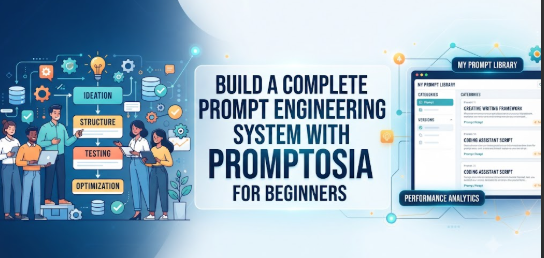
If this sounds familiar, you are not alone. As artificial intelligence becomes an everyday collaborator for writing, coding, marketing, and research, managing the instructions we give these systems has become just as important as writing the instructions themselves. This is where modern workflow solutions like Promptosia come into play, offering a practical way to organize, test, and refine your prompts so you spend less time searching and more time creating.
Why AI Prompt Management Matters
Many people treat AI prompts as disposable. You type something into a chat window, get your answer, and close the tab. However, a well-crafted prompt is actually a valuable digital asset. It represents accumulated trial, error, and domain expertise.
When you treat your prompts as reusable assets rather than temporary inputs, several positive shifts occur:
- Prompt Consistency: Using the same structured instructions ensures that the AI returns a consistent style, tone, and format every time.
- Significant Time Savings: Instead of reinventing the wheel or digging through old chat logs, you can pull up a proven template in seconds.
- Improved Productivity: Streamlining your daily interactions with AI reduces friction, allowing you to focus on high-value creative and analytical tasks rather than endless rewriting.
What is Promptosia?
Promptosia was created to solve the growing chaos of scattered AI workflows. Designed for writers, developers, marketers, researchers, and anyone who relies on artificial intelligence daily, it functions as a centralized hub for your conversational instructions.
Rather than forcing you to juggle multiple notes apps or rely on browser history search bars, Promptosia helps users capture, organize, and optimize their prompts in one secure location. It views prompts not as rigid text blocks, but as dynamic assets that can be tagged, version-controlled, and shared. By bringing order to your instructions, the platform turns ad-hoc AI interactions into a streamlined, repeatable system.
Understanding an AI Prompt Library
An AI prompt library is a centralized, searchable repository where your best instructions live. Think of it as a personal recipe book, but for artificial intelligence.
Instead of keeping everything in one messy list, a proper library lets you organize your work using categories and tags. For example, you might have separate categories for content creation, data analysis, and software development, with tags like “blogging,” “python,” or “email-marketing.”
Furthermore, effective prompt libraries incorporate variables—placeholders within your text that allow you to swap out specific details, such as target audiences or core topics, without rewriting the entire prompt structure. This level of reusability transforms a single-use instruction into a versatile template.
AI Prompt Organizer
Having a repository is only half the battle; keeping it tidy requires a reliable AI prompt organizer. Without a system of folders, categories, and tags, a prompt library quickly becomes just as cluttered as your chat history.
An effective organizer allows you to group related prompts into logical collections. It enables you to archive outdated instructions while keeping your active workflows front and center. By maintaining a clean organizational structure, you eliminate cognitive fatigue, allowing you to locate the exact tool you need the moment inspiration strikes.
AI Prompt Optimizer
Even a great idea can suffer from weak wording. An AI prompt optimizer helps bridge the gap between a rough thought and a precise instruction.
When writing prompts on the fly, we often leave out crucial context, skip formatting guidelines, or use ambiguous language. An optimizer assists in reshaping these rough drafts into clearer, more structured instructions. It focuses on clarifying intent, defining boundaries, and structuring outputs so that the AI model understands precisely what is expected on the very first try.
AI Prompt Analyzer
Before deploying a prompt across a larger project, it helps to understand its underlying structure. An AI prompt analyzer gives users visibility into how a prompt is built.
Rather than guessing why a particular instruction failed or succeeded, analysis helps you examine key components such as:
- Purpose and Context: Are the background details clear?
- Variables and Constraints: Are the placeholders obvious, and are the boundaries well-defined?
- Tone and Audience: Does the instruction specify who is speaking and to whom?
- Safety and Structure: Is the requested output format practical and safe?
Understanding these elements makes you a more effective prompt engineer over time.
Prompt Quality Checker
Not all prompts are created equal. A dedicated prompt quality checker helps you evaluate whether an instruction is ready for regular use or if it needs further refinement.
Evaluating prompt quality involves looking at clarity, context sufficiency, and consistency. A high-quality prompt leaves little room for misinterpretation, ensuring that regardless of who runs it or when it is executed, the resulting output remains reliable and useful.
Prompt Version Control
Iteration is a natural part of working with AI. You might tweak a sentence, adjust a constraint, or add a new variable to see how the model responds. Without a prompt version control tool, it is easy to accidentally overwrite a working prompt with a newer experiment that performs worse.
Version control allows you to save iterative improvements step by step. You can easily compare older versions with current ones, track how wording changes affect performance, and roll back changes if an experiment goes sideways.
AI Prompt Testing
Before relying on a prompt for an important deadline, you need to know how it performs under different conditions. An AI prompt testing tool lets you run trials with varied inputs, compare responses side by side, and analyze how subtle tweaks in phrasing alter the AI’s output. Systematic testing ensures that your templates are robust, dependable, and free from unexpected blind spots.
Reusable AI Prompt Templates
Creating prompts from scratch every single time is an unnecessary bottleneck. Reusable AI prompt templates provide a standardized framework where only the variable details change.
Standardization improves consistency across projects. Whether you are generating weekly status reports or outlining marketing copy, relying on a tested template ensures that quality never dips, even on your busiest days.
Step-by-Step Guide to Managing AI Prompts
Building a sustainable prompt management workflow does not have to be complicated. Follow these practical steps to take control of your AI interactions:
- Identify Repetitive Tasks: Look at your weekly routine and pinpoint tasks where you find yourself typing similar instructions to an AI over and over again.
- Write an Initial Prompt: Draft a straightforward instruction based on how you normally tackle the task.
- Improve the Wording: Use an AI prompt optimizer to tighten up the phrasing, add missing context, and remove ambiguity.
- Organize with Categories and Tags: Place your newly refined prompt into your AI prompt organizer, assigning relevant tags so you can find it later.
- Save Reusable Versions: Turn your instruction into a template by inserting placeholders for variable data.
- Test Different Variations: Run a few test rounds to see how minor wording adjustments affect the quality of the response.
- Compare Outputs: Evaluate which variation produces the cleanest, most useful results.
- Keep Improving: Update your templates periodically as AI models evolve and your own prompting skills grow.
Who Can Benefit?
Prompt management is not restricted to technical specialists. A wide range of professionals can benefit from organizing their AI workflows:
- Writers and Bloggers: Keep track of tone guidelines, structural outlines, and headline generation frameworks.
- Software Developers: Organize debugging queries, code refactoring instructions, and documentation generators.
- Students and Researchers: Manage citation formatting prompts, summary structures, and literature review templates.
- Digital Marketers: Store campaign briefs, social media calendar prompts, and ad copy variations.
- Educators and Trainers: Build consistent quiz-generation instructions and lesson plan frameworks.
Real-Life Scenarios
Scenario 1: The Freelance Content Creator
- Problem: A freelance writer spent hours rewriting instructions for blog outlines across multiple client projects, leading to inconsistent formatting.
- Practical Approach: The writer built a centralized AI prompt library, categorized prompts by client, and set up reusable templates with variable fields for topic keywords.
- Outcome: Outline generation time dropped by 70%, and every delivered draft matched client style guidelines perfectly on the first try.
Scenario 2: The Software Developer
- Problem: A developer kept losing complex code review prompts in various chat windows, leading to repetitive debugging cycles.
- Practical Approach: Using prompt version control, the developer saved iterative versions of a code-refactoring prompt and tagged them by programming language.
- Outcome: Debugging sessions became faster and more predictable, with zero time wasted recreating lost instructions.
Scenario 3: The Digital Marketing Specialist
- Problem: A marketing team struggled with inconsistent ad copy because different team members used wildly different prompts for the same campaigns.
- Practical Approach: The team adopted an AI prompt organizer to share standardized templates, ensuring everyone used the same core instructions with localized variable inputs.
- Outcome: Campaign copy maintained a unified brand voice, and cross-team collaboration became remarkably smooth.
Common Mistakes to Avoid
Even with the best tools, certain habits can undermine your prompt management efforts. Watch out for these pitfalls:
- Saving Prompts Randomly: Dumping everything into a single unorganized note file defeats the purpose of having a library.
- Ignoring Version History: Overwriting successful prompts without saving backups often leads to frustration when a working formula is lost.
- Using Vague Instructions: Relying on overly brief commands produces unpredictable AI behavior.
- Skipping the Testing Phase: Assuming a prompt works without running trial variations can lead to errors during critical deadlines.
- Mixing Unrelated Workflows: Failing to categorize prompts properly creates clutter and slows down your daily routine.
AI Prompt Management Features and Their Purpose
| Feature | Why It Matters | Practical Benefit |
| Prompt Library | Keeps all your valuable instructions in one searchable place. | Eliminates the need to dig through old chat histories or desktop notes. |
| Version Control | Tracks iterative changes and prevents accidental overwrites. | Allows you to roll back edits and compare how different phrasings perform. |
| Tagging & Categories | Structures your workflow logically by topic, project, or format. | Lets you locate the exact prompt you need in seconds. |
Characteristics of a High-Quality AI Prompt
| Factor | Why It Is Important | Practical Tip |
| Clarity | Prevents the AI from misinterpreting your core objective. | Use direct, active language and avoid unnecessary jargon. |
| Context | Gives the model background information to tailor its response. | Include details about your target audience, tone, and goals. |
| Output Structure | Ensures the delivered result matches your formatting needs. | Explicitly request bullet points, tables, or specific section headers. |
Testimonials
Organizing my writing prompts in a dedicated library completely transformed my daily routine. I no longer waste time trying to remember how I phrased a successful outline generator last month.
— Freelance Content Creator
Having version control for my coding prompts means I can safely experiment with new instructions without breaking the workflows my team relies on every day.
— Software Developer
Benefits of Managing AI Prompts
- Saves significant time by eliminating repeated typing and searching.
- Improves output consistency across different projects and tasks.
- Reduces duplicated effort through shared templates and variables.
- Makes team collaboration smoother by establishing standard practices.
- Encourages continuous improvement through systematic testing and analysis.
Frequently Asked Questions
What is an AI prompt management tool?
An AI prompt management tool is a dedicated platform designed to help users store, organize, edit, and retrieve their conversational instructions for artificial intelligence models in an organized library.
Why should I organize my prompts instead of just using chat history?
Chat histories are cluttered, unsearchable, and prone to disappearing or becoming disorganized over time. An organized library allows you to tag, categorize, and refine your best instructions for instant reuse.
What are prompt variables?
Prompt variables are placeholders within a template—such as topic, audience, or tone—that you can swap out depending on the specific task, allowing a single prompt to be used across many different projects.
How does prompt version control work?
Prompt version control allows you to save incremental changes made to your instructions over time, letting you compare different iterations and revert to previous versions if needed.
Can prompt management help with team collaboration?
Yes. When teams share a centralized repository of standardized prompt templates, everyone produces more consistent, brand-aligned results without having to reinvent instructions independently.
Do I need technical skills to use a prompt organizer?
Not at all. Prompt organizers are designed to be intuitive, clean interfaces suitable for writers, marketers, researchers, and anyone who uses AI as part of their daily work.
How do I turn a casual chat prompt into a reusable template?
Start by identifying the core instruction that yielded a great result, strip away conversational filler, generalize the specific details into variable placeholders, and save it in your library under a clear category.
Why do some prompts produce inconsistent AI results?
Inconsistent results usually stem from vague wording, missing context, or changing instructions. Using a structured template with clear constraints helps ensure the AI model understands your expectations every time.
Conclusion
Working with artificial intelligence should feel like collaborating with a sharp, reliable assistant—not wrestling with an unpredictable black box. When you take control of your instructions by moving away from scattered chat logs and toward structured libraries, organizing your assets, and testing your variations, your entire workflow becomes smoother and more efficient.
Platforms like Promptosia offer a practical environment to bring order to your prompt engineering efforts, ensuring your best ideas are always organized, optimized, and ready when you need them. Take a moment today to review your current AI workflow, pull your best instructions out of old chat windows, and build a system that supports your creativity.

