
Introduction
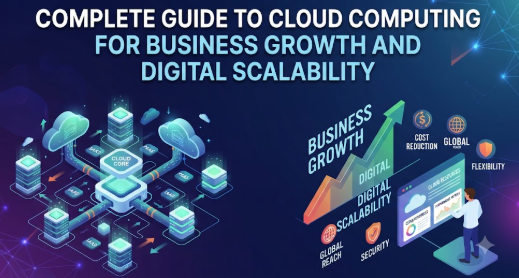
A growing business may begin with a few employees, basic software, local computers, and a small collection of customer files, but its technology needs can quickly become more complicated as orders, employees, locations, applications, and data increase. Beginners often hear terms such as public cloud, private cloud, SaaS, serverless computing, cloud migration, and hybrid infrastructure without understanding how these concepts support actual business goals. This confusion can lead to unnecessary subscriptions, security gaps, uncontrolled expenses, or the selection of services that do not match operational requirements. This complete guide to cloud computing for business growth explains the subject in practical language so that business owners, managers, finance teams, students, and technology learners can understand what cloud computing is, how it works, what it costs, which risks must be managed, and how to adopt it through careful planning rather than rushed decisions.
What is Cloud Computing ?
Cloud computing means accessing computing resources through a network, usually the internet, instead of owning and operating every server, storage system, database, and software application inside a business location.
These resources may include:
- Data storage
- Business applications
- Virtual servers
- Databases
- Networking services
- Data analytics
- Backup systems
- Development environments
- Artificial intelligence services
- Cybersecurity tools
A traditional business may purchase physical servers, install them in an office, maintain cooling and electricity, perform upgrades, and employ people to manage the hardware. A cloud-based business can instead rent suitable computing capacity from a cloud provider and adjust that capacity when its requirements change.
How Cloud Computing Works
Cloud providers operate large data centres containing servers, storage systems, network equipment, and security technologies. Customers access selected resources through dashboards, applications, programming interfaces, or managed services.
The provider generally manages the underlying physical infrastructure. The customer remains responsible for areas such as account access, data classification, application configuration, user permissions, and appropriate use of the service.
Cloud computing therefore does not mean that all technical responsibility disappears. Responsibility is divided between the provider and the customer.
Why Businesses Search for Cloud Solutions
Businesses usually explore cloud computing because they want to:
- Avoid large upfront infrastructure purchases
- Support remote and distributed teams
- Launch new applications faster
- Improve system availability
- Store growing amounts of data
- automate repetitive processes
- Strengthen backup and recovery arrangements
- Expand into new locations
- access specialised technology without building it internally
- respond more quickly to changing customer demand
A Beginner-Friendly Example
Consider a small accounting firm with ten employees. The firm stores files on office computers and sends documents through email. As the number of clients increases, employees struggle to find the latest document versions and cannot work efficiently from home.
The firm adopts a secure cloud-based document management system with role-based access, version history, backup, and multi-factor authentication. Employees can now work from approved locations and access the same current files.
The benefit does not come merely from “moving files online.” It comes from better access control, document organisation, collaboration, recovery, and operational consistency.
A Common Misunderstanding
A common misunderstanding is that cloud computing is always cheaper than traditional infrastructure. Cloud services can reduce upfront investment and improve flexibility, but poorly configured services can create significant ongoing expenses.
The practical takeaway is simple: cloud adoption should be connected to business requirements, cost controls, security policies, and measurable outcomes.
Why Cloud Computing Is Important for Business Growth
Cloud computing can support business growth by allowing technology resources to expand without requiring the organisation to purchase and install physical infrastructure every time demand increases.
Scalability
A growing online store may receive normal traffic during most weeks but experience a major increase during a festival or product launch. Cloud infrastructure can be designed to add computing capacity during busy periods and reduce it when demand returns to normal.
Without this flexibility, the business may either maintain expensive unused infrastructure or face poor performance when traffic increases.
Financial Planning
Traditional infrastructure usually requires upfront spending on servers, networking, software licences, installation, maintenance, and replacement. Cloud services frequently use subscription-based or consumption-based pricing.
This can convert part of the technology budget from capital expenditure into operating expenditure. However, consumption-based pricing must be monitored because expenses can increase when resources are left active, storage grows, or data-transfer charges are ignored.
Business Continuity
Cloud-based backup, replication, and disaster-recovery services can help businesses restore systems after hardware failure, accidental deletion, cyber incidents, or local disruption.
Recovery is not automatic merely because data is in the cloud. Businesses still need recovery objectives, tested backups, documented procedures, and clearly assigned responsibilities.
Collaboration
Cloud applications allow employees to access approved systems from different offices or remote locations. Teams can work on shared information, track changes, automate approvals, and reduce dependence on local devices.
Faster Innovation
Businesses can test ideas using cloud resources without purchasing permanent infrastructure. A development team can create a temporary testing environment, evaluate a new service, and remove the resources after the project.
This reduces the delay between an idea and a working experiment.
Better Use of Specialist Services
Cloud platforms offer managed databases, analytics, machine learning, monitoring, security, messaging, and automation services. Smaller companies can access capabilities that may be difficult to build and maintain independently.
Practical Scenario
A regional training company plans to launch online courses. Building a physical server environment would require equipment, installation, maintenance, and capacity forecasting. By using cloud hosting, managed databases, content delivery, backups, and monitoring, the company can launch gradually and increase capacity as enrolments grow.
The better approach is not to purchase every available cloud service. It is to identify the minimum architecture needed, establish a budget, protect learner data, and scale only when actual demand justifies it.
The Real Problems Businesses Face With Cloud Computing
Cloud computing offers useful capabilities, but many organisations struggle because they begin with products rather than business requirements.
Lack of Cloud Awareness
Decision-makers may approve cloud projects without understanding service models, pricing, security responsibilities, or integration requirements. This creates unrealistic expectations and unclear ownership.
Too Much Confusing Advice
Online content often presents cloud computing as either a complete solution to every technology problem or an unnecessary expense. Both views are too simplistic.
Cloud value depends on the workload, business objective, existing systems, skills, compliance needs, and operating model.
Weak Business Alignment
Some businesses move applications to the cloud because competitors are doing so. They may not define whether the actual objective is cost control, faster deployment, remote access, disaster recovery, application modernisation, or international expansion.
Without a clear objective, it becomes difficult to measure success.
Poor Cost Visibility
Cloud invoices may include charges for:
- Computing time
- Storage capacity
- Database usage
- Software subscriptions
- Technical support
- Network traffic
- Data transfer
- Backup retention
- Monitoring
- Security services
A business may compare only the advertised monthly price and ignore the full operating cost.
Inadequate Security Configuration
Cloud providers secure their infrastructure, but customers must still secure accounts, user permissions, applications, data, passwords, integrations, and configurations.
A publicly exposed storage location or excessively powerful administrator account can create risk even when the underlying cloud platform is secure.
Unrealistic Expectations
Cloud migration does not automatically fix outdated applications, poor data quality, weak internal processes, or unclear responsibilities. Moving a poorly designed system to the cloud may simply transfer the same problems to a new environment.
Vendor Dependency
Businesses may adopt proprietary tools without considering how data and applications could be moved later. This can make future migration expensive and technically difficult.
Skills Gaps
Cloud systems require knowledge of architecture, security, identity management, monitoring, automation, budgeting, and governance. A business may purchase cloud services without preparing employees to operate them responsibly.
Missing Next Steps
Many companies complete an initial migration but do not establish ongoing reviews. Costs, permissions, backups, performance, and unused resources then remain unchecked.
The better approach is to treat cloud adoption as an operating capability rather than a one-time technology purchase.
How Cloud Computing Works Step by Step
Step 1: Define the Business Objective
The first step is to decide what the organisation wants cloud computing to improve. The objective may be remote collaboration, faster product delivery, reliable backup, lower infrastructure burden, improved customer experience, or international expansion. This matters because different goals require different architectures. For example, a company seeking better document collaboration may need a cloud software platform, while a company building a custom application may need infrastructure and development services. A common mistake is selecting a provider before defining the problem. The better approach is to write measurable objectives, such as reducing application deployment time, improving recovery readiness, or supporting a planned increase in users.
Step 2: Assess Existing Applications and Data
The business should create an inventory of applications, servers, databases, integrations, user groups, data categories, licences, and dependencies. This assessment identifies which workloads are suitable for cloud adoption and which may require redesign or continued local operation. For example, a modern web application may move relatively easily, while an older application connected to specialised equipment may be more difficult. A common mistake is assuming every workload can be migrated in the same way. The better approach is to classify systems by importance, complexity, security requirements, performance needs, and migration readiness.
Step 3: Select the Appropriate Service Model
The organisation must choose among software as a service, platform as a service, infrastructure as a service, or a combination. SaaS provides a complete application, PaaS provides a managed environment for application development, and IaaS provides configurable virtual infrastructure. This choice matters because it determines how much the provider manages and how much the customer must manage. A small business needing email and collaboration may choose SaaS, while a software company may use PaaS and IaaS. A common mistake is choosing maximum technical control without having the skills to operate it. The better approach is to use the most managed option that still meets business and technical requirements.
Step 4: Choose the Deployment Model
Businesses can use a public cloud, private cloud, hybrid cloud, or multiple cloud platforms. A public cloud uses shared provider infrastructure with logical separation between customers. A private cloud is dedicated to one organisation. A hybrid approach connects cloud services with local or private systems. A multi-cloud approach uses more than one provider. A common mistake is assuming a complex multi-cloud architecture is automatically safer or more flexible. The better approach is to choose the simplest model that satisfies performance, compliance, resilience, and business-continuity requirements.
Step 5: Prepare Security and Governance Controls
Before migration, the business should define user access, administrator roles, data classification, encryption requirements, logging, backup policies, incident response, account ownership, and approval processes. Multi-factor authentication should be used wherever available, especially for privileged accounts. A common mistake is giving broad administrator access to employees and external vendors. The better approach is least-privilege access, meaning each person receives only the permissions necessary for their responsibilities.
Step 6: Estimate Costs and Set Budget Controls
The organisation should estimate the total cost of computing, storage, data transfer, software licences, support, migration, training, security, monitoring, and ongoing management. Budgets and usage alerts should be configured before large workloads are launched. A common mistake is comparing only the basic server price with the purchase price of physical hardware. The better approach is to compare total cost over an appropriate period and include both visible and indirect expenses.
Step 7: Run a Controlled Pilot
A low-risk application, department, or process should be selected for the initial cloud project. The pilot allows the business to test access, performance, security, backup, cost monitoring, support arrangements, and user training. A common mistake is migrating a critical system first because it appears to offer the greatest value. The better approach is to begin with a manageable workload, document lessons, improve the process, and then address more important systems.
Step 8: Monitor, Optimise, and Improve
After deployment, the business must review costs, performance, security events, user access, backup success, recovery readiness, service availability, and resource utilisation. Unused resources should be removed, oversized systems should be adjusted, and permissions should be reviewed regularly. A common mistake is treating migration as the end of the project. The better approach is continuous cloud governance supported by monthly operational reviews and periodic strategic assessments.
Key Factors That Influence Cloud Adoption
Business Goals
Cloud decisions should begin with the result the company wants to achieve. A clear goal helps prevent unnecessary services and makes performance measurable.
Workload Suitability
Not every application has the same technical requirements. Businesses should examine latency, data sensitivity, operating-system requirements, software dependencies, availability needs, and integration complexity.
Service Model
The choice between SaaS, PaaS, and IaaS affects control, flexibility, skills, maintenance, and responsibility. Businesses should avoid managing infrastructure that a reliable managed service can handle more effectively.
Deployment Model
Public, private, hybrid, and multi-cloud models solve different problems. The model should be selected on evidence rather than trend-driven assumptions.
Security Requirements
The organisation must evaluate identity management, encryption, network design, logging, vulnerability management, data protection, and incident response.
Legal and Compliance Requirements
Some information may be subject to contractual, sector-specific, privacy, or data-location requirements. Businesses should determine what rules apply before selecting where and how data is stored.
Integration With Existing Systems
Cloud applications often need to communicate with accounting software, customer databases, local equipment, identity platforms, payment systems, and third-party services. Integration complexity can significantly influence migration effort.
Cost Structure
Cloud costs depend on consumption, architecture, provider pricing, support plans, data movement, and resource management. A low starting price does not necessarily mean a low long-term cost.
Performance and Availability
Applications must provide acceptable response times and reliability. Businesses should define their availability expectations and understand the service commitments offered by providers.
Portability and Vendor Dependency
The use of open standards, portable data formats, containers, documented interfaces, and tested export processes can reduce dependency. Complete independence may not be realistic, but unnecessary lock-in can be controlled.
Internal Skills
A business needs people who understand the chosen services. Training, external expertise, clear documentation, and operating procedures should be included in the adoption plan.
Governance
Governance determines who can create resources, approve expenses, access data, modify security controls, and respond to incidents. Without governance, a cloud environment can become difficult to manage.
Detailed Breakdown of Cloud Computing
Cloud Service Models
Cloud service models define which parts of the technology environment are operated by the provider and which remain under customer control.
Software as a Service
Software as a service provides a complete application through a browser, mobile application, or installed client. Common categories include email, customer relationship management, accounting, project management, document collaboration, and human-resource systems.
The provider generally manages infrastructure, application updates, service availability, and maintenance. The customer manages user access, data usage, configuration, integrations, and internal policies.
SaaS is often suitable for businesses that need a standard capability without developing or maintaining the application themselves.
Platform as a Service
Platform as a service provides a managed environment for developing, testing, deploying, and running applications. The provider manages much of the infrastructure, operating environment, and runtime.
Development teams can focus more on application logic and less on server administration. However, they must still secure the application, manage data appropriately, monitor performance, and understand service limitations.
Infrastructure as a Service
Infrastructure as a service provides virtual servers, storage, networking, and related infrastructure components. It offers greater control but also creates more customer responsibility.
The customer may need to manage operating systems, software updates, security settings, monitoring, backup, application deployment, and capacity planning.
IaaS may be appropriate when a business needs custom configurations or must migrate an application that cannot immediately use a managed platform.
Table 1: Cloud Service Model Comparison
| Service model | Provider generally manages | Customer generally manages | Suitable for |
|---|---|---|---|
| SaaS | Application, infrastructure, updates and core availability | Users, permissions, configuration, data use and integrations | Businesses needing ready-to-use software |
| PaaS | Infrastructure, operating environment and development platform | Application code, data, access and application security | Teams building and deploying applications |
| IaaS | Physical hardware, facilities and virtualisation layer | Operating systems, applications, access, security configuration and data | Organisations needing greater technical control |
Cloud Deployment Models
Public Cloud
A public cloud provides computing services through infrastructure operated by a third-party provider. Customers use logically separated resources and pay according to subscriptions or consumption.
Public cloud services can provide broad service selection and rapid scalability. Businesses must still evaluate architecture, security, compliance, and cost.
Private Cloud
A private cloud is dedicated to a single organisation. It may operate in the organisation’s own data centre or through a managed provider.
Private clouds can provide greater control and customisation, but they may require more investment, skills, and maintenance.
Hybrid Cloud
A hybrid cloud combines cloud services with private or local infrastructure. For example, a company may keep a specialised production system on-site while using cloud services for analytics, backup, collaboration, or customer-facing applications.
A hybrid model can support gradual migration, but it also requires reliable connectivity, integration, security, and monitoring across environments.
Multi-Cloud
Multi-cloud means using services from more than one cloud provider. Businesses may choose this approach to access specialised capabilities, meet customer requirements, or reduce dependency on one provider.
However, multi-cloud increases operational complexity. Teams must manage different billing systems, security models, tools, skills, and support arrangements.
Table 2: Traditional Infrastructure and Cloud Computing
| Decision area | Traditional infrastructure | Cloud computing |
|---|---|---|
| Initial investment | Usually requires hardware, installation and facility spending | Often starts with subscriptions or consumption-based charges |
| Capacity changes | Requires purchasing and installing additional equipment | Resources can often be adjusted more quickly |
| Maintenance | Managed mainly by the organisation | Shared between provider and customer |
| Access | Frequently designed around office networks | Can support approved access from multiple locations |
| Cost control | More predictable after purchase but includes replacement and maintenance | Flexible but requires active monitoring and optimisation |
| Recovery | Requires separate backup and recovery arrangements | Provides recovery tools, but they must be configured and tested |
| Technical control | High direct control over infrastructure | Depends on the selected service model |
| Skills required | Hardware, networking and local system administration | Architecture, identity, security, automation, monitoring and cost governance |
Cloud Migration Approaches
Businesses can use several migration approaches depending on the application.
Rehost
Rehosting moves an application to cloud infrastructure with limited architectural change. It can be faster, but it may not use cloud capabilities efficiently.
Replatform
Replatforming makes selected improvements during migration. For example, a business might move an application to virtual infrastructure while replacing its self-managed database with a managed database.
Refactor
Refactoring redesigns an application to use cloud-native services. This can improve scalability and maintainability but requires greater time, skill, testing, and investment.
Repurchase
Repurchasing replaces an existing application with a SaaS product. A business may replace locally installed accounting or customer-management software with a cloud-based solution.
Retain
Some applications may remain in their existing environment because of technical, regulatory, contractual, or economic reasons.
Retire
Unused or duplicate applications may be removed instead of migrated. This can reduce complexity and cost before cloud adoption.
Cloud Security and the Shared-Responsibility Model
Cloud providers are generally responsible for protecting their facilities, physical servers, core networks, and underlying platform components. Customers are responsible for how they configure and use the services.
Customer responsibilities may include:
- Protecting passwords and authentication methods
- Managing user access
- Configuring networks and storage
- Classifying data
- Updating customer-managed software
- Monitoring account activity
- Securing application code
- Maintaining backups
- Responding to security incidents
- Removing access when employees leave
The exact division of responsibility changes according to the service model. A SaaS customer manages less infrastructure than an IaaS customer, but the SaaS customer must still manage users, data, permissions, and safe usage.
Cloud Cost Management
Cloud cost management involves understanding how resources are consumed, assigning costs to teams or projects, setting budgets, detecting unusual usage, and removing waste.
Important cost categories include:
- Compute instances
- Storage
- Database services
- Data transfer
- Backup retention
- Monitoring logs
- Security products
- Software licences
- Support plans
- Development and testing environments
Cloud cost optimization does not mean reducing every expense. It means matching spending to business value while maintaining acceptable security, reliability, and performance.
Business Scalability With Cloud Computing
Scalability means increasing or decreasing computing capacity as demand changes. It may involve adding more resources to one system or distributing workloads across multiple systems.
Businesses should not confuse scalability with guaranteed performance. Applications must be designed to use additional capacity effectively. Database limitations, poor code, network bottlenecks, and third-party dependencies can still restrict performance.
Common Mistakes Beginners Make With Cloud Computing
Migrating Without a Business Case
This happens when organisations follow trends instead of defining measurable goals. The project may consume time and money without improving operations.
Businesses should document the problem, expected benefit, success measure, responsible owner, and review date before migration.
Assuming the Cloud Is Automatically Secure
Cloud infrastructure may include strong security features, but unsafe configuration can expose data or systems. Businesses must configure identities, permissions, networks, applications, logging, and backups correctly.
Ignoring the Full Cost
A business may estimate only computing costs and overlook storage growth, data transfer, support, security, training, migration, and monitoring.
A total-cost assessment and monthly budget review provide a more realistic view.
Giving Excessive User Permissions
Broad administrator access increases the damage that can result from mistakes, compromised accounts, or misuse.
Use role-based access, least privilege, multi-factor authentication, and regular access reviews.
Moving Every Application at Once
Large migrations create operational and security risks when teams have limited cloud experience.
Start with a controlled pilot, document lessons, and migrate in manageable phases.
Failing to Test Backups
A successful backup notification does not prove that data can be restored correctly. Businesses should perform recovery tests and document recovery procedures.
Depending on One Individual
When one employee or consultant understands the entire cloud environment, the organisation faces continuity risk.
Maintain diagrams, configuration records, operating procedures, access ownership, and cross-training.
Leaving Unused Resources Active
Development environments, storage volumes, test databases, old backups, and unused addresses can continue generating charges.
Review usage regularly and establish automated cleanup policies where appropriate.
Ignoring Vendor Dependency
Deep use of proprietary services may make future migration difficult. This is not always wrong, because specialised services can deliver significant value, but the dependency should be understood and accepted deliberately.
Treating Migration as Project Completion
Cloud environments change continuously. New users, services, data, integrations, and threats require ongoing review.
Don’t Do This Checklist
- Do not select a provider only because it is popular.
- Do not migrate without identifying application dependencies.
- Do not share administrator accounts.
- Do not store sensitive information without proper controls.
- Do not assume backups are usable without testing recovery.
- Do not ignore data-transfer and storage charges.
- Do not give every user broad access.
- Do not leave old resources running indefinitely.
- Do not adopt multi-cloud complexity without a clear need.
- Do not rely only on verbal knowledge held by one person.
- Do not skip employee training.
- Do not assume cloud migration will fix weak business processes.
Practical Real-Life Examples of Cloud Computing
Example 1: A Small Retailer Handling Seasonal Demand
Situation: An online retailer receives moderate traffic during normal weeks but much higher traffic during festival sales.
Challenge: Its fixed server becomes slow during demand spikes, while maintaining larger permanent infrastructure would be expensive.
Better action: The retailer uses scalable cloud hosting, performance monitoring, caching, and budget alerts.
Learning: Flexible capacity is valuable when the application and cost controls are designed for changing demand.
Example 2: A Salaried Professional Building a Side Business
Situation: A salaried employee runs a small consulting service outside working hours and needs reliable access to client documents.
Challenge: Files are spread across personal devices and email attachments.
Better action: The person uses an approved cloud workspace with separate business access, multi-factor authentication, organised folders, and regular backups.
Learning: Cloud tools can improve organisation, but personal and business information should remain properly separated.
Example 3: A Small Manufacturer Protecting Operational Data
Situation: A manufacturer stores production reports on an office server.
Challenge: Hardware failure could interrupt reporting and delay operations.
Better action: The business creates encrypted cloud backups, defines recovery priorities, and tests file restoration.
Learning: Cloud backup becomes useful only when recovery procedures are documented and tested.
Example 4: A Training Company Supporting Remote Learners
Situation: A training business expands from classroom courses to online learning.
Challenge: Video delivery, learner accounts, assessments, and support create new technology requirements.
Better action: It uses a combination of SaaS learning tools, cloud storage, secure authentication, and monitored hosting.
Learning: Combining managed services can support growth without requiring the company to build every technical component.
Example 5: A Finance Team Controlling Cloud Spending
Situation: A growing software company allows several teams to create cloud resources independently.
Challenge: The monthly invoice increases, but management cannot identify which projects created the expense.
Better action: The company introduces resource tags, project budgets, cost owners, alerts, and monthly FinOps reviews.
Learning: Cloud cost optimization requires cooperation between finance, engineering, operations, and business teams.
Tools, Methods, and Frameworks Readers Can Use
Cloud Readiness Assessment
A cloud readiness assessment examines business goals, applications, data, security, skills, costs, integrations, and compliance requirements.
Beginners can use a simple scoring system to classify each workload as ready, conditionally ready, or not currently suitable. This prevents the mistake of treating every application in the same way.
Application Inventory
An application inventory records the owner, users, data, operating environment, dependencies, cost, business importance, recovery requirements, and support arrangements for each system.
This helps businesses avoid migrating an application without understanding what it connects to.
Total Cost of Ownership Model
A total cost of ownership model compares more than the purchase price of infrastructure. It includes maintenance, energy, facilities, staffing, licences, backup, support, migration, training, and replacement.
For cloud services, it should include consumption, support, data movement, security, monitoring, and management.
RACI Responsibility Framework
A RACI framework identifies who is responsible, accountable, consulted, and informed for each task.
It can clarify who approves cloud spending, manages user access, reviews security alerts, maintains backups, responds to incidents, and communicates with providers.
FinOps Framework
FinOps is a collaborative approach to cloud financial management. It brings finance, engineering, operations, and business teams together to improve cost visibility and value.
Beginners can start by assigning cost owners, tagging resources, setting budgets, reviewing usage, and connecting spending to business outcomes.
Shared-Responsibility Checklist
A shared-responsibility checklist records which security and operational duties belong to the provider and which belong to the customer.
It helps prevent the assumption that the provider handles every aspect of security, backup, access, and compliance.
Migration Wave Plan
A migration wave plan groups applications into manageable stages. Low-risk and well-understood systems are usually addressed before complex or business-critical workloads.
This method reduces disruption and allows lessons from early migrations to improve later phases.
Backup and Recovery Plan
The plan should define what information is backed up, how frequently backups occur, how long they are retained, who can access them, and how recovery will be tested.
It prevents businesses from confusing backup availability with recovery readiness.
Risk Register
A cloud risk register records each risk, its possible impact, likelihood, owner, control, and review date.
It helps teams make risk management visible rather than relying on informal discussions.
Monthly Cloud Review
A monthly review can cover:
- Spending against budget
- Unused resources
- Security alerts
- User-access changes
- Backup status
- Service incidents
- Performance trends
- Capacity requirements
- Upcoming business projects
- Required improvements
This prevents gradual cost, security, and governance problems from remaining unnoticed.
Expert Tips to Make Better Cloud Decisions
1. Begin With a Business Problem
Identify the operational difficulty or growth requirement before evaluating products. This keeps the project focused on business value rather than technical fashion.
2. Use the Simplest Suitable Service
A managed SaaS or PaaS product may be more practical than operating virtual servers. Greater control also creates greater maintenance and security responsibility.
3. Classify Data Before Migration
Identify public, internal, confidential, personal, financial, and regulated information. Data classification helps determine access, encryption, retention, and storage requirements.
4. Use Multi-Factor Authentication
Passwords alone may be compromised through phishing, reuse, or theft. Multi-factor authentication adds an important layer of account protection.
5. Apply Least-Privilege Access
Give users only the permissions needed for their roles. Review access when responsibilities change and remove it promptly when people leave.
6. Create Budget Alerts Early
Do not wait for a large invoice before introducing cost controls. Set project budgets, usage alerts, spending thresholds, and accountable owners from the beginning.
7. Tag and Label Resources
Consistent tags can identify the project, department, environment, owner, and cost centre connected to each resource. This improves cost allocation and operational management.
8. Separate Production and Testing Environments
Development and testing activity should not create unnecessary risk for live customer systems. Separate accounts, subscriptions, projects, or networks can improve control.
9. Test Recovery, Not Only Backup
A backup is valuable only when the required data and applications can be restored within acceptable time limits. Conduct scheduled recovery exercises.
10. Document Important Decisions
Record why services were selected, who owns them, what data they handle, how they are secured, and how they can be recovered. Documentation reduces dependence on individuals.
11. Train Users, Managers, and Technical Teams
Cloud adoption affects more than IT employees. Users need security awareness, managers need cost visibility, and technical teams need architecture and operational skills.
12. Review Vendor Dependency
Understand data-export options, contractual commitments, proprietary components, and migration effort. Use specialised services when the value justifies the dependency.
13. Automate Repeatable Controls
Automation can support standard resource configurations, security checks, backups, monitoring, and shutdown schedules. This reduces manual inconsistency.
14. Monitor Business Outcomes
Technical metrics alone are not enough. Review whether cloud adoption improves customer service, deployment speed, employee productivity, recovery readiness, or another defined objective.
15. Improve Gradually
Cloud transformation does not need to happen in one large programme. Controlled improvement reduces risk and helps the organisation learn from real experience.
Case Studies: How Better Understanding Changes Decisions
Case Study 1: The Growing E-Commerce Company
Profile: A small e-commerce company selling home products through its website.
Situation: Website traffic increased during seasonal promotions, and customers experienced slow page loading.
Problem: Management believed that moving the existing website to a larger cloud server would solve every performance issue.
Wrong approach: The company planned to purchase a permanently oversized virtual server without examining the application, database, images, caching, or traffic pattern.
Better approach: A technical assessment identified several causes of slow performance. The company compressed images, introduced caching, improved database queries, configured monitoring, and implemented scalable infrastructure for peak demand.
Result or learning: Performance improved because the company addressed both application design and infrastructure capacity. The cloud supported scalability, but architecture and monitoring produced the real operational benefit.
Key takeaway: Increasing cloud capacity cannot compensate indefinitely for inefficient application design.
Case Study 2: The Professional Services Firm
Profile: A professional services firm with employees working from two offices and several remote locations.
Situation: Employees exchanged client documents through email and stored copies on personal devices.
Problem: The company lacked version control, consistent access permissions, and reliable visibility into who could view sensitive files.
Wrong approach: Management initially considered purchasing cloud storage and giving one shared login to every employee.
Better approach: The firm selected a business document platform, created individual accounts, enabled multi-factor authentication, assigned role-based permissions, documented folder ownership, trained employees, and established retention and offboarding procedures.
Result or learning: Collaboration became more organised, and the company gained better control over access and document versions.
Key takeaway: Cloud collaboration requires identity management and information governance, not merely online storage.
Case Study 3: The Software Startup With Rising Cloud Costs
Profile: A software startup with development, testing, and customer-facing cloud environments.
Situation: The company’s monthly cloud bill increased steadily as teams launched new resources.
Problem: Finance could see the total invoice but could not connect costs to specific products, customers, experiments, or departments.
Wrong approach: Management planned an immediate general spending reduction without understanding which resources supported revenue or reliability.
Better approach: The company introduced tagging standards, budget ownership, environment shutdown schedules, cost dashboards, rightsizing reviews, storage-retention rules, and monthly FinOps meetings.
Result or learning: Teams identified unused test resources and oversized systems while protecting essential production services. Cost discussions became connected to business value rather than arbitrary reduction targets.
Key takeaway: Effective cloud cost management requires visibility, ownership, technical analysis, and business context.
Risk Awareness: What Readers Must Check First
Cybersecurity Risk
Cybersecurity risk includes account compromise, malware, vulnerable applications, exposed services, and unsafe configurations.
Businesses can reduce this risk through multi-factor authentication, least-privilege access, secure configuration, vulnerability management, monitoring, employee training, and incident-response planning.
Data Privacy Risk
Cloud systems may process personal, customer, employee, or financial information. Improper collection, access, retention, or sharing can create legal and reputational problems.
Businesses should classify data, restrict access, review provider terms, establish retention rules, and obtain qualified legal or privacy advice where required.
Misconfiguration Risk
A service may be technically secure but configured incorrectly. Examples include public storage, open network access, disabled logging, or weak administrator controls.
Standard templates, configuration reviews, automated checks, and change approval can reduce this risk.
Cost Risk
Consumption-based services can create unexpected expenses when resources grow, remain unused, or transfer large volumes of data.
Budgets, alerts, ownership, tagging, usage reviews, and architecture optimization help control spending.
Vendor Lock-In Risk
Applications that depend heavily on proprietary services may be difficult to move.
Businesses should understand exit options, data formats, migration costs, contractual commitments, and the value received from specialised services.
Availability Risk
Cloud services can experience disruptions, and business internet connections can fail.
Organisations should design appropriate redundancy, offline procedures, recovery options, and communication plans according to the importance of each workload.
Data-Loss Risk
Accidental deletion, ransomware, application errors, or incorrect retention settings can affect cloud data.
Backups should be separated appropriately, protected from unauthorised changes, monitored, and tested through recovery exercises.
Compliance Risk
Industry rules, contracts, privacy obligations, and customer requirements may influence data processing and storage.
Businesses should identify applicable obligations before adoption and obtain qualified professional advice where necessary.
Skills Risk
A business may adopt services that its employees cannot configure or manage safely.
Training, managed support, external expertise, documentation, and simpler service choices can reduce this risk.
Operational Dependency Risk
Cloud applications may depend on internet connectivity, integrations, provider services, and external vendors.
Businesses should document dependencies and prepare appropriate continuity arrangements.
Misinformation Risk
Decision-makers may rely on marketing claims, incomplete comparisons, or oversimplified online advice.
Important decisions should be verified using technical assessment, contractual review, cost modelling, testing, and qualified advice.
Checklist Before Taking Action
- The business objective has been written clearly.
- Success measures have been defined.
- Existing applications and data have been inventoried.
- Application dependencies have been identified.
- Sensitive and regulated data has been classified.
- Suitable service and deployment models have been compared.
- Security responsibilities have been documented.
- User roles and administrator access have been planned.
- Multi-factor authentication is included.
- Backup and recovery requirements have been defined.
- Recovery testing has been scheduled.
- Total costs have been estimated.
- Budgets and cost alerts have been configured.
- Data-transfer and support charges have been reviewed.
- Provider terms and service commitments have been examined.
- Compliance and contractual requirements have been checked.
- Vendor dependency and exit options have been considered.
- A controlled pilot has been selected.
- Employee training has been prepared.
- System ownership and support responsibilities are clear.
- Monitoring and incident-response arrangements are ready.
- A monthly review process has been scheduled.
- Qualified technical, legal, security, or financial advice has been considered where required.
This checklist should be used before approving a cloud project and again before moving a production workload. It can also support periodic reviews because business requirements, users, costs, threats, and provider services change over time.
Strategic Insights for Better Decision-Making
Connect Architecture to Business Value
Every major cloud service should support a recognised business requirement. An application may need high availability because downtime affects customer transactions, while an internal archive may not need the same design.
Matching architecture to business impact prevents both underinvestment and unnecessary complexity.
Use Different Strategies for Different Workloads
A company does not need one migration approach for every system. Some applications can be replaced with SaaS, some can be rehosted, some require redesign, and others may remain local.
Workload-specific decisions are usually more practical than a universal cloud policy.
Balance Cost, Security, and Performance
The lowest-cost option may not provide the required performance or resilience. The highest-cost option may include unnecessary capacity.
Decision-makers should consider the acceptable balance for each workload rather than applying the same standard everywhere.
Build Financial Accountability
Cloud spending should have identifiable owners. A department or product team should understand the costs it creates and the business outcomes connected to them.
Financial accountability should not discourage experimentation. Instead, it should make experiments visible, limited, and reviewable.
Plan for Failure
Reliable systems are designed with the assumption that components, connections, applications, or providers may experience problems.
Businesses should define recovery-time objectives, recovery-point objectives, fallback procedures, communication responsibilities, and testing schedules.
Treat Identity as a Security Foundation
Many cloud incidents begin with compromised credentials or excessive permissions. Identity controls should therefore receive the same attention as network and application security.
Centralised identity, multi-factor authentication, role-based access, privileged-account controls, and regular reviews are essential.
Use Automation Carefully
Automation can improve consistency by creating resources from approved templates, applying policies, and detecting configuration changes.
However, incorrect automation can repeat mistakes quickly. Automated processes should be tested, reviewed, documented, and protected from unauthorised modification.
Create an Exit Strategy
An exit strategy does not mean that the business expects the cloud project to fail. It means the organisation understands how to retrieve data, replace services, transfer responsibilities, and maintain operations if business or provider circumstances change.
Develop Internal Capability
External consultants and managed services can provide valuable expertise, but the business should still understand its own environment, costs, risks, and responsibilities.
Internal capability improves decision-making and prevents excessive dependence on one supplier or individual.
Review the Operating Model
Cloud adoption changes how technology is purchased, deployed, secured, monitored, and funded. Traditional annual approval processes may not be suitable for services that teams can activate immediately.
Governance must provide speed with accountability rather than simply adding approvals.
Key Cloud Terms Explained for Beginners
- Cloud Computing: The delivery of computing resources such as servers, storage, databases, software, and analytics through a network instead of operating everything locally.
- SaaS: Software as a service is a complete cloud-based application used through a browser, mobile application, or installed client.
- PaaS: Platform as a service provides a managed environment in which developers can build and run applications.
- IaaS: Infrastructure as a service provides virtual servers, storage, networking, and related components that customers configure and manage.
- Public Cloud: A cloud environment operated by a third-party provider and shared securely among multiple customers through logical separation.
- Private Cloud: A cloud environment dedicated to one organisation, either on its own premises or managed by a provider.
- Hybrid Cloud: A model that connects public cloud services with private or local infrastructure.
- Multi-Cloud: The use of services from more than one cloud provider.
- Scalability: The ability of a system to increase or decrease capacity as business demand changes.
- Elasticity: The automatic or rapid adjustment of resources in response to short-term changes in demand.
- Cloud Migration: The process of moving applications, data, or business processes from one environment to a cloud service.
- Shared-Responsibility Model: The division of security and operational duties between a cloud provider and its customer.
- Vendor Lock-In: A situation in which moving away from a provider becomes difficult because of proprietary services, data formats, contracts, or technical dependencies.
- FinOps: A collaborative approach that helps finance, technology, and business teams manage cloud costs and value.
- Disaster Recovery: The processes and technologies used to restore systems and data after a serious disruption.
Who Should Read This Blog
Beginners
Beginners can use this guide to understand cloud terminology, service models, costs, risks, and adoption steps without starting with highly technical material.
Students
Students studying business, finance, computing, management, or digital transformation can understand how cloud technology supports real organisations.
Salaried Employees
Employees can learn how cloud applications affect remote work, document access, account security, collaboration, and data protection.
Small Business Owners
Small business owners can use the guide to compare cloud services, prepare budgets, evaluate risks, and avoid purchasing unnecessary technology.
Entrepreneurs and Founders
Founders can understand how cloud infrastructure supports product testing, digital services, team growth, and changing customer demand.
New Investors
Investors evaluating technology-driven businesses can better understand cloud cost structures, scalability, operational dependency, and technology risk.
Traders and Financial Professionals
Financial professionals using cloud-based analytics, trading, accounting, or reporting platforms can become more aware of access security, data protection, availability, and provider risk.
Loan Seekers and Business Borrowers
Businesses considering loans for digital expansion can use the guide to prepare more realistic technology budgets rather than borrowing for poorly defined infrastructure.
Crypto Learners
Crypto learners can understand that blockchain platforms, exchanges, wallets, and analytics services often depend on broader cloud infrastructure and cybersecurity practices.
Casino Content Creators
Content businesses operating in compliance-sensitive sectors can learn how cloud hosting, access control, analytics, backups, and data protection support responsible digital operations.
Finance Bloggers
Finance bloggers can use secure cloud applications for content management, backups, collaboration, research organisation, and audience analytics.
IT Managers and Technical Teams
Technical teams can use the guide as a planning framework for workload assessment, migration, governance, security, cost management, and continuous improvement.
People Trying to Avoid Business Mistakes
Any reader planning a digital project can use the checklists and examples to avoid rushed purchases, weak security, unexpected costs, and unclear responsibilities.
Frequently Asked Questions
1. What is cloud computing in simple language?
Cloud computing means using computing resources through the internet or another network instead of owning and managing all hardware locally. These resources can include applications, servers, databases, storage, backup, and analytics. Customers pay for subscriptions, usage, or agreed service packages.
2. How does the complete guide to cloud computing for business growth help beginners?
The guide explains cloud concepts, service models, migration, security, costs, risks, and governance in simple language. It helps beginners understand what questions to ask before selecting a provider or moving business information. It also includes checklists, examples, and practical decision frameworks.
3. Is cloud computing suitable for small businesses?
Cloud computing can be suitable for small businesses that need collaboration, online applications, secure access, backups, or flexible capacity. Suitability depends on the business problem, budget, data sensitivity, skills, and internet reliability. A small pilot is often more practical than a large immediate migration.
4. Is cloud computing always cheaper than local infrastructure?
No. Cloud computing can reduce upfront infrastructure spending and maintenance responsibilities, but ongoing expenses may rise without proper management. Businesses should compare total ownership costs, including migration, support, data transfer, security, training, storage, and internal management.
5. What is the difference between SaaS, PaaS, and IaaS?
SaaS provides a complete application, PaaS provides a managed development platform, and IaaS provides configurable virtual infrastructure. The amount of customer control and responsibility increases from SaaS to IaaS. The best choice depends on business requirements and technical capability.
6. What is the biggest cloud computing mistake beginners make?
One of the biggest mistakes is selecting technology before defining the business objective. This can result in unnecessary services, weak cost control, and unclear success measures. Businesses should first identify the problem, desired result, workload, risk, and responsible owner.
7. Is information automatically secure in the cloud?
No system is automatically secure. Cloud providers protect the underlying platform, while customers must configure accounts, permissions, applications, data, networks, and backups correctly. Multi-factor authentication, least-privilege access, monitoring, encryption, and employee training are important safeguards.
8. How should a business begin cloud migration?
A business should begin with an application and data inventory, readiness assessment, security review, cost estimate, and controlled pilot. Low-risk workloads are generally better starting points than critical systems. Lessons from the pilot should be documented before wider migration.
9. What risks are covered in a complete guide to cloud computing for business growth?
Important risks include cybersecurity, privacy, misconfiguration, unexpected costs, vendor lock-in, service interruption, data loss, compliance failures, skills gaps, and operational dependency. Each risk should have an owner, control, review process, and response plan.
10. How often should cloud costs and security be reviewed?
Basic cost, security, access, backup, and performance information should be monitored continuously through suitable tools. A structured management review can be conducted monthly, with deeper architecture, recovery, access, and vendor reviews performed periodically according to business risk.
11. Should a business use more than one cloud provider?
Using multiple providers may be useful when a business needs specialised services, customer-required platforms, or additional strategic flexibility. However, it increases complexity, skills requirements, security work, and cost-management effort. It should be adopted only when the benefit justifies the additional burden.
12. What is the best next step after reading this guide?
Write down one business problem that cloud computing may help solve. Then inventory the relevant application, users, data, costs, risks, and dependencies. Compare suitable options, seek qualified advice where necessary, and test the selected approach through a controlled pilot.
Conclusion
Cloud computing can support business growth by giving organisations more flexibility, easier access to technology, improved collaboration, stronger recovery options, and the ability to increase or reduce resources according to changing demand. However, successful cloud adoption depends on more than choosing a provider or moving data online. Businesses must clearly define their goals, assess existing applications, understand security responsibilities, estimate total costs, protect user access, test backups, train employees, and review performance regularly. Beginners should start with a small and manageable project instead of moving every system at once. They should also avoid assuming that cloud services are automatically cheaper, safer, or easier to manage without proper controls. A practical next step is to identify one business problem, compare suitable cloud options, prepare a clear budget and risk checklist, and run a controlled pilot before wider adoption. With careful planning, strong governance, cost awareness, and continuous improvement, cloud computing can become a reliable foundation for long-term digital growth, operational resilience, and better business decision-making.

