
Introduction
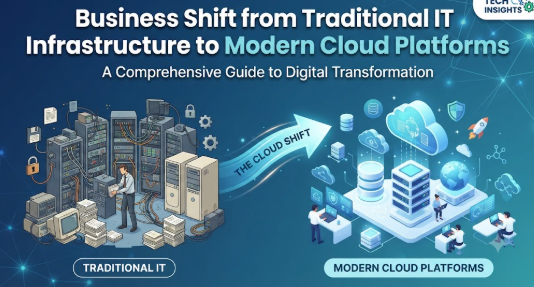
A growing business may begin with a few computers, local servers, shared folders, and manually managed software. As customers, employees, applications, and data increase, that simple setup can become expensive and difficult to maintain. Businesses may experience slow deployments, limited storage, hardware failures, security gaps, and poor remote access. Cloud computing offers a different operating model in which computing resources can be accessed when required instead of being purchased and maintained entirely on company premises. However, moving to the cloud without proper planning can introduce unexpected costs, security problems, and operational confusion. This guide explains why businesses are moving from traditional IT to cloud platforms and how they can approach that transition responsibly.
Why Businesses Are Moving from Traditional IT to Cloud
Traditional IT in Simple Words
Traditional IT usually means that an organization purchases, installs, operates, and maintains its own technology infrastructure. The company may keep physical servers, storage equipment, networking devices, backup systems, and software inside its office or a private data centre.
The internal IT team is responsible for nearly everything, including:
- Purchasing hardware
- Installing operating systems
- Maintaining networks
- Applying security updates
- Managing storage
- Monitoring performance
- Replacing failed equipment
- Maintaining backup systems
- Planning future capacity
- Controlling physical access
This model gives an organization direct control over its infrastructure. However, it also creates significant responsibility, ongoing maintenance, capital investment, and dependency on internal technical skills.
Cloud Computing in Simple Words
Cloud computing provides servers, storage, databases, networking, software, analytics, and other computing capabilities through network-based services. Instead of purchasing every physical component, a business can provision the resources it needs from a cloud provider.
The National Institute of Standards and Technology describes cloud computing through characteristics such as on-demand self-service, broad network access, shared resource pools, rapid elasticity, and measured usage.
In practical terms, cloud computing allows a business to:
- Create computing resources without waiting for physical hardware
- Increase or decrease capacity according to demand
- Access applications from approved locations and devices
- Pay according to selected services and consumption models
- Use managed databases, security tools, backup services, and development platforms
- Expand into new locations without building a complete data centre
How the Cloud Model Works
A cloud provider operates large-scale data centres and delivers technology services to customers. Businesses select the service model, capacity, region, security controls, and payment arrangement that match their requirements.
The three widely used service models are:
- Infrastructure as a Service: Virtual servers, networks, and storage are provided, while the customer manages operating systems and applications.
- Platform as a Service: The provider manages more of the underlying environment so developers can focus on applications and data.
- Software as a Service: Users access a ready-to-use application without managing the underlying infrastructure.
Responsibility changes according to the service model. Even when a provider manages physical infrastructure, customers usually remain responsible for areas such as identities, access permissions, data protection, configuration, and user activity.
Beginner-Friendly Example
Consider a retail company that hosts its billing and inventory application on one office server. When the server becomes overloaded or fails, employees cannot process orders properly.
Under a cloud model, the organization could host the application on scalable infrastructure, maintain automated backups, monitor performance centrally, and add resources during busy periods. The company would still need to configure access, protect customer data, monitor costs, and test recovery procedures.
Common Misunderstanding
A common misunderstanding is that moving to the cloud means uploading every file to an online storage service. Cloud transformation is much broader. It can involve infrastructure, business applications, databases, cybersecurity, software development, analytics, disaster recovery, collaboration, and operating processes.
Practical Takeaway
Cloud adoption should be treated as a business transformation programme rather than a simple technology purchase. The best decision depends on workload requirements, costs, risks, compliance obligations, internal skills, and long-term business goals.
Why Cloud Adoption Is Important for Businesses
Faster Business Response
Traditional infrastructure can require weeks or months for hardware approval, purchase, delivery, installation, testing, and configuration. Cloud platforms can allow authorized teams to provision approved resources much more quickly.
This speed helps organizations test new services, respond to customer needs, enter new markets, and support new projects without waiting for a complete infrastructure purchasing cycle. Cloud providers commonly identify agility and faster resource provisioning as major reasons for cloud adoption.
The mistake is assuming that faster provisioning automatically creates better outcomes. Without governance, teams may create unnecessary resources, inconsistent configurations, and uncontrolled costs. The better approach is to combine speed with approval policies, templates, budgets, and security standards.
Flexible Capacity
A physical server has fixed capacity. If demand exceeds that capacity, performance may decline. If demand remains low, the business may continue paying for unused hardware.
Cloud services can expand or reduce resources according to workload requirements. This elasticity is especially helpful for seasonal businesses, online services, marketing campaigns, financial processing, reporting periods, and unpredictable customer demand.
However, automatic scaling must be configured carefully. Poorly designed scaling rules can increase costs or fail to respond correctly. Businesses should test performance limits, set budget alerts, and review usage patterns.
Improved Accessibility
Cloud-based applications can support authorized access from offices, homes, branches, customer sites, and mobile devices. This is useful for remote teams, field employees, distributed operations, and organizations working across several locations.
Better accessibility does not mean unrestricted accessibility. Strong identity management, multifactor authentication, device controls, access reviews, and network policies remain essential.
More Focus on Core Business Activities
Traditional IT teams may spend considerable time replacing hardware, maintaining operating systems, checking storage, resolving infrastructure faults, and managing routine backups.
Managed cloud services can transfer some underlying operational responsibilities to the provider. This allows internal teams to focus more on customer experience, application improvement, automation, data use, and business innovation.
The better approach is not to remove IT expertise but to redirect it. Cloud environments still require architecture, security, cost management, governance, integration, monitoring, and vendor-management skills.
Better Support for Continuity and Recovery
Cloud platforms can support backups, multiple availability locations, automated recovery, replicated databases, and infrastructure templates. These capabilities can improve resilience when properly designed.
Cloud migration itself does not guarantee business continuity. Organizations must define recovery time objectives, recovery point objectives, backup retention, restoration procedures, communication plans, and testing schedules.
Short Practical Scenario
A training company runs an online registration portal from an office server. Registrations increase sharply after a new course announcement, causing the portal to slow down. Instead of permanently purchasing larger hardware for occasional traffic peaks, the company moves the portal to a cloud environment with monitored scaling. It also introduces budget limits, automated backups, and regular security reviews. The business gains flexibility without treating the cloud as an uncontrolled resource pool.
The Real Problems Businesses Face with Traditional IT
High Upfront Investment
Traditional IT often requires organizations to purchase servers, storage, networking equipment, software licences, backup systems, cooling, power protection, and physical space before the full demand is known.
This can lock money into infrastructure that may become underused or outdated. The business must also estimate future capacity, which is difficult when growth is uncertain.
Cloud services can replace some capital expenditure with consumption-based operational expenditure. However, consumption-based pricing requires active monitoring because costs can rise when resources are poorly sized or left running unnecessarily.
Slow Capacity Expansion
When a traditional environment reaches its limit, the company may need to purchase and install additional equipment. Procurement, shipping, installation, testing, and approval can delay urgent projects.
This is especially difficult when demand changes quickly. Businesses may either overbuy capacity or accept performance limitations.
A better approach is to match the infrastructure model to demand. Predictable, stable workloads may remain suitable for dedicated infrastructure, while variable workloads may benefit from cloud elasticity.
Maintenance Burden
Physical infrastructure requires continuous attention. Hardware ages, disks fail, warranties expire, operating systems require updates, and security tools need maintenance.
Small internal teams may struggle to keep every system properly patched, monitored, backed up, and documented. Cloud-managed services can reduce some of this burden, but businesses must understand exactly which responsibilities remain theirs.
Limited Remote Working Support
Older systems are often designed around office networks. Remote access may depend on slow virtual private networks, manually configured devices, or applications that perform poorly outside the office.
Modern cloud architectures can support secure access from different locations, but the organization must redesign identity, endpoint security, data access, and monitoring instead of simply exposing an old application to the internet.
Weak Visibility
Traditional environments sometimes contain undocumented servers, duplicate software, unused applications, and unclear ownership. This makes upgrades, budgeting, cybersecurity, and migration planning difficult.
Cloud platforms can provide detailed usage and monitoring information, but only when tagging, logging, ownership, and reporting standards are implemented.
Business and IT Misalignment
A major problem is not always the technology itself. Business leaders may view IT as a cost centre, while technical teams may make infrastructure decisions without understanding business priorities.
Cloud adoption requires collaboration among leadership, finance, security, operations, development, legal, compliance, and end users. A migration based only on technical enthusiasm may not solve the organization’s actual problems.
Unrealistic Expectations
Some businesses assume the cloud will automatically reduce every cost, eliminate downtime, improve security, and modernize old applications.
In reality, an inefficient application may remain inefficient after migration. A badly configured server may become a badly configured cloud server. The cloud creates useful capabilities, but the organization must use them with sound architecture, governance, and operational discipline.
How Business Cloud Migration Works Step by Step
Step 1: Define the Business Reason
The first step is identifying what the organization wants to improve. The objective may be faster product delivery, better disaster recovery, reduced infrastructure maintenance, international expansion, improved remote access, data analytics, or replacement of ageing hardware. This matters because different goals require different cloud solutions. For example, a company seeking resilience may prioritize backup and regional recovery, while a company seeking faster development may prioritize managed platforms and automation. A common mistake is starting with a provider or product before defining the business problem. The better approach is to record measurable outcomes, responsible owners, constraints, and success criteria before selecting technology.
Step 2: Discover Applications and Infrastructure
The organization should create an accurate inventory of servers, applications, databases, networks, storage, licences, users, integrations, security controls, and dependencies. This matters because an application may rely on systems that are not immediately visible. For example, an invoice application may depend on an identity server, file share, reporting database, and email gateway. Moving only the application could interrupt the complete process. A common mistake is trusting an outdated asset list. The better approach is to combine documentation, automated discovery, stakeholder interviews, traffic analysis, and application-owner validation.
Step 3: Assess Workload Suitability
Every workload should be evaluated for performance, sensitivity, compliance, availability, technical compatibility, business criticality, and cost. Some workloads may be ready for cloud migration, while others may require modification or may need to remain on dedicated infrastructure. For example, a modern web application may migrate easily, while an old manufacturing system connected to specialized equipment may require a hybrid design. A common mistake is forcing every system into one migration model. The better approach is to select the most suitable destination and method for each workload.
Step 4: Build the Financial and Risk Case
The business should compare current costs with expected migration and operating costs. The review should include hardware, maintenance, software, facilities, staffing, connectivity, backup, support, migration labour, training, security, data transfer, and cloud consumption. This matters because the lowest monthly infrastructure estimate may not represent the complete cost. A common mistake is comparing only the purchase price of servers with cloud compute charges. The better approach is to evaluate total cost, expected business value, operational risk, transition expenses, and the cost of maintaining both environments during migration.
Step 5: Prepare the Cloud Foundation
Before migrating important workloads, the organization should establish accounts, identity policies, network architecture, logging, encryption, resource naming, tagging, budgets, security controls, backup rules, and management responsibilities. Cloud adoption frameworks from major providers emphasize structured preparation, governance, security, and management rather than unplanned resource creation. A common mistake is allowing each team to create a separate environment without shared standards. The better approach is to build a reusable and governed cloud foundation.
Step 6: Run a Controlled Pilot
A pilot allows the organization to test technology, processes, skills, security controls, costs, and user experience with limited risk. The selected workload should be meaningful enough to reveal real issues but not so critical that a failure stops the business. For example, an internal reporting application may be a better pilot than the main payment platform. A common mistake is selecting an unrealistically simple workload that does not test dependencies or operations. The better approach is to define pilot goals, rollback plans, testing criteria, support responsibilities, and lessons before migration begins.
Step 7: Migrate in Planned Waves
Applications should be grouped into migration waves according to dependency, priority, complexity, and business timing. Each wave should include testing, data validation, performance checks, security review, user communication, operational handover, and rollback planning. Google’s migration guidance describes discovery, planning, execution, and optimization as repeatable phases for reducing migration risk. A common mistake is migrating too many unrelated systems simultaneously. The better approach is to begin with manageable groups, learn from each wave, and improve the process continuously.
Step 8: Optimize After Migration
Cloud migration is not complete when an application starts running. Teams should review performance, availability, security, architecture, cost, user experience, backup, and operational effort. Unused resources should be removed, oversized services should be adjusted, and opportunities for automation or managed services should be considered. A common mistake is leaving a migrated environment unchanged for months. The better approach is to create a regular optimization cycle with clear technical and financial ownership.
Key Factors Influencing Cloud Adoption
Business Objectives
Cloud adoption must support a business outcome. Possible objectives include faster market entry, improved customer experience, reduced maintenance, better collaboration, increased resilience, and support for data-driven services.
When objectives are unclear, migration becomes a technical activity without measurable value. Every major workload should have a reason for moving and an agreed method for judging success.
Application Readiness
Modern applications that already support automation, APIs, flexible scaling, and distributed environments may adapt more easily to cloud platforms.
Older applications may depend on fixed IP addresses, outdated operating systems, unsupported databases, local file systems, or specialized hardware. These applications may need rehosting, replatforming, refactoring, replacement, or retirement.
Cost Structure
Traditional IT usually includes larger upfront purchases and ongoing maintenance. Cloud services often use variable consumption-based pricing.
Neither model is automatically cheaper in every situation. A continuously running, stable workload may have different economics from an application with highly variable demand. Cost decisions must consider utilization, licensing, support, data movement, operational labour, growth, and risk.
Scalability Requirements
Organizations with seasonal, unpredictable, or rapidly increasing demand may benefit significantly from scalable resources.
However, systems must be designed to scale. Moving a poorly designed single-server application to a larger virtual machine does not provide true elasticity.
Security Requirements
Cloud providers secure the underlying infrastructure, but customers still retain important responsibilities. These commonly include data classification, identity management, permissions, secure configuration, application security, monitoring, and incident response.
The right question is not simply whether cloud or on-premises infrastructure is safer. The business should determine which model allows it to manage its specific risks more effectively.
Compliance and Data Location
Organizations may need to follow contractual, legal, industry, or internal requirements concerning data storage, retention, access, encryption, auditing, and location.
The business should identify these obligations before choosing services or regions. Compliance cannot be added as an afterthought after sensitive data has already been migrated.
Availability and Recovery
Some applications can tolerate short interruptions. Others may directly affect revenue, safety, customer service, or regulated operations.
Recovery requirements influence architecture, backup frequency, geographic design, redundancy, and cost. Higher availability normally requires stronger design and greater investment.
Internal Skills
Traditional infrastructure specialists may need additional knowledge in cloud architecture, automation, identity, security, containers, cost management, and managed services.
Cloud adoption should include training, role clarification, documentation, and practical experience. Depending completely on one external consultant or one internal employee creates operational risk.
Integration Dependencies
Most applications do not operate alone. They exchange data with identity systems, payment gateways, databases, reporting tools, suppliers, customer platforms, and internal services.
Migration planning must account for latency, compatibility, data formats, security, and temporary connections between cloud and on-premises environments.
Governance Maturity
Cloud users can create resources quickly. Without governance, that advantage can lead to uncontrolled accounts, inconsistent security, duplicated services, and unclear costs.
Strong governance establishes who may create resources, which locations are approved, which security controls are mandatory, how costs are allocated, and how exceptions are handled.
Detailed Breakdown of Traditional IT to Cloud Transformation
From Ownership to Service Consumption
Traditional IT is based largely on asset ownership. The company buys infrastructure, estimates how long it will last, and operates it until replacement.
Cloud computing shifts part of that model toward service consumption. The organization selects capabilities, uses them, monitors them, and adjusts them over time.
This changes budgeting, procurement, architecture, security, and operational responsibilities. Technology decisions become more frequent because teams can modify resources without purchasing new hardware.
From Fixed Capacity to Elastic Capacity
Traditional systems are usually sized for expected peak demand. This can leave excess capacity unused during normal periods.
Cloud services can provide additional resources during high demand and reduce them when demand falls. NIST identifies rapid elasticity and measured service as defining characteristics of cloud computing.
Businesses must still define limits. Unlimited scaling without budget controls can turn a technical success into a financial problem.
From Manual Infrastructure to Automation
Physical infrastructure often involves manual installation and configuration. Cloud environments can be defined through templates and infrastructure-as-code tools.
Automation allows teams to build repeatable environments, reduce configuration differences, document architecture, and restore infrastructure more consistently.
The mistake is automating a weak process. The better approach is to simplify, standardize, secure, test, and then automate.
From Hardware Maintenance to Managed Services
In traditional IT, the organization may manage servers, operating systems, databases, message queues, storage, and backup software.
Cloud providers offer managed services in which more of the underlying platform is operated by the provider. This can reduce maintenance and allow teams to focus on applications and data.
Google’s architecture guidance recommends simplifying designs and using managed services where appropriate to reduce baseline management effort.
Managed services can also create dependencies on provider-specific features. Businesses should understand portability, pricing, exit options, and required skills before adoption.
From Local Access to Distributed Access
Traditional applications may assume that users work inside one office network. Modern businesses often need to support branches, remote employees, partners, suppliers, and customers.
Cloud platforms can help deliver applications closer to distributed users, but identity becomes the main security boundary. Access should be based on verified users, approved devices, least privilege, and continuous monitoring.
From Periodic Purchasing to Continuous Cost Management
Traditional infrastructure costs are often concentrated around purchasing cycles. Cloud costs can change daily according to usage, configuration, data movement, and service selection.
This requires a more continuous financial practice. FinOps encourages collaboration among engineering, finance, and business teams to improve technology value, data-driven decisions, and cost accountability.
Cloud cost management should begin before migration, not after invoices become unexpectedly large.
From Perimeter Security to Identity-Centred Security
Traditional security frequently focuses on protecting the office network boundary. Cloud services, mobile users, remote work, and external integrations reduce the effectiveness of a simple inside-versus-outside model.
Cloud security requires stronger identity protection, multifactor authentication, least-privilege access, secure configuration, encryption, logging, vulnerability management, and incident response.
The provider protects selected layers, but the customer must correctly secure the resources and data it controls.
From Basic Backup to Designed Resilience
Keeping a backup copy is not the same as having a reliable recovery capability. Businesses must know whether the backup can be restored, how long restoration will take, how much data may be lost, and who will manage the incident.
Cloud services can support automated backup, replication, and multi-location architectures. These capabilities still require configuration, testing, ownership, and cost planning.
From Isolated Data to Analytics and AI Readiness
Traditional systems often keep data across disconnected servers, spreadsheets, and applications. This makes reporting slow and inconsistent.
Cloud data platforms can help collect, process, govern, and analyze larger information sets. They can also provide access to machine learning and artificial intelligence services.
However, organizations should not move sensitive data into analytics or AI systems without proper classification, permission, quality controls, privacy review, and usage policies.
Hybrid Cloud as a Practical Middle Path
Cloud adoption does not always require removing every local system. Hybrid architecture combines cloud services with private infrastructure.
A manufacturer may keep latency-sensitive factory systems on-site while using the cloud for reporting, backup, customer applications, and analytics. A regulated organization may retain selected records in controlled environments while using approved cloud services for less sensitive workloads.
Hybrid cloud can reduce migration risk, but it also creates integration, identity, monitoring, networking, and management complexity.
Common Migration Approaches
Businesses can use several migration approaches:
- Retire: Remove applications that are no longer needed.
- Retain: Keep selected systems in their existing environment.
- Rehost: Move an application with limited design changes.
- Replatform: Make targeted improvements while moving.
- Refactor: Redesign the application to use cloud-native capabilities.
- Repurchase: Replace the existing application with another product, often a SaaS solution.
- Relocate: Move an environment with minimal change at the infrastructure layer.
No single approach is correct for every application. AWS migration guidance distinguishes strategies such as rehosting and replatforming according to the required change and target outcome.
Migration Versus Modernization
Migration changes where a workload runs. Modernization changes how it is designed, operated, updated, or delivered.
A company may first rehost an application to leave an ageing data centre. It can later modernize the application using managed databases, containers, automated deployment, APIs, and improved monitoring.
Trying to modernize everything during the first move may increase risk and delay progress. Moving without any optimization plan may preserve unnecessary cost and complexity. A phased approach often provides better control.
Situations Where Traditional IT May Still Be Suitable
Cloud computing is not the only valid model. Traditional or dedicated infrastructure may remain suitable when:
- Specialized hardware is required
- Network latency must be extremely low
- Connectivity is unreliable
- Existing infrastructure remains cost-effective
- Regulations require a specific environment
- Applications cannot be migrated safely
- Workloads have stable, predictable demand
- Data movement would be impractical
- Operational technology must remain locally controlled
The best strategy may be cloud-first, hybrid, multi-cloud, private cloud, or workload-specific. The decision should follow business requirements rather than fashion.
Common Mistakes Beginners Make During Cloud Migration
Moving Without a Clear Business Case
This happens when leaders approve migration because competitors are using the cloud. Without clear outcomes, teams cannot prioritize workloads or measure value.
The organization may spend money without improving speed, reliability, or customer experience. Instead, define the business problem, expected result, baseline performance, and success indicators.
Migrating Everything in One Large Project
A single large migration may appear efficient, but it can combine too many technical and business risks.
Dependencies may be missed, users may not be prepared, and support teams may become overwhelmed. Use phased migration waves with testing and lessons between each wave.
Assuming Cloud Costs Are Automatically Lower
Cloud services can reduce some infrastructure and operational costs, but uncontrolled usage can create waste.
Oversized resources, unused storage, excessive data transfer, forgotten test systems, and duplicate services can increase bills. Create budgets, ownership tags, alerts, cost reviews, and optimization responsibilities.
Copying the Existing Architecture Without Review
Recreating every old server in the cloud may provide a fast migration path, but it may also preserve outdated design and unnecessary expense.
Evaluate whether applications should be retired, replaced, consolidated, replatformed, or redesigned.
Ignoring Application Dependencies
An application may depend on a database, file share, identity system, network address, licence server, or external integration.
Missing one dependency can cause downtime or incomplete business processes. Use discovery tools, network analysis, interviews, and end-to-end testing.
Treating Security as the Provider’s Responsibility
Cloud providers secure the infrastructure components they manage, but customers remain responsible for important areas such as identities, data, permissions, configurations, applications, and endpoints.
Businesses should document the responsibility model for every service and confirm ownership for each control.
Giving Users Excessive Permissions
Broad administrator access is sometimes granted to make migration faster. This increases the risk of accidental deletion, data exposure, fraud, and unauthorized changes.
Use least-privilege access, role-based permissions, multifactor authentication, temporary elevated access, and regular access reviews.
Failing to Train the Team
Cloud platforms introduce new services, security models, billing methods, automation practices, and operational processes.
Without training, teams may use cloud technology as if it were a traditional data centre. Provide role-based learning, supervised practice, documentation, and shared technical standards.
Ignoring Data Transfer and Connectivity
A cloud application may still depend on large volumes of data moving from an office, factory, or external provider.
Insufficient bandwidth or poor network design can reduce performance and increase costs. Test data movement, latency, resilience, encryption, and fallback options before migration.
Skipping Recovery Testing
A dashboard showing successful backups does not prove that the business can restore operations.
Teams should regularly test data restoration, application recovery, access procedures, communication, and decision responsibilities.
Failing to Decommission Old Resources
After migration, some organizations continue paying for old servers, licences, support contracts, and data-centre space.
Decommissioning should be controlled and should occur only after validation, retention review, business approval, and rollback periods.
“Don’t Do This” Checklist
- Do not move applications without identifying their owners.
- Do not assume every workload belongs in the public cloud.
- Do not use one migration method for every application.
- Do not grant permanent administrator access unnecessarily.
- Do not store sensitive data without classification and approval.
- Do not ignore licences, contracts, and regulatory obligations.
- Do not estimate cloud cost using compute charges alone.
- Do not begin migration without backup and rollback plans.
- Do not depend on one cloud specialist for all knowledge.
- Do not leave test resources running without ownership.
- Do not assume backup automatically provides disaster recovery.
- Do not declare migration complete before optimization and handover.
Practical Real-Life Examples of Cloud Adoption
Example 1: Retail Business Managing Seasonal Demand
Situation: An online retailer experiences high website traffic during sales and much lower demand during normal weeks.
Challenge: Its physical servers must be sized for peak demand, leaving capacity underused for most of the year.
Better action: The business moves the customer-facing application to scalable cloud infrastructure while setting performance and budget limits.
Learning: Elastic capacity is useful when demand changes, but scaling and cost controls must be tested together.
Example 2: Professional Services Company Supporting Remote Employees
Situation: Employees need access to documents, communication tools, and business applications from different locations.
Challenge: Older systems depend on office access and create delays for remote users.
Better action: The company adopts approved cloud applications, multifactor authentication, device controls, and role-based access.
Learning: Cloud accessibility is most valuable when identity and endpoint security are strengthened at the same time.
Example 3: Small Manufacturer Protecting Operational Continuity
Situation: A manufacturer keeps production records and planning data on local servers.
Challenge: A hardware failure could interrupt administrative operations and delay customer deliveries.
Better action: The company keeps latency-sensitive factory systems locally while using cloud backup, reporting, and recovery services.
Learning: Hybrid architecture can provide practical value without forcing every operational system into the cloud.
Example 4: Software Company Improving Product Delivery
Situation: Developers wait for infrastructure whenever they need a testing environment.
Challenge: Manual setup slows releases and creates inconsistent environments.
Better action: The company uses approved cloud templates, automated deployment, testing pipelines, and temporary development resources.
Learning: Cloud value comes from changing delivery processes, not simply replacing physical servers with virtual ones.
Example 5: Growing Healthcare Service Protecting Sensitive Data
Situation: A healthcare service needs scalable appointment and communication systems.
Challenge: Patient-related data creates privacy, security, retention, and access-control requirements.
Better action: The organization classifies data, reviews regulatory obligations, selects appropriate services, limits access, and maintains audit logs.
Learning: Sensitive workloads require compliance and security planning before technical migration begins.
Table 1: Traditional IT Versus Cloud Computing
| Decision Area | Traditional IT | Cloud Computing | Better Evaluation Approach |
|---|---|---|---|
| Infrastructure | Organization purchases and manages hardware | Provider supplies services through cloud infrastructure | Compare control, maintenance, skills, and workload needs |
| Capacity | Usually fixed until equipment is added | Can be increased or reduced more quickly | Review demand variability and scaling requirements |
| Cost model | Often includes upfront capital expenditure | Often uses subscription or consumption-based charges | Compare complete lifecycle and operating costs |
| Deployment speed | May require procurement and installation | Resources can often be provisioned quickly | Combine speed with approval and governance |
| Maintenance | Internal team manages most infrastructure layers | Some responsibilities move to the provider | Document the shared responsibility model |
| Accessibility | Commonly optimized for office networks | Can support distributed access | Apply strong identity and endpoint controls |
| Recovery | Requires separate infrastructure and planning | Provides multiple backup and recovery options | Test restoration rather than assuming readiness |
| Control | Direct physical and technical control | Control depends on the selected service model | Match service type to risk and compliance needs |
| Scaling | Limited by installed capacity | Supports elastic or on-demand capacity | Configure technical and financial limits |
| Innovation | May require new hardware and software projects | Managed platforms can accelerate experimentation | Connect experiments to measurable business value |
Table 2: Workload Decision and Migration Approach
| Workload Situation | Possible Approach | Main Benefit | Main Risk to Check |
|---|---|---|---|
| Application is no longer useful | Retire | Removes cost and complexity | Data retention and business dependency |
| Application must remain unchanged temporarily | Retain | Avoids unnecessary migration risk | Ageing technology and support limitations |
| Application must move quickly | Rehost | Faster transition with fewer changes | Existing inefficiencies may remain |
| Application needs moderate improvement | Replatform | Uses selected managed capabilities | Compatibility and operational change |
| Application requires major flexibility | Refactor | Greater scalability and automation potential | Higher cost, time, and development risk |
| Existing software is unsuitable | Repurchase | Replaces legacy software with a modern service | Data migration, vendor dependency, and user adoption |
| Specialized local system must stay on-site | Hybrid integration | Connects local control with cloud capabilities | Network, identity, and monitoring complexity |
| Workload handles sensitive information | Controlled cloud or dedicated design | Supports defined security and compliance controls | Misconfiguration, access, location, and audit obligations |
Tools, Methods, and Frameworks Readers Can Use
Application Inventory
An application inventory records systems, owners, users, servers, databases, integrations, licences, sensitivity, and business importance.
It helps beginners understand the current environment before deciding what to migrate. It prevents the mistake of moving unidentified or unnecessary systems.
Dependency Mapping
Dependency mapping identifies how applications communicate with databases, networks, identity services, files, and external systems.
Businesses can use automated discovery tools together with interviews and documentation. This avoids partial migrations that break complete business processes.
Total Cost of Ownership Assessment
A total cost of ownership assessment compares more than hardware purchase prices. It may include facilities, electricity, cooling, maintenance, support, staff time, licences, backup, connectivity, downtime, and replacement cycles.
For cloud planning, businesses should add migration effort, training, support plans, data movement, security services, and expected consumption. This avoids unrealistic financial comparisons.
Workload Assessment Scorecard
A scorecard evaluates each workload against factors such as business value, technical complexity, risk, performance, compliance, cost, and migration readiness.
It helps teams prioritize applications objectively rather than selecting workloads based on personal preference.
Cloud Adoption Framework
A cloud adoption framework provides structured guidance for strategy, planning, preparation, migration, governance, security, and management.
Microsoft and Google publish frameworks that emphasize business alignment and organizational readiness alongside technology.
Beginners can use a framework as a checklist, but they should adapt it to their own size, industry, skills, and risk profile.
Cloud Landing Zone
A landing zone is a prepared cloud foundation containing accounts, identity, networks, logging, security policies, resource organization, and governance controls.
It helps teams create consistent environments instead of designing each workload independently. The common mistake is building workloads before the basic foundation is ready.
Migration Wave Plan
A migration wave plan groups applications according to dependency, readiness, priority, and business timing.
Businesses can begin with lower-risk workloads, improve the migration process, and gradually handle more complex systems. This avoids a high-risk single migration event.
Infrastructure as Code
Infrastructure as code represents cloud resources through version-controlled configuration.
It helps teams create repeatable environments, review changes, recover configurations, and reduce manual differences. Beginners should begin with approved templates rather than allowing every engineer to create separate patterns.
Security Responsibility Matrix
This matrix records which security tasks belong to the provider, internal cloud team, application owner, security team, user, or external partner.
It prevents the assumption that someone else is protecting a control. Responsibilities should cover identity, data, endpoints, applications, networks, logging, backup, incident response, and compliance.
Cloud Cost Dashboard
A cloud cost dashboard tracks spending by project, application, department, owner, service, and environment.
Beginners can combine dashboards with budgets, alerts, tags, and regular reviews. This helps prevent forgotten resources, oversized services, and unclear accountability.
Architecture Review
An architecture review evaluates reliability, security, performance, operations, and cost.
It should occur before major deployment and after migration. The goal is not to create unnecessary documentation but to identify design risks while they can still be corrected.
Pilot and Retrospective Method
A pilot tests the migration approach on a limited workload. A retrospective records what worked, what failed, which assumptions were wrong, and which standards should change.
This method turns one migration into reusable organizational learning rather than an isolated technical project.
Expert Tips to Make Better Cloud Decisions
1. Begin with the Business Problem
Record the exact limitation the organization wants to solve. It may be slow deployment, unreliable recovery, high maintenance, limited scalability, or poor remote access.
This prevents teams from buying cloud services without understanding why they are needed. Every major technical decision should connect to a business outcome.
2. Separate Migration from Modernization
Decide whether the immediate goal is to relocate a workload, improve it, or completely redesign it.
Combining every change into one project can increase risk. A phased approach may move the workload first and modernize it after operations become stable.
3. Assess Every Application Individually
Applications have different owners, dependencies, risks, performance requirements, and lifecycles.
Use a repeatable assessment method rather than assuming one provider, architecture, or migration strategy is suitable for all systems.
4. Remove Unnecessary Systems First
Migration is a good opportunity to identify applications, databases, and servers that no longer provide sufficient value.
Removing them can reduce migration effort, licensing, security exposure, and operational complexity. Confirm retention and legal requirements before deletion.
5. Build Security into the Foundation
Establish identity controls, logging, encryption standards, network rules, access reviews, and incident processes before migrating sensitive workloads.
Adding security after deployment may require expensive redesign and can leave important resources exposed.
6. Protect Identities as Carefully as Infrastructure
A compromised cloud account can provide access to applications, data, backups, and administrative controls.
Use multifactor authentication, separate administrative accounts, least privilege, access reviews, and secure recovery processes.
7. Estimate Complete Costs
Include migration labour, training, connectivity, security tools, support, data transfer, licences, temporary dual operation, and modernization work.
A realistic business case should include expected benefits and risks, not only a monthly infrastructure estimate.
8. Assign Cost Ownership
Every resource should have an identifiable application, environment, department, and owner.
Cost visibility encourages better decisions and makes it easier to remove unused resources. Finance, engineering, and business teams should review costs together.
9. Test Recovery Before Production Use
Backups should be restored in a controlled test to confirm that data, applications, access, and dependencies can be recovered.
Record recovery times, problems, responsibilities, and communication steps. A successful backup job is not enough.
10. Plan for Connectivity Failure
Cloud applications depend on network access. Businesses should consider secondary connections, local fallback procedures, offline capabilities, and communication plans.
This is particularly important for factories, clinics, retail locations, and remote offices.
11. Train Teams by Role
Executives need business and risk understanding. Finance teams need cloud cost knowledge. Security teams need cloud control skills. Engineers need architecture and automation capabilities.
Role-based training is more effective than one general cloud presentation for everyone.
12. Avoid Permanent Temporary Solutions
Temporary administrator access, open network rules, manual scripts, and undocumented exceptions often become permanent.
Set expiration dates, owners, review requirements, and automated controls for temporary arrangements.
13. Measure Business Outcomes
Track results such as deployment time, recovery performance, support effort, customer experience, cost per transaction, and service availability.
Cloud success should not be measured only by the number of migrated servers.
14. Maintain an Exit and Portability Plan
Understand how applications and data could be moved, exported, or replaced if business requirements change.
This does not mean avoiding provider-specific services completely. It means making vendor dependency a visible and informed decision.
15. Continue Optimizing
Cloud environments change as applications, teams, demand, and provider services evolve.
Schedule regular reviews covering cost, performance, security, reliability, architecture, ownership, and business value.
Case Studies: How Better Understanding Changes Cloud Decisions
Case Study 1: Regional Retail Company
Profile: A retail company operates several stores and a growing e-commerce website.
Situation: The company maintains its website, inventory system, and reporting database on office-based servers.
Problem: Online traffic increases unpredictably during promotions, while employees from different stores struggle to access consistent inventory information.
Wrong approach: Management initially plans to move every application to one large cloud server. This would reproduce the existing architecture without improving scaling, recovery, or application separation.
Better approach: The company inventories its applications and dependencies. It moves the customer-facing website to scalable cloud infrastructure, adopts a managed database for selected functions, strengthens identity controls, and retains a specialized store application temporarily. Migration occurs in separate waves.
Result or learning: The business gains more flexible website capacity and improved reporting access while avoiding unnecessary risk to store operations. It also discovers that cloud cost and performance must be reviewed after every major sales campaign.
Key takeaway: Workload-specific migration creates better outcomes than copying an entire traditional environment into the cloud.
Case Study 2: Accounting and Professional Services Firm
Profile: A professional services firm has employees working from offices, client locations, and homes.
Situation: Important documents are stored on local file servers, and several applications depend on office network access.
Problem: Remote access is slow, permissions are inconsistent, and backup restoration has never been fully tested.
Wrong approach: The firm considers opening broad remote network access so employees can reach the existing servers more easily.
Better approach: It classifies documents, removes outdated accounts, introduces multifactor authentication, moves suitable collaboration workloads to approved cloud services, and creates clear retention and sharing rules. Sensitive applications remain controlled until security and compliance reviews are complete.
Result or learning: Employees gain more reliable access while the organization improves permission visibility and document ownership. The firm learns that cloud adoption requires information governance, not simply online storage.
Key takeaway: Identity, data classification, and access policies should be designed before expanding remote accessibility.
Case Study 3: Mid-Sized Software Provider
Profile: A software company develops business applications for several customers.
Situation: Developers request physical or virtual servers from a small infrastructure team whenever they need test environments.
Problem: Environment creation is slow, releases are inconsistent, and old testing servers remain active because ownership is unclear.
Wrong approach: The development team wants unrestricted cloud administrator access so engineers can create resources immediately.
Better approach: The organization builds approved cloud templates, automated deployment pipelines, time-limited test environments, ownership tags, security policies, and budget alerts. Developers receive role-based permissions instead of unrestricted administrative access.
Result or learning: Environment creation becomes faster and more consistent. Unused testing resources are removed automatically, while the infrastructure team gains better visibility.
Key takeaway: Cloud agility works best when automation, governance, security, and cost accountability are designed together.
Risk Awareness: What Businesses Must Check First
Financial Risk
Cloud costs may increase because of oversized resources, unused environments, unexpected data transfer, premium services, or unclear ownership.
Businesses can reduce this risk through budgets, alerts, tagging, unit-cost tracking, resource schedules, architecture review, and regular collaboration between finance and technical teams.
Cybersecurity Risk
Misconfigured storage, excessive permissions, weak passwords, exposed interfaces, and unpatched applications can create security incidents.
Reduce this risk with multifactor authentication, least privilege, secure templates, encryption, vulnerability management, monitoring, incident response, and regular testing.
Data Privacy Risk
Cloud systems may process personal, financial, customer, employee, or confidential business information.
Organizations should classify data, limit collection, control access, define retention, select appropriate locations, encrypt sensitive information, and review contractual and legal requirements.
Availability Risk
A cloud service, network connection, application component, or identity provider may fail.
Businesses should identify critical dependencies, create resilient designs, define recovery objectives, maintain backups, test restoration, and prepare operational fallback procedures.
Vendor Dependency Risk
Applications may become closely connected to one provider’s technology, pricing, APIs, or managed services.
Reduce this risk by documenting dependencies, maintaining data export procedures, reviewing contract terms, and making deliberate portability decisions.
Skills Risk
An organization may adopt complex cloud services without enough internal knowledge to secure, operate, or optimize them.
Provide training, documentation, architecture standards, knowledge sharing, and access to qualified specialists. Avoid concentrating all knowledge in one individual.
Compliance Risk
Cloud use may introduce obligations concerning data location, access, audit records, retention, contracts, and incident reporting.
Legal, compliance, information security, and business teams should review requirements before sensitive workloads are deployed.
Migration Risk
Data may be lost, corrupted, duplicated, or made unavailable during migration. Applications may also perform differently in the target environment.
Use backups, data validation, pilot migrations, testing, rollback procedures, approval gates, and staged cutovers.
Operational Risk
Teams may not know who monitors the application, responds to alerts, approves changes, or restores service after migration.
Create an operating model with clear ownership, support procedures, escalation paths, documentation, and service expectations.
Misinformation Risk
Businesses may rely on oversimplified statements such as “the cloud is always cheaper” or “the provider handles all security.”
Decision-makers should verify claims against their workload, contract, service model, risk profile, and provider documentation. Qualified cloud, security, financial, legal, and compliance professionals should be consulted where appropriate.
Checklist Before Beginning Cloud Migration
- The business reason for cloud adoption is clearly documented.
- Expected outcomes and success measures are defined.
- Applications, servers, databases, and integrations are inventoried.
- Business and technical owners are identified.
- Workload dependencies have been mapped.
- Sensitive and regulated data has been classified.
- Legal, contractual, and compliance requirements are reviewed.
- Current infrastructure costs are understood.
- Migration, training, support, and dual-operation costs are included.
- Each workload has an appropriate migration strategy.
- Cloud accounts and subscriptions are structured properly.
- Identity and access controls are designed.
- Multifactor authentication is enabled for important accounts.
- Logging and monitoring requirements are defined.
- Network connectivity and performance have been tested.
- Backup, recovery, and rollback plans are documented.
- Recovery procedures have been tested.
- Cloud budgets, alerts, and ownership tags are prepared.
- The internal team has received role-based training.
- A controlled pilot workload has been selected.
- Migration waves are planned around dependencies.
- Users and support teams have communication plans.
- Old infrastructure has a controlled decommissioning plan.
- Post-migration security and cost reviews are scheduled.
- Provider dependency and exit considerations are understood.
Businesses should use this checklist as an approval gate rather than a one-time reading exercise. Each item should have evidence, an owner, and a status. Unresolved high-risk items should be addressed before a critical workload is migrated.
Strategic Insights for Better Cloud Decision-Making
Evaluate Business Value per Workload
Cloud strategy should not focus only on how many servers can be moved. It should examine what each workload contributes to the business.
A low-value application with high maintenance may be retired. A customer-facing application may deserve modernization. A stable internal system may remain unchanged until replacement becomes practical.
Use Unit Economics
Total cloud spending alone does not show whether the environment is efficient. Businesses can measure cost per customer, transaction, application user, order, report, or development environment.
Unit economics connects technology costs to business activity. A higher total bill may still represent better value if the company supports significantly more customers or transactions.
Balance Standardization and Flexibility
Standard architecture, security, tagging, and deployment patterns reduce complexity. However, excessive standardization can prevent teams from choosing the best solution for a special workload.
Organizations should define approved default patterns and establish a controlled exception process.
Design Governance as Enablement
Governance should help teams move safely and quickly. It should not consist only of slow manual approvals.
Policies, templates, automated checks, role-based access, and pre-approved patterns can prevent unsafe decisions without blocking productive work.
Treat Identity as a Core Architecture Component
Cloud services, SaaS applications, contractors, remote employees, and automation tools all depend on identity.
Businesses should create strong joiner, mover, and leaver processes so access is granted appropriately, changed when roles change, and removed when people leave.
Use Hybrid Architecture Deliberately
Hybrid systems are sometimes treated as a temporary stage, but they may remain part of the long-term strategy.
The organization should define how identity, monitoring, networking, data, security, and support will work across environments. An unmanaged hybrid model can become more difficult than either cloud or traditional infrastructure alone.
Connect Reliability to Business Impact
Not every application requires the highest possible availability. Increasing availability can increase architecture complexity and cost.
Businesses should classify applications according to customer impact, revenue impact, operational dependency, and acceptable downtime. Investment should match the actual requirement.
Modernize Where It Creates Value
Refactoring every application is expensive. Rehosting every application may preserve inefficiency.
Modernization should focus on workloads where managed services, automation, scaling, analytics, APIs, or faster releases provide meaningful business value.
Create Continuous Cost Accountability
Cloud cost management should operate throughout planning, development, deployment, and operations.
Engineers should understand the cost effect of design decisions. Finance teams should understand variable technology consumption. Business owners should understand the value received from each workload.
Build Reversible Decisions Where Practical
Some decisions can be changed easily, while others create long-term dependency.
For uncertain requirements, begin with smaller, reversible steps. Use pilots, modular architecture, data export processes, and controlled commitments until usage becomes more predictable.
Maintain a Cloud Operating Model
A cloud operating model defines how teams request services, deploy applications, manage security, review costs, respond to incidents, and improve architecture.
Without an operating model, cloud adoption can create isolated projects instead of a sustainable organizational capability.
Key Cloud Terms Explained for Beginners
- Cloud Computing: Cloud computing is the delivery of computing resources such as servers, storage, databases, networking, and software through network-accessible services.
- Traditional IT: Traditional IT generally refers to technology infrastructure purchased, hosted, and maintained directly by an organization.
- On-Premises: On-premises means that systems operate in facilities controlled by the organization, such as an office server room or private data centre.
- Public Cloud: A public cloud is a provider-operated environment that delivers computing services to multiple customers while separating their accounts, workloads, and data.
- Private Cloud: A private cloud provides cloud-like capabilities through infrastructure dedicated to one organization.
- Hybrid Cloud: Hybrid cloud combines cloud services with private or on-premises systems that remain connected.
- Multi-Cloud: Multi-cloud means using services from more than one cloud provider. It may reduce some dependencies but can increase operational complexity.
- Infrastructure as a Service: IaaS provides virtual computing, storage, and networking resources while the customer manages operating systems, applications, and selected security controls.
- Platform as a Service: PaaS provides a managed application platform so teams can deploy software without managing as much underlying infrastructure.
- Software as a Service: SaaS is a ready-to-use application delivered as a service, such as collaboration, customer management, or accounting software.
- Scalability: Scalability is the ability of a system to support increased or reduced workload demand.
- Elasticity: Elasticity is the ability to add or remove resources dynamically as demand changes.
- Cloud Migration: Cloud migration is the process of moving applications, data, or infrastructure from one environment to a cloud environment or between cloud environments.
- Cloud Modernization: Cloud modernization improves the architecture, development, delivery, or operation of an application using modern cloud capabilities.
- Landing Zone: A landing zone is a governed cloud foundation containing identity, networking, logging, security, account structure, and resource standards.
- Shared Responsibility Model: This model explains which security and operational tasks are handled by the provider and which remain the customer’s responsibility.
- Infrastructure as Code: Infrastructure as code uses configuration files and automation to create and manage technology resources consistently.
- Vendor Lock-In: Vendor lock-in occurs when moving away from a provider becomes difficult because of proprietary services, data formats, contracts, or technical dependencies.
- FinOps: FinOps is a collaborative practice that connects technology, finance, and business teams to improve cost awareness, accountability, and value.
- Disaster Recovery: Disaster recovery is the planned process for restoring data, applications, and operations after a serious failure or disruption.
Who Should Read This Blog
Beginners
Beginners can use this guide to understand basic cloud concepts without being overwhelmed by provider-specific technical language.
Students
Students studying technology, management, cybersecurity, or business can learn how cloud adoption affects operations, costs, risks, and organizational strategy.
Business Owners
Business owners can understand why cloud migration is not simply an IT decision. It affects budgeting, customer service, security, continuity, and growth.
Small Business Owners
Small businesses can evaluate whether cloud applications, backup, infrastructure, or hybrid solutions can reduce maintenance and support flexible operations.
IT Professionals
IT teams can use the frameworks and checklists to improve workload assessment, migration planning, governance, operations, and optimization.
Developers
Developers can understand how automation, managed platforms, scalable infrastructure, and controlled environments can support faster software delivery.
Finance Teams
Finance teams can learn why cloud spending is variable and why budgets, ownership, forecasting, and unit-cost reporting require continuous attention.
Security and Compliance Teams
Security and compliance professionals can understand shared responsibility, data classification, identity protection, logging, provider assessment, and regulatory planning.
Operations Managers
Operations managers can evaluate recovery, support ownership, network dependency, service availability, and user impact.
Startups
Startups can learn how cloud platforms support experimentation and growth while recognizing the importance of cost controls and secure foundations.
Enterprise Decision-Makers
Enterprise leaders can use the blog to understand migration waves, legacy dependencies, operating models, hybrid architecture, and organizational readiness.
Organizations Avoiding Technology Mistakes
Any organization considering a major infrastructure change can use the guide to avoid trend-driven decisions, incomplete cost comparisons, weak security planning, and uncontrolled migration.
Frequently Asked Questions
1. Why are businesses moving from traditional IT to cloud environments?
Businesses are moving to cloud environments for faster resource provisioning, flexible capacity, distributed access, managed services, and improved support for innovation. The benefits depend on good architecture, governance, security, and cost management. Cloud adoption should solve a defined business problem rather than follow a trend.
2. What is the main difference between traditional IT and cloud computing?
Traditional IT normally requires a business to purchase and maintain its own physical infrastructure. Cloud computing provides technology resources as services through provider-operated infrastructure. Control, responsibility, pricing, maintenance, and scalability differ according to the selected cloud service model.
3. Is cloud computing always cheaper than traditional IT?
No. Cloud services can reduce upfront purchases and some maintenance costs, but inefficient usage can increase operating expenses. Businesses must compare total costs, including licences, support, migration, connectivity, security, data transfer, training, and ongoing consumption.
4. Why businesses are moving from traditional IT to cloud platforms instead of buying more servers?
Cloud platforms can provide resources faster and allow capacity to change according to demand. Buying more servers may still be appropriate for stable or specialized workloads. The correct choice depends on utilisation, control, performance, cost, security, and long-term business requirements.
5. Can every application be moved to the cloud?
Not every application should be moved immediately. Some systems depend on specialized hardware, outdated software, low-latency local connections, or strict regulatory controls. Each application should be assessed for technical readiness, cost, risk, dependency, and business value.
6. Is the cloud more secure than an on-premises data centre?
Security depends on design, configuration, skills, monitoring, and operational discipline. Cloud providers protect the underlying infrastructure, while customers remain responsible for areas such as data, identities, permissions, applications, endpoints, and selected network controls.
7. What is the biggest cloud migration mistake?
One of the biggest mistakes is migrating without understanding applications and dependencies. This can cause outages, performance problems, unexpected costs, and security gaps. Businesses should complete discovery, assessment, pilot testing, and rollback planning before moving critical systems.
8. How should a small business begin cloud adoption?
A small business should begin with a clear problem, such as unreliable backup, poor remote access, or limited application capacity. It should assess data sensitivity, compare costs, select a controlled pilot, protect identities, and create a recovery plan before expanding cloud use.
9. How long does business cloud migration take?
The timeline depends on the number of applications, technical complexity, data volume, compliance obligations, skills, dependencies, and modernization requirements. A small SaaS adoption may be completed relatively quickly, while a large data-centre migration may require multiple planned waves.
10. What should businesses check before choosing a cloud provider?
Businesses should review service suitability, locations, security capabilities, compliance support, pricing, support plans, reliability design, data transfer, integration, contract terms, skills availability, and exit options. Provider selection should follow workload requirements rather than brand popularity.
11. How does cloud migration affect employees?
Employees may receive improved access, new tools, and faster services, but they may also need training and new working processes. IT roles often shift toward automation, architecture, security, data, governance, and service management rather than disappearing completely.
12. What is the best next step after understanding why businesses are moving from traditional IT to cloud?
The best next step is to create an inventory of applications, infrastructure, data, owners, costs, and dependencies. The organization can then select one clear business problem and evaluate a controlled pilot instead of beginning with a large, unplanned migration.
Conclusion
Businesses are moving from traditional IT to cloud platforms because they need greater flexibility, scalability, accessibility, and operational efficiency. Cloud computing can reduce dependence on physical infrastructure, support remote teams, improve recovery planning, and help organizations respond faster to changing customer demands. However, cloud adoption is not automatically cheaper, safer, or more effective. Its success depends on careful workload assessment, strong security controls, realistic cost planning, employee training, and clear governance. Some applications may benefit from full migration, while others may require a hybrid approach or continued on-premises operation. A well-planned cloud strategy helps businesses modernize responsibly, control risk, and build a more adaptable technology environment.

